Promoted Listings - Priority (PLP) : Video Ads
Feature Introduction: eBay Video Ads are available for Promoted Listings with a priority strategy, allowing sellers to showcase their items through video. With video, buyers will be able to see your item in action, understand key features quickly, and feel more confident purchasing.
For more information: https://www.ebay.com/sellercenter/news/2026-april/video-ads-format-update?msockid=1af56443133860f13653768c125e619c
Notes
- Video Ads use eBay videos that have already been added to your listings. Please add an eBay video to the listing first and add the listing to an ad campaign. Once completed, you can add the video as a Video Ad.
Ⅰ. Add a Video Ad to a Priority Campaign (PLP)
The process for adding Video Ads is basically the same for manual and smart targeting campaigns. This guide uses a manual campaign as an example.
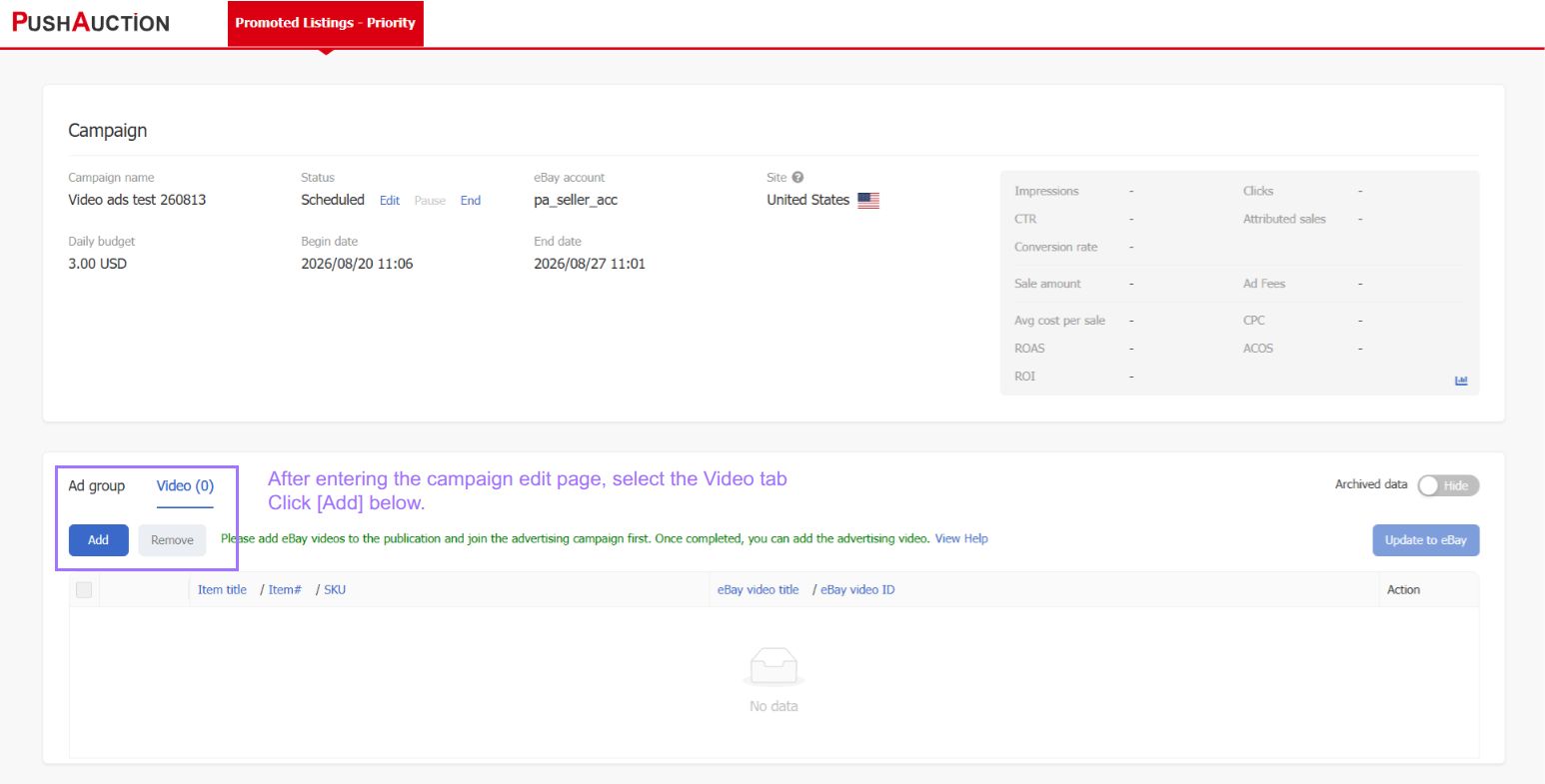
Step 1: Go to the campaign details page, click the [Video] tab > then click [Add] below.
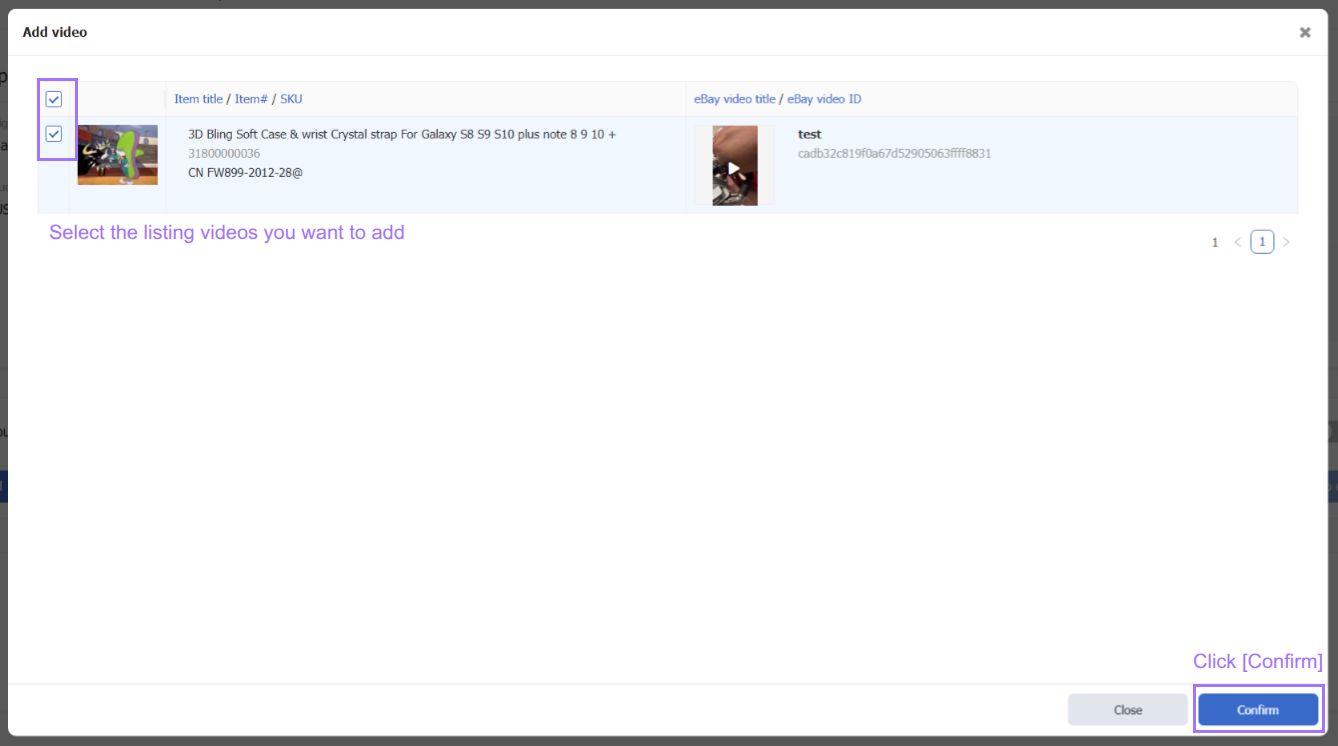
Step 2: Select the listing videos you want to add to the campaign > then click [Confirm].
Note: Only listings that have already been added to the ad campaign and have an eBay video will be shown here.
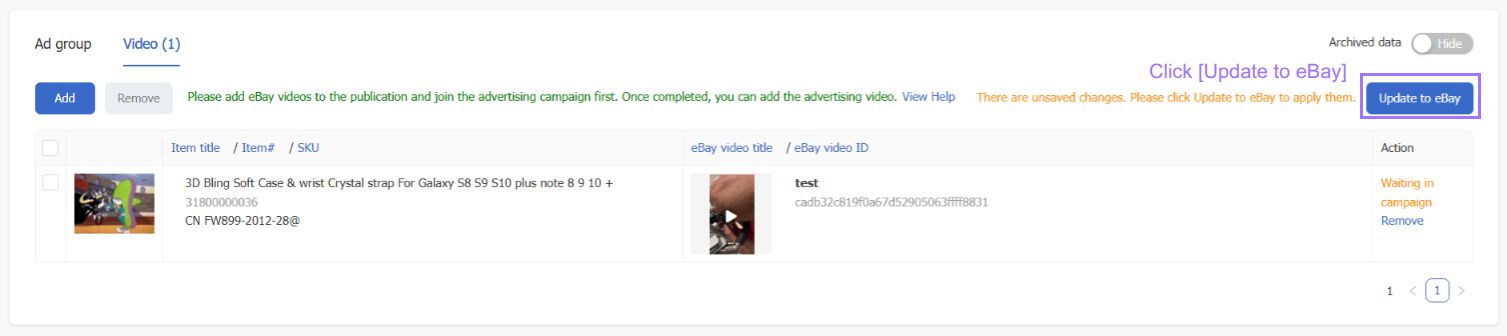
Step 3: Click [Update to eBay].
II. Remove Ad Videos
Step 1: Click 【Remove】 under Actions, or select the records in the list and click 【Remove】 in the upper-left corner.
Step 2: Click 【Update eBay】

Article Number: 2045
Author: Fri, Aug 14, 2026
Last Updated: Mon, Aug 17, 2026
Online URL: https://kb.pushauction.com/article.php?id=2045