System Update Announcement
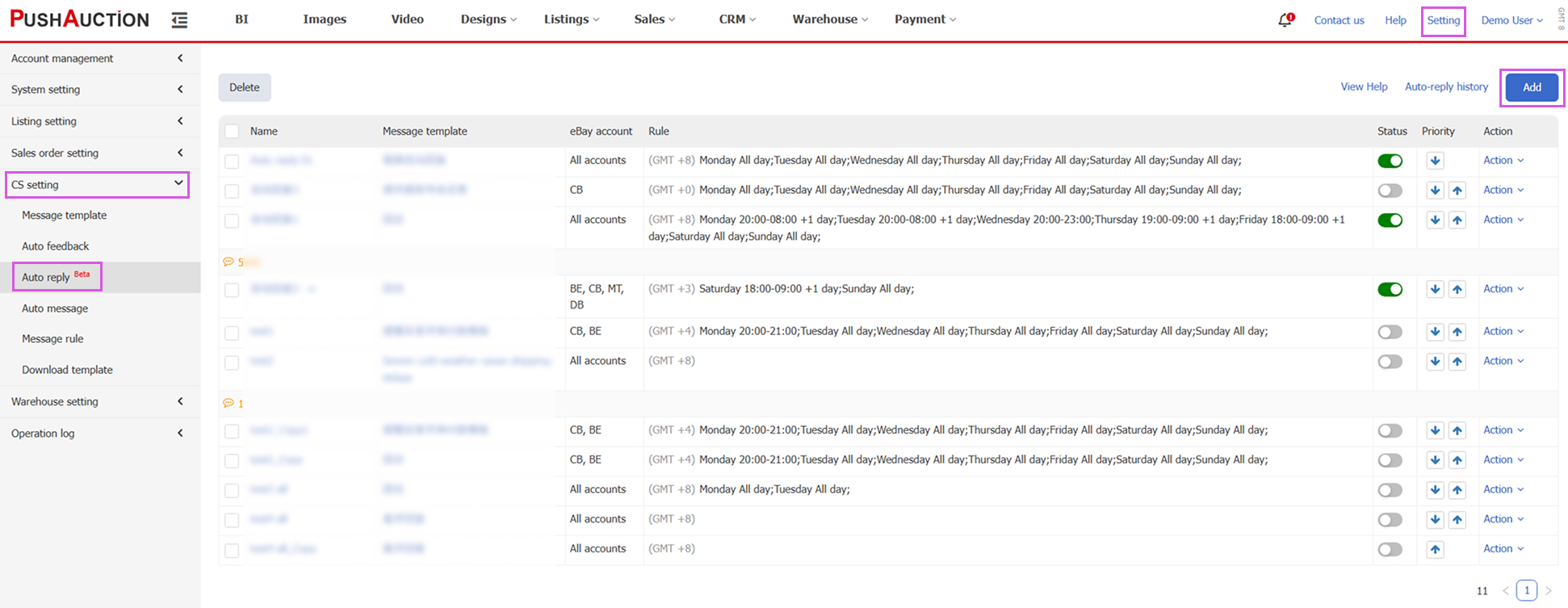
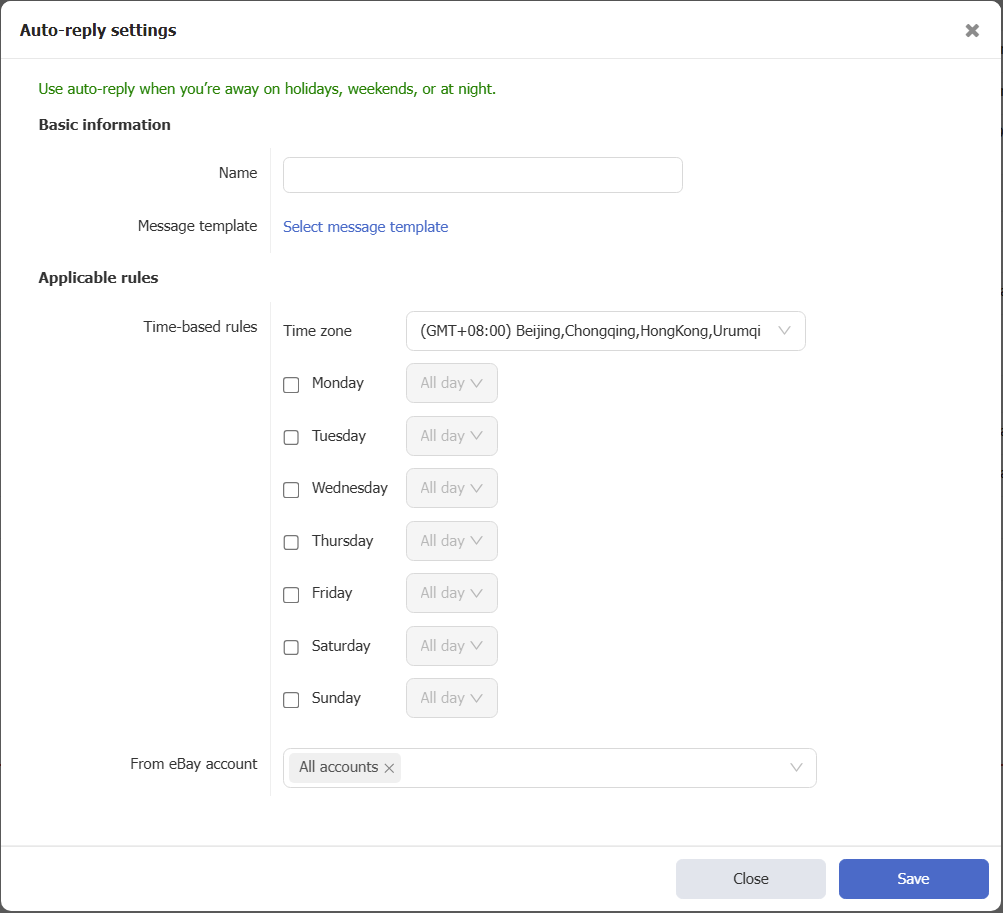
- Automatic Reply to Buyer Messages
Path: Settings > Customer Service Settings > Auto Reply
With the Chinese New Year holiday approaching, to help sellers respond to buyer inquiries in a timely manner during holidays, PushAuction has introduced the “Auto Reply” feature. This feature is currently available to a limited number of users for trial and will be gradually rolled out to paid users who have subscribed to the CRM module. During holidays, weekends, or nighttime when staff may be unavailable, sellers can use auto replies to promptly respond to buyer messages, improving the shopping experience and customer satisfaction.
Detailed instructions: Auto Reply - PushAuction
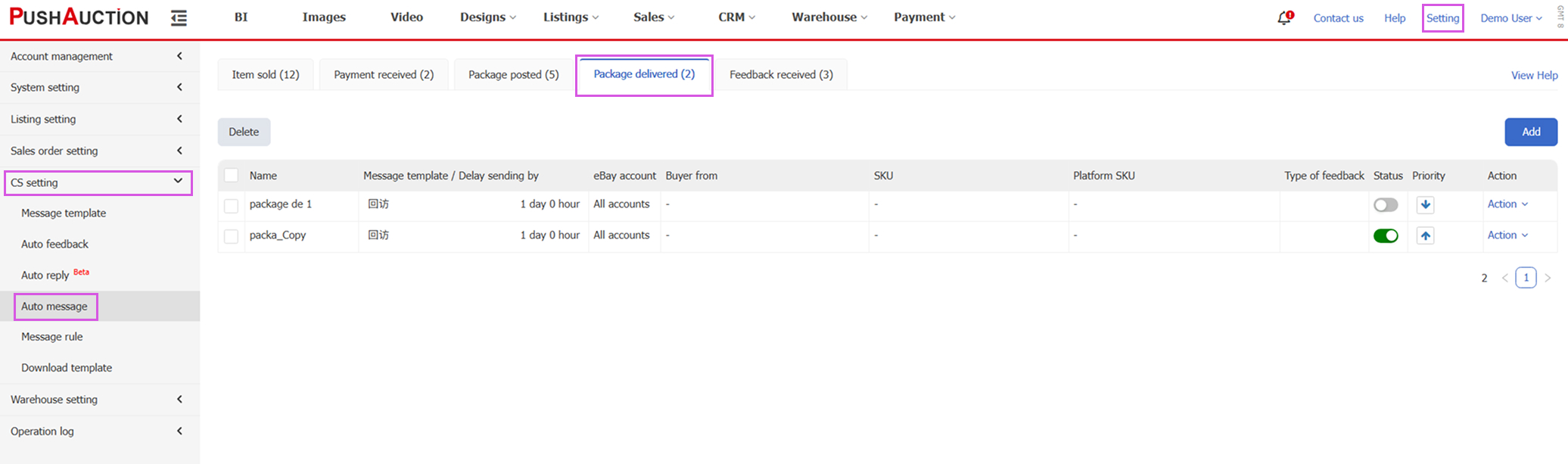
- New “Package Delivered” Scenario Added to Automated Messages
Path: Settings > Customer Service Settings > Automated Messages
A new “Package Delivered” scenario has been added. Once an order package is marked as delivered, the system will automatically send a message to the buyer, helping sellers further strengthen communication with their customers.
Detailed instructions: Automated Messages - PushAuction
- Profiles Support One-Click Multiple Copies
Path: Listings > Profiles > Copy
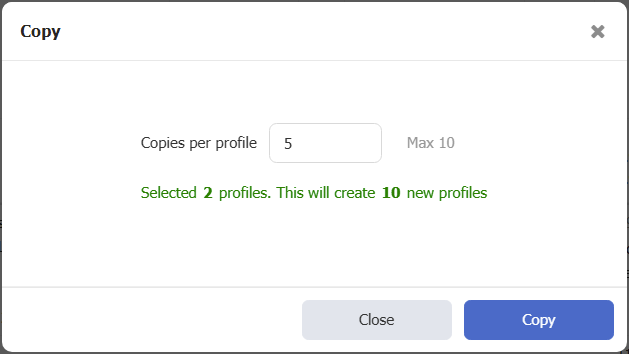
When copying a Profile, you can now specify the quantity and copy multiple Profiles at once, with a maximum of 10 copies per operation.
- Batch Scheduling Supported When Manually Relisting
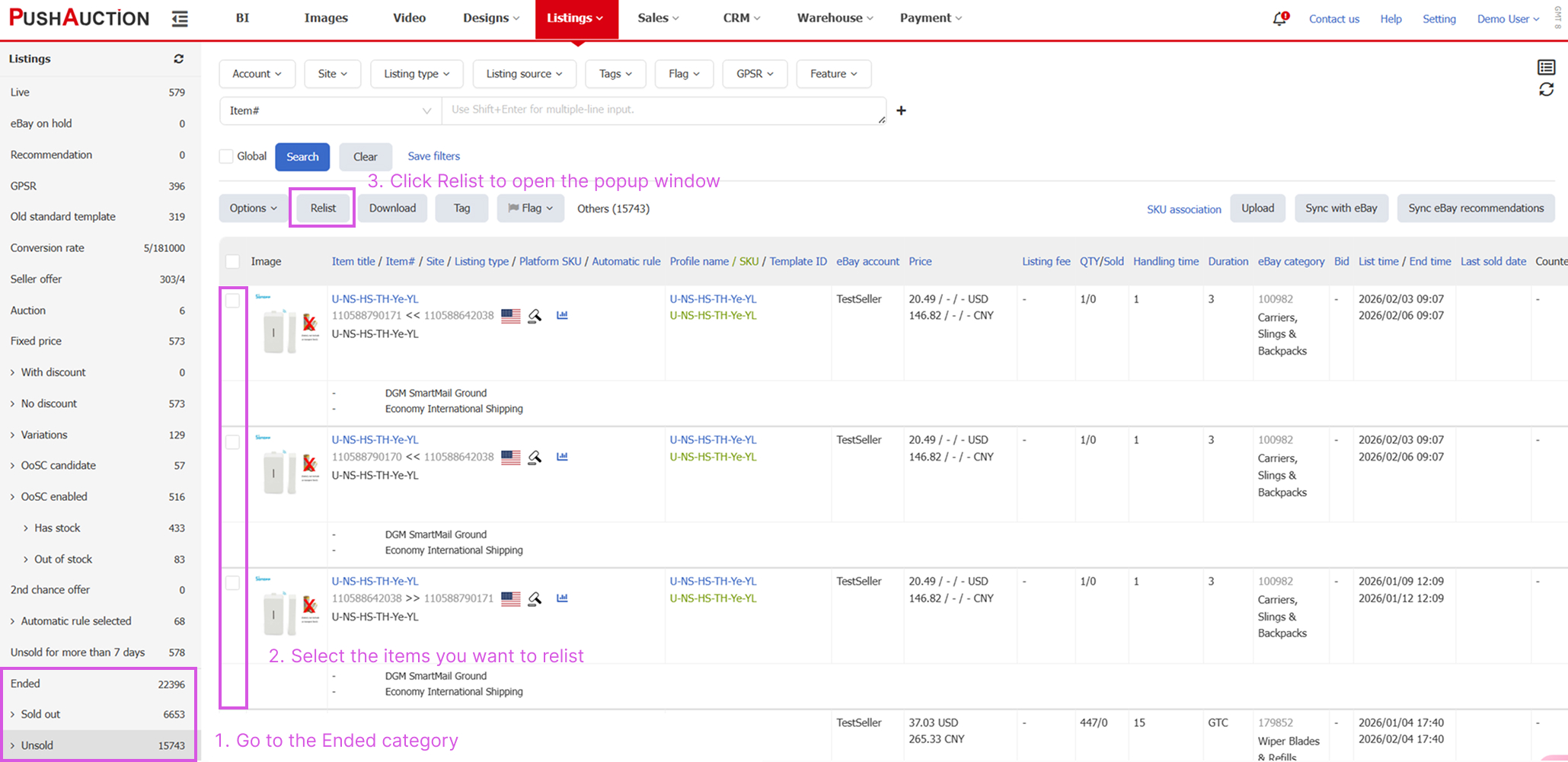
Path: Listings > Ended > Relist
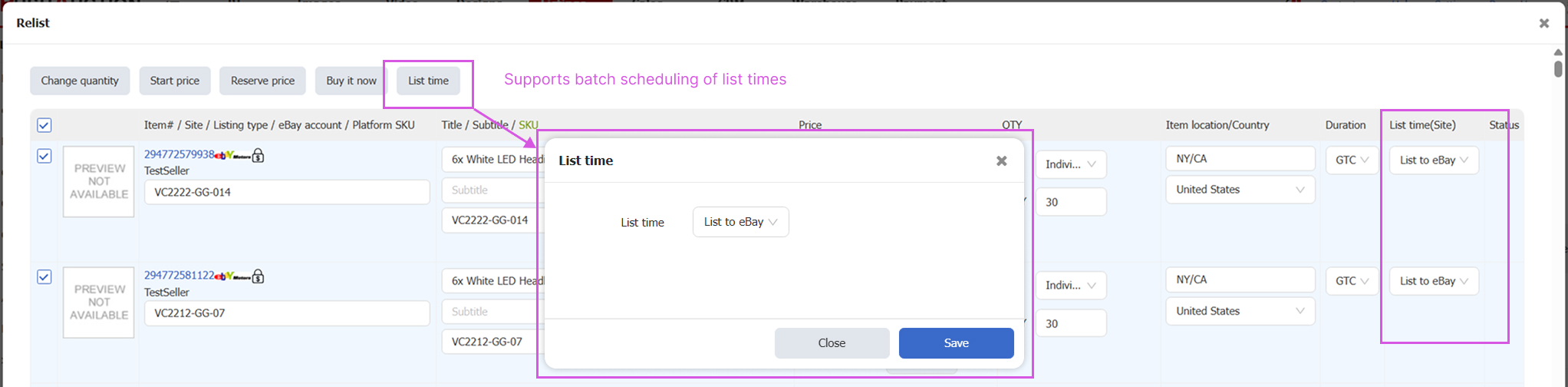
Supports batch scheduling of listing times, effectively reducing repetitive operations.
- Custom Columns on Profile and Listing Pages Now Support Displaying eBay Category Names
Path: Listings > All Profiles or Active Listings
Use the gear icon on the right side of the list to customize visible columns. By selecting “eBay Category” and “Store Category”, the list will display the eBay category ID and category name, making them easier to identify.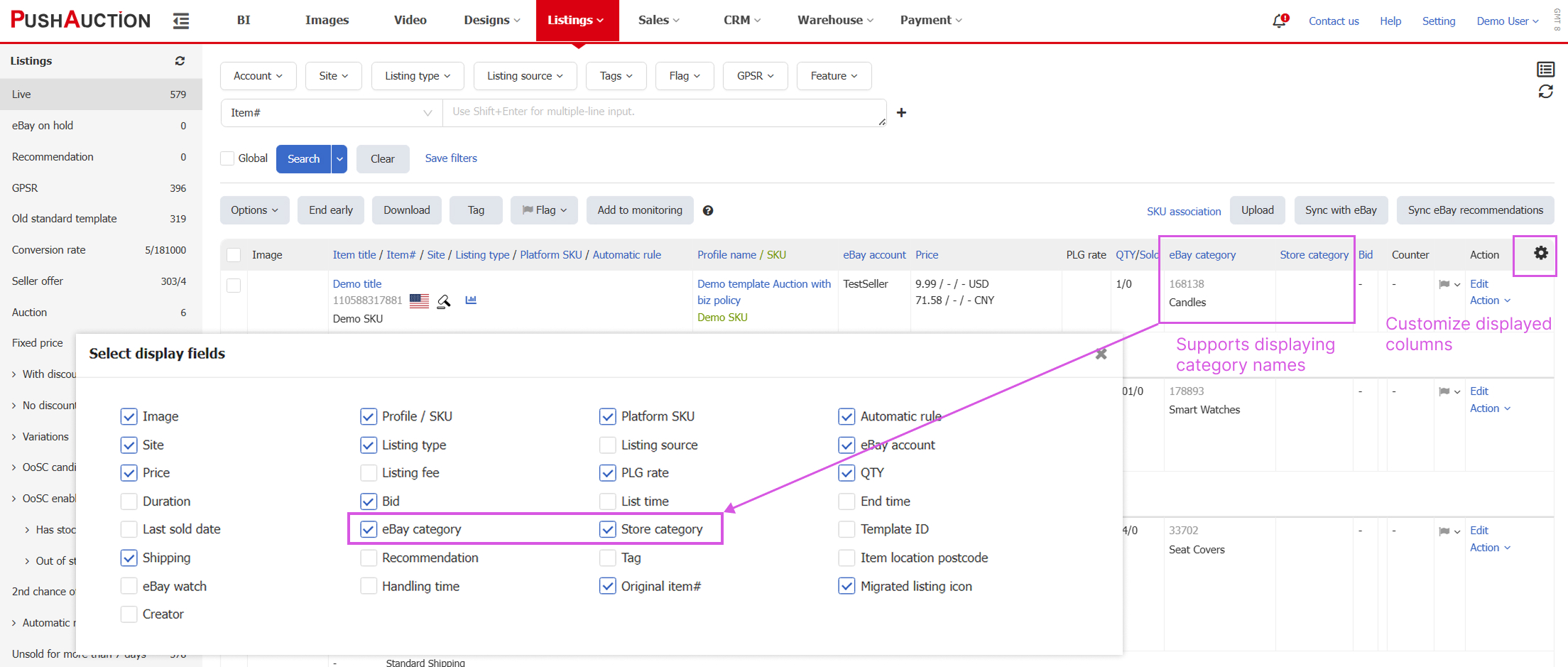
- Administrators Can Limit eBay Account Listing Quota and Batch Update Quotas
Path: Settings > Account Management > eBay Accounts
To prevent excessive listing activity or misuse of listing resources, PushAuction now allows administrators to set a Listing Quota for sub-accounts. Administrators can configure the maximum number of Listings allowed for each eBay account. Once the Quota is exceeded, further Listings will be blocked until administrator approval is granted, enabling more effective control and allocation of listing resources. In addition, batch updates of Listing Quotas via Excel upload are supported, significantly improving efficiency for users managing a large number of accounts.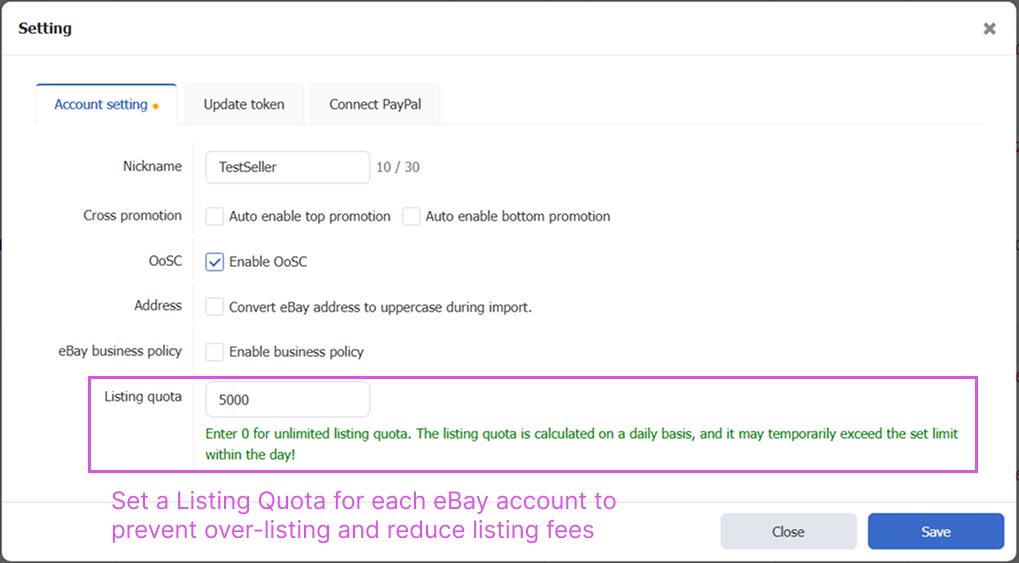
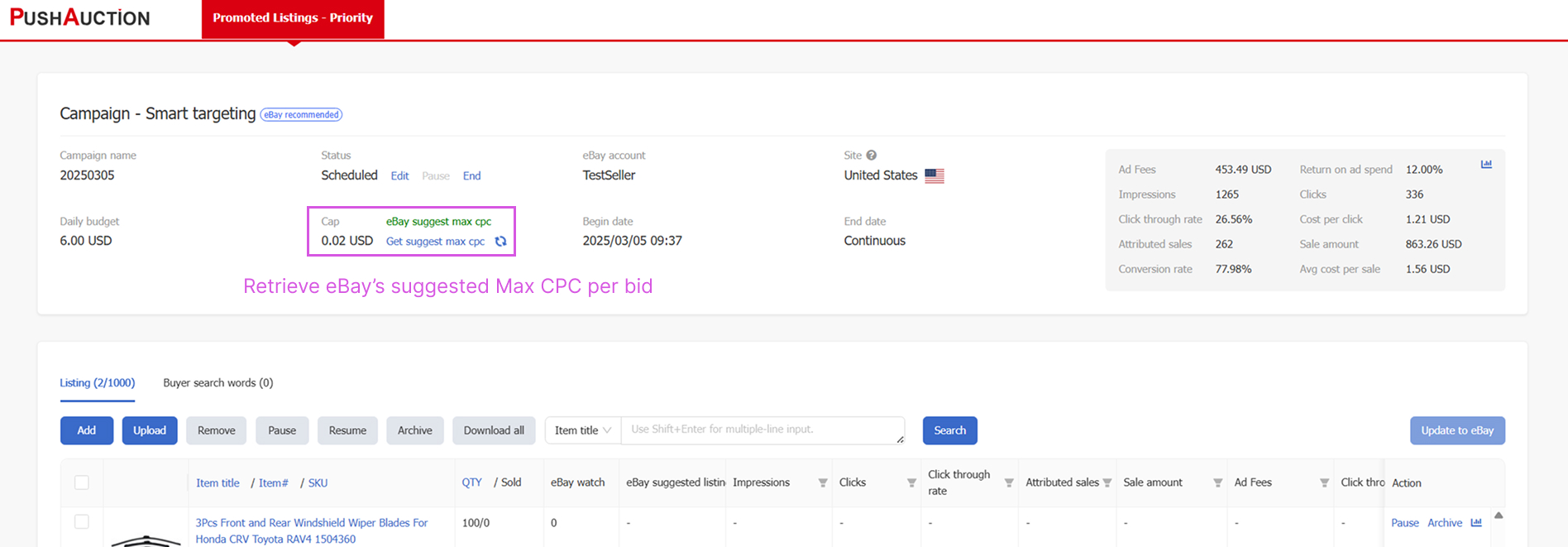
- PLP Smart Targeting Campaigns Support Retrieving eBay Suggested Max CPC
Path: Listings > eBay Promotion Campaigns > PLP
After creating a Smart Targeting campaign, the system can dynamically retrieve eBay’s suggested Max CPC, providing sellers with valuable reference data when formulating advertising strategies.