◮ Listing Module
- Added “End and Create New Listing” function to the listing management page.
Path: Listings > Live > End and create new listing.
Quickly identify low-performing listings, end them in bulk, and create new listings with just one click. This helps you to regain fresh traffic and visibility, leading to better conversion rates.
For detailed instructions, please refer to: End and Recreate Listings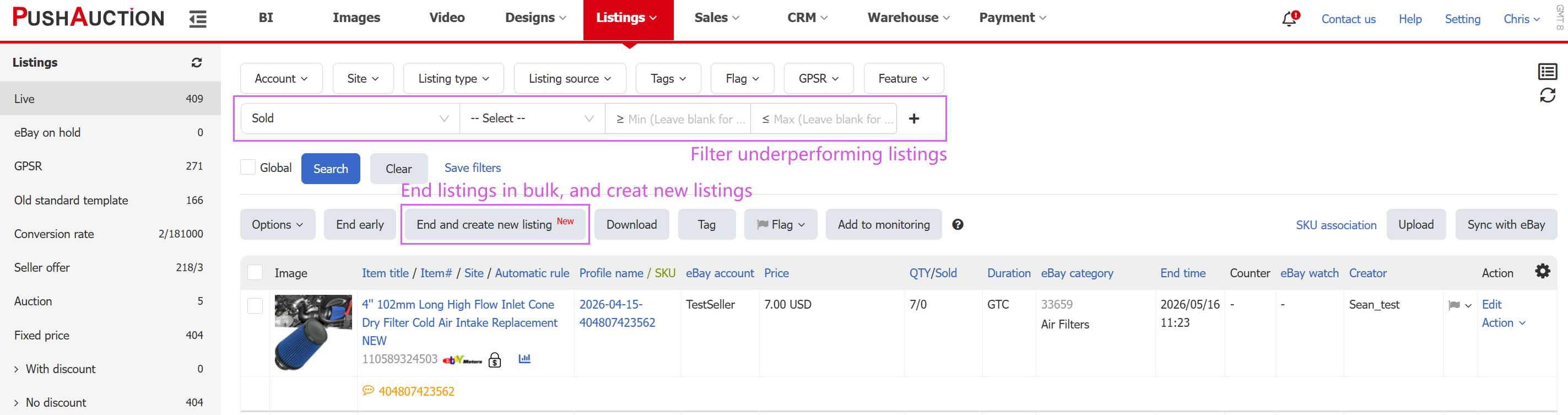
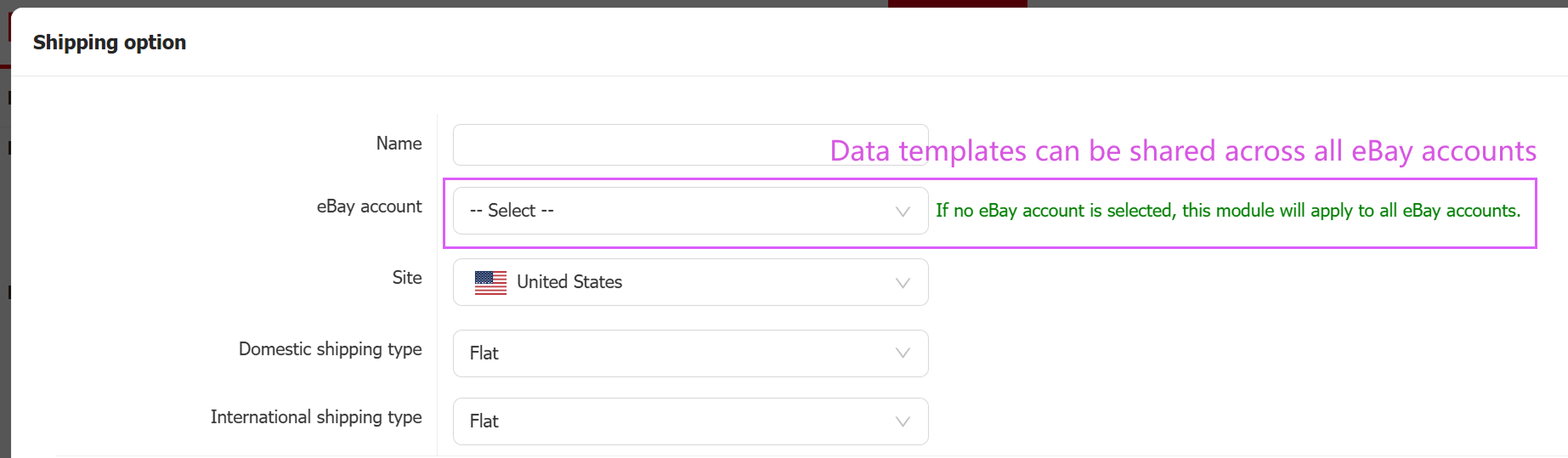
- Shipping Options and GPSR Modules Now Support Cross-Account Usage
Path: Listings > Module > GPSR / Shipping options.
Preset listing modules can now be shared across multiple accounts, reducing the need to maintain duplicate templates and making data management more efficient.
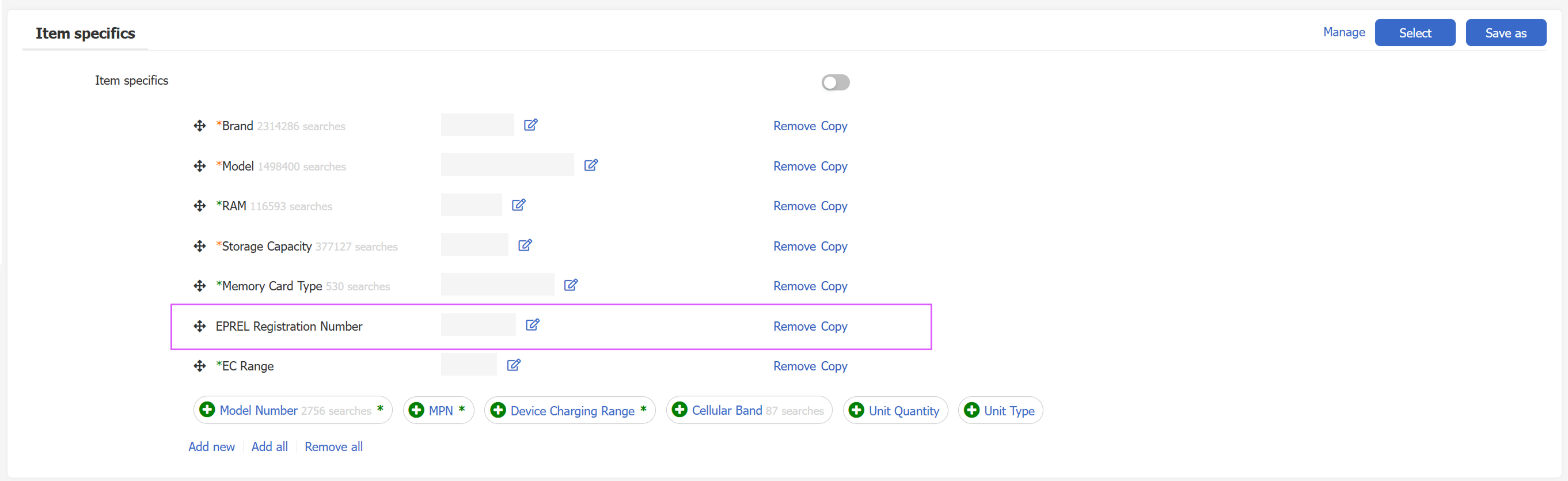
- EPREL Energy Label Number Supported in Listing/Profile Editing Page
Path: Listings > Profile / Listing Editting Page
When selecting electrical product categories on European sites, item specifics will now support entering the EPREL (energy label ID) based on eBay data.
- Profile Batch Replace: Now Supports Replacing “Mobile Description”
Path: Listings > Profiles > All > Replace.
The profile batch replace feature now allows you to replace the “Mobile Description”, significantly improving template management efficiency.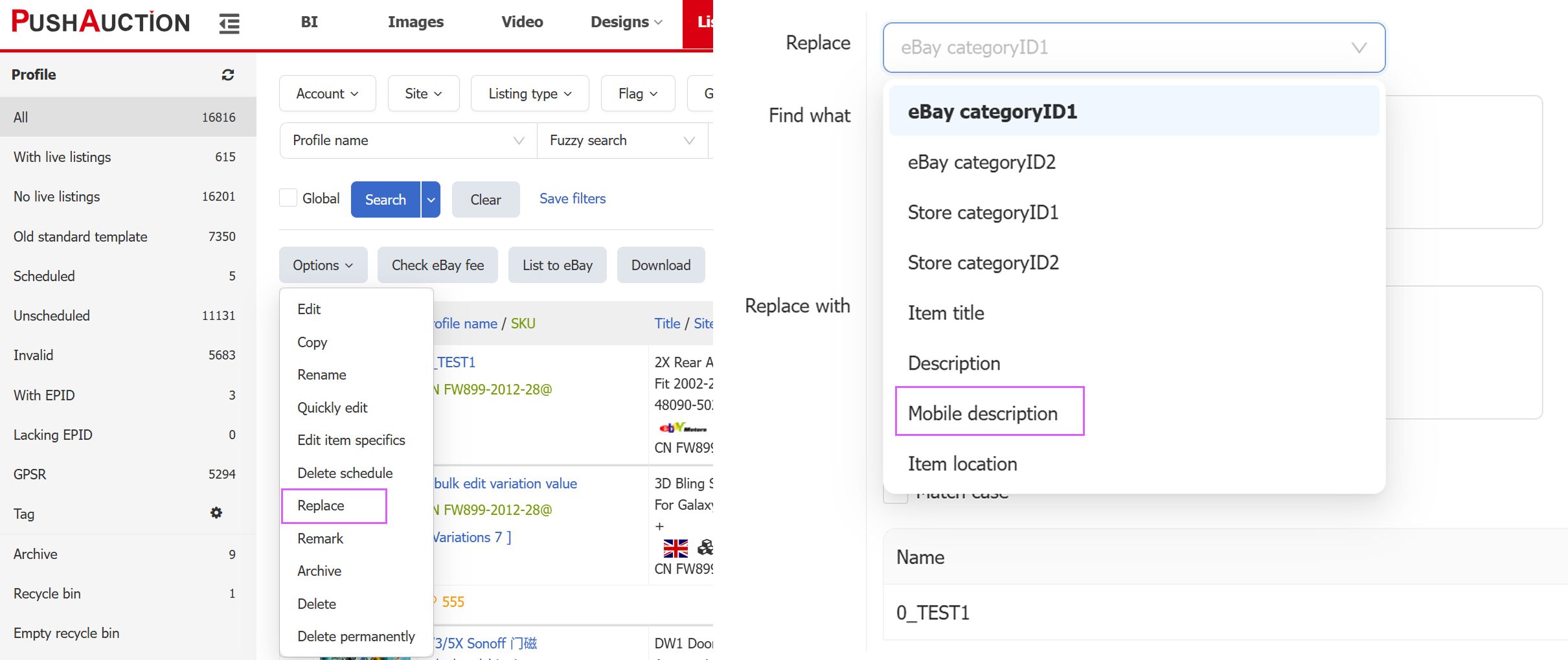
◮ Promoted Listing Module
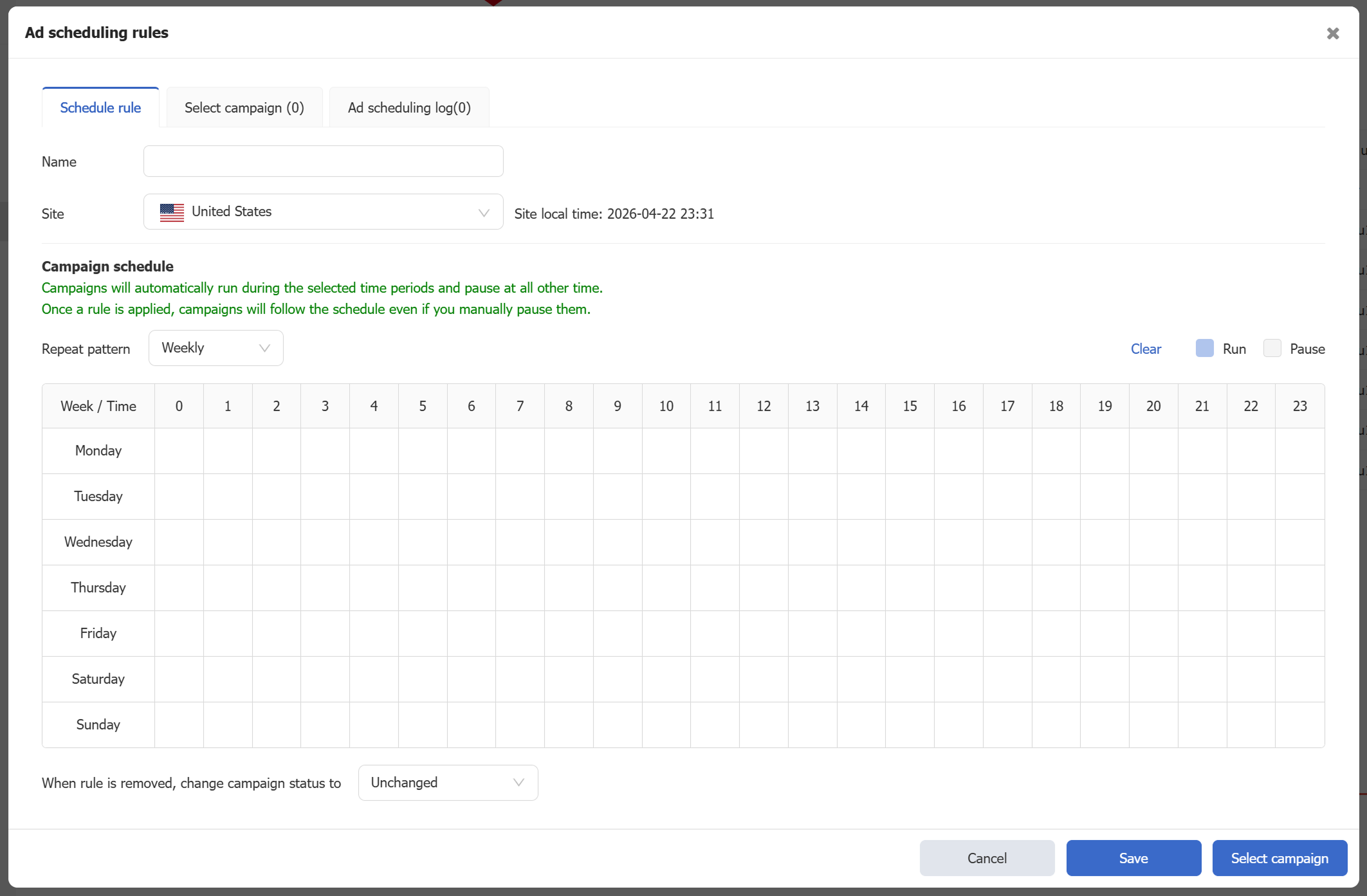
- Ad Scheduling (For whitelisted sellers only)
Path: Listings > eBay Marketing > Ad Scheduling rules.
Automatically pause ads during specified time periods and resume them at other times. This function helps reduce ad spend during low-conversion hours and improve overall efficiency.
For detailed instructions, please refer to: Ad Scheduling Rules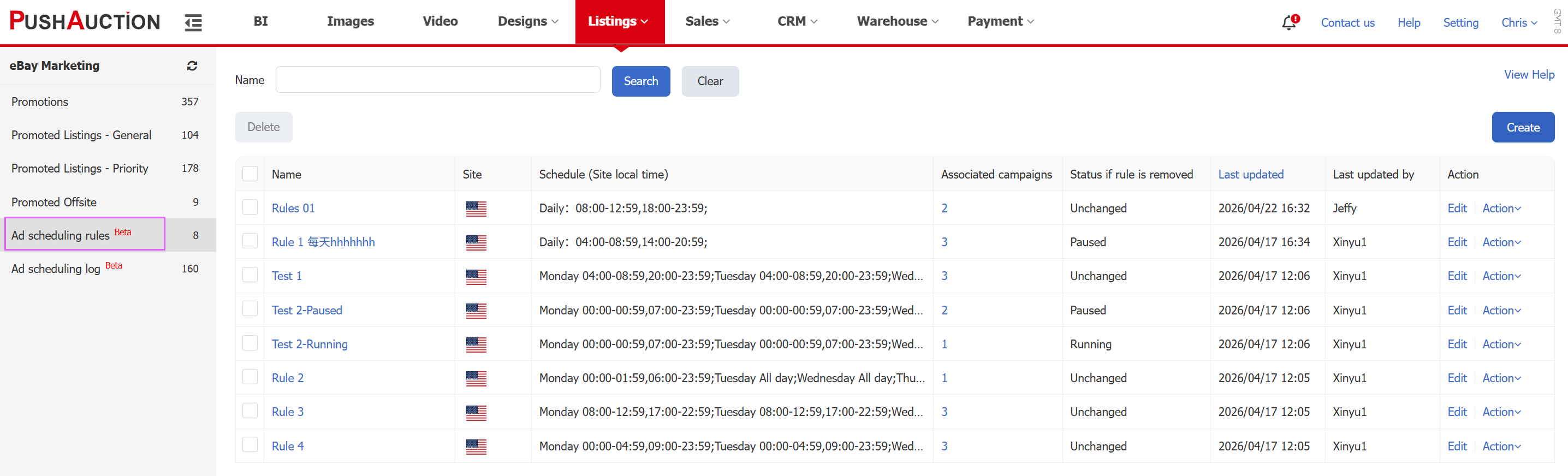
- New Metrics Added to PL Reports: ACOS, ROI, CPC and More
Path: Listings > eBay Marketing > PLP / PLG.
New metrics such as ACOS, ROI, and CPC are now available across PLP, PLG, PO pages, BI dashboards, and daily reports, helping sellers better analyze performance and optimize strategies.

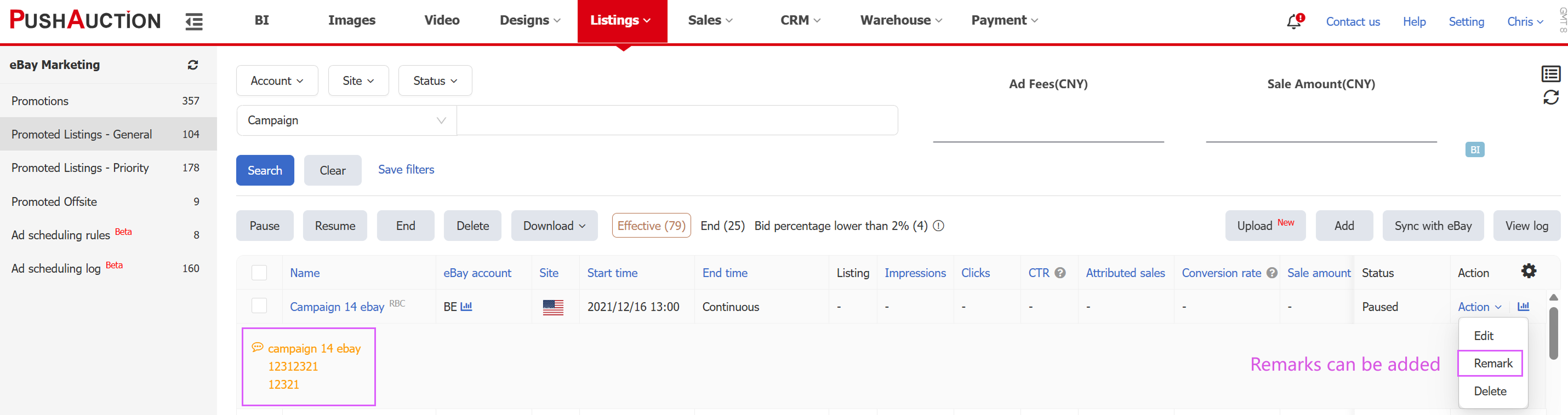
- Notes Supported for PLP, PLG, and PO
Path: Listings > eBay Marketing > PLP / PLG.
You can now add notes directly within PLP, PLG, and PO management lists for better tracking and organization.
- Bulk Edit Start and End Time When Copying Promotions
Path: Listings > eBay Marketing > Promotions > Copy.
When copying promotions in bulk, you can now set the start and end time in bulk, reducing repetitive work and improving efficiency.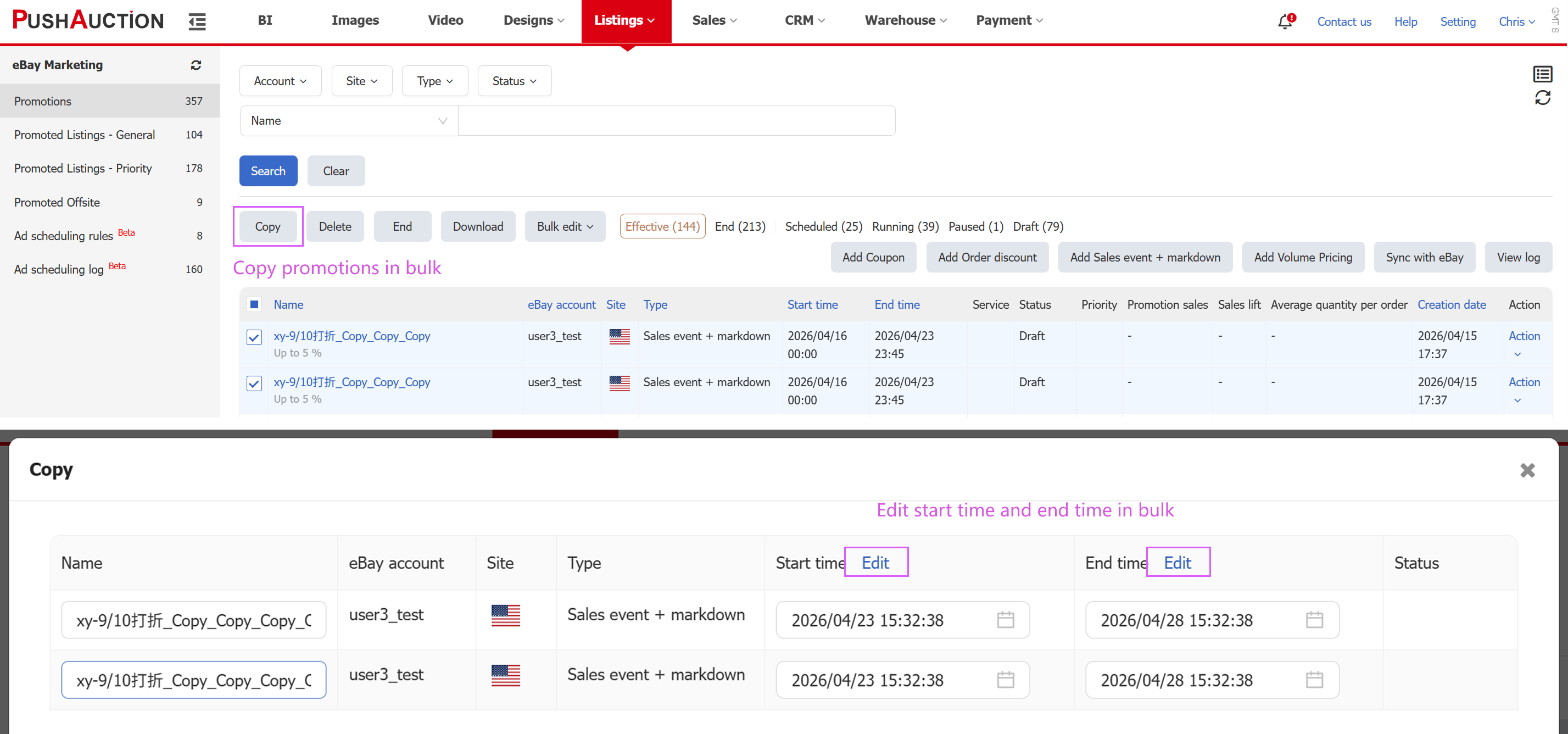
◮ Customer Service Module
- Auto-Reply Rules: Support for “Once Per Buyer Every 24 Hours”
Path: Setting > CS setting > Auto reply.
Auto-reply rule can now be configured to trigger either once per buyer every 24 hours or for every incoming message. This enhances the customer experience and minimizes unnecessary interruptions.
For detailed instructions, please refer to: Auto Reply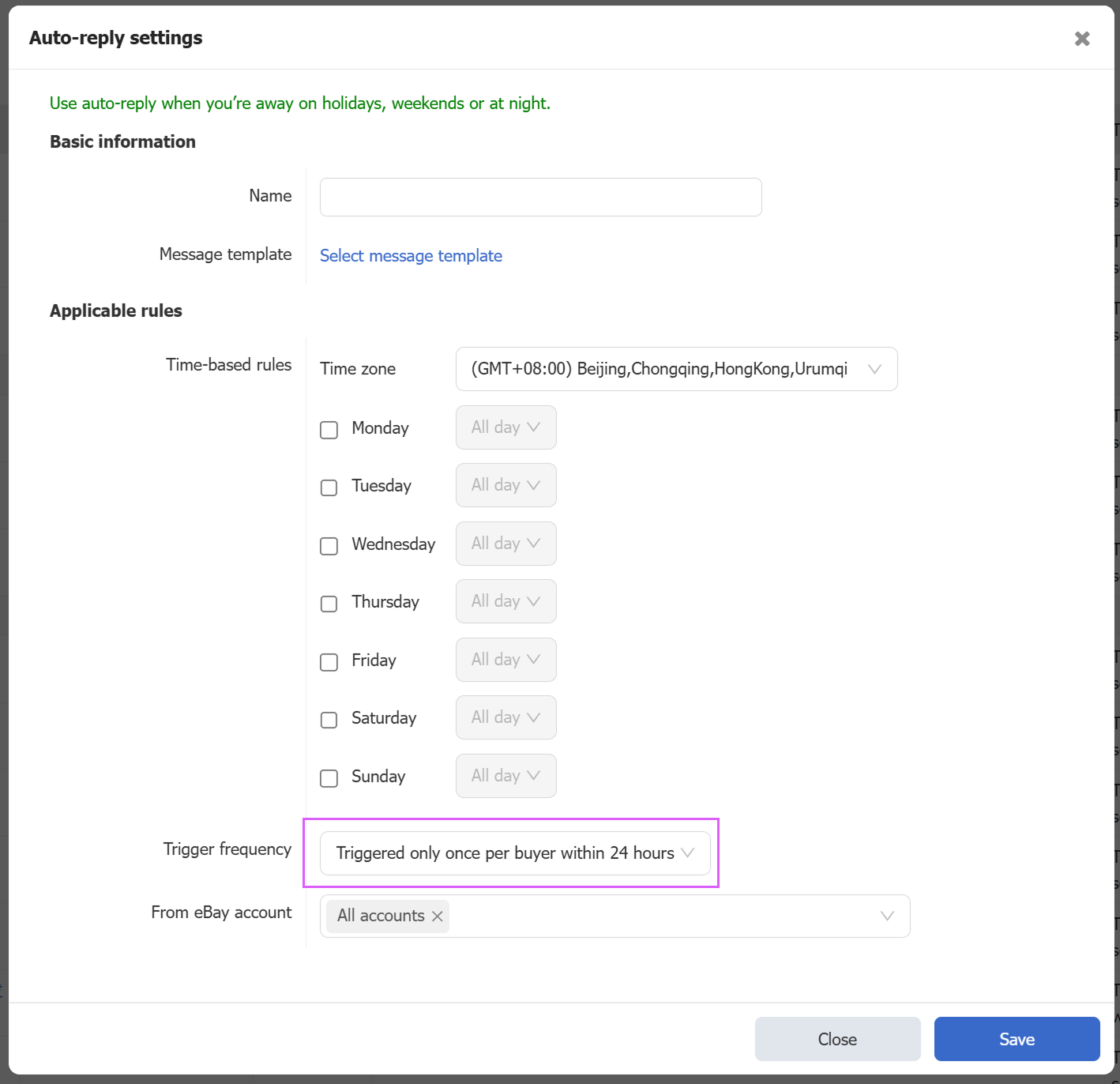
◮ SKU Module
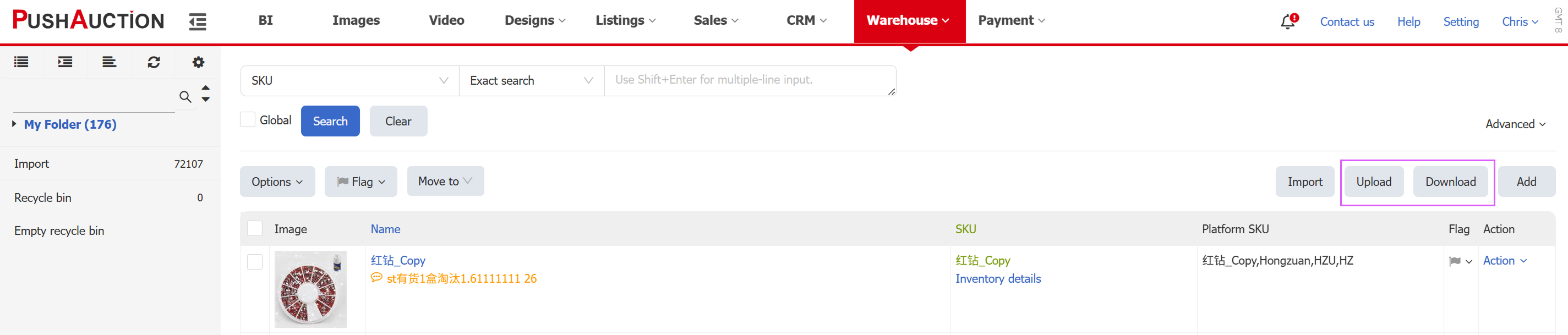
- Bulk Upload or Edit SKUs via Excel
Path: Warehouse > Product management > Upload.
Easily migrate your SKU data by bulk uploading new SKUs via Excel. You can also batch edit existing SKUs, greatly boosting your product management efficiency.
For detailed instructions, please refer to: Bulk import SKU by Excel
◮ Order Management Module
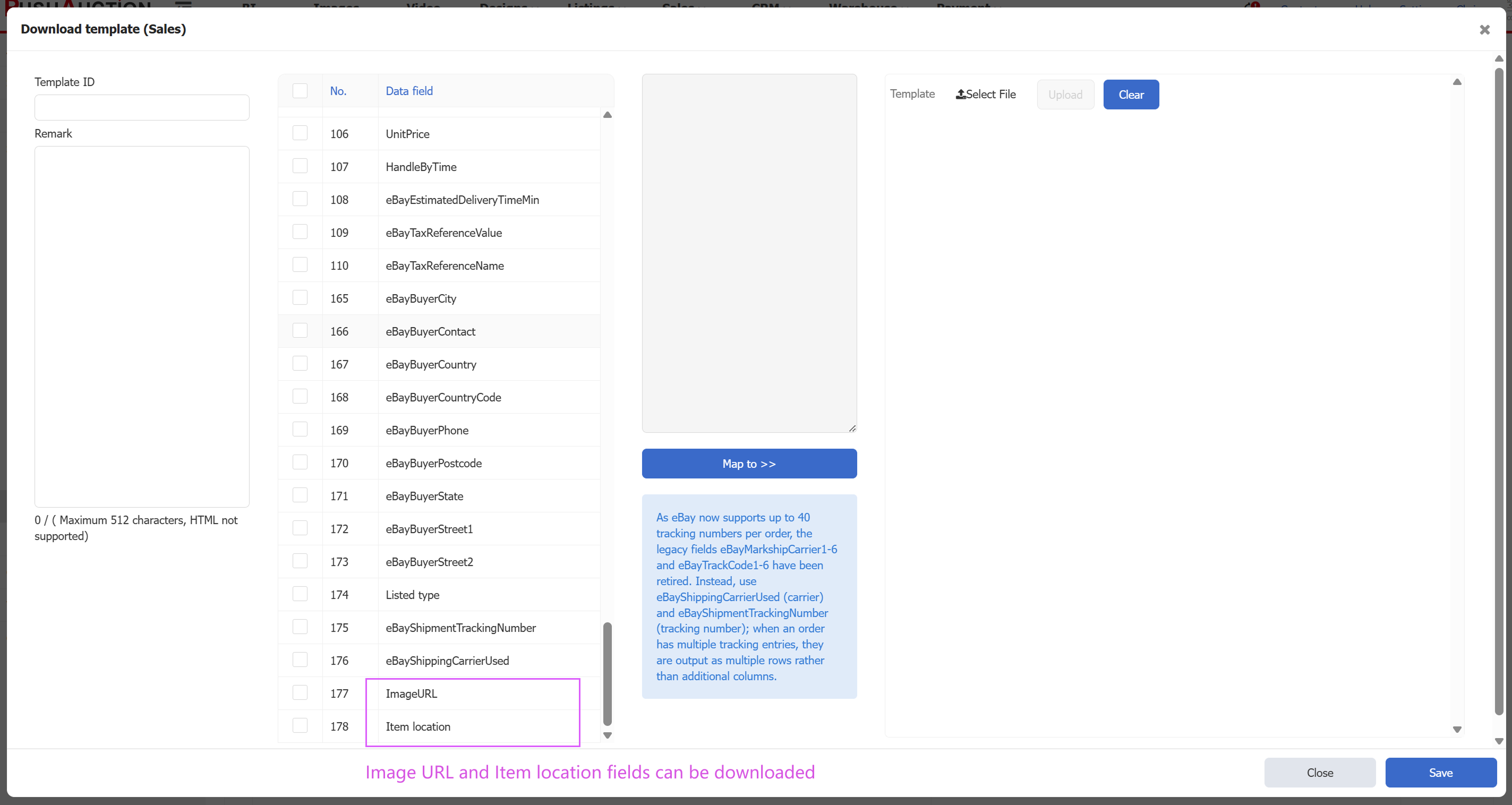
- Order Download: ’Item Location’ and ’Image URL’ Fields Added
Path: Settings > Sales order setting > Download template.
Data download templates allow you to customize the required fields and their order to create personalized templates for exporting orders. In this update, we’ve added "Item Location" and "Image URL" to available download fields.
For detailed instructions, please refer to: Set Up Personalized Download Template