Auto reply message
Feature Overview: Use auto-reply to automatically answer buyer messages during holidays, weekends, or overnight when no one is available, and tell buyers when to expect a manual reply to maintain high satisfaction.
Important notes:
• Auto-reply and auto messages are different. Auto-reply sends a reply after receiving a buyer message; auto message sends a message to the buyer when a specific event is triggered.
• If one incoming message matches several auto-reply rules at the same time, only the rule with the highest priority will be triggered and only one reply will be sent.
1. Set up an auto-reply rule
Step 1: Navigate to [Settings] > [CS setting] > [Auto reply] > click [Add].
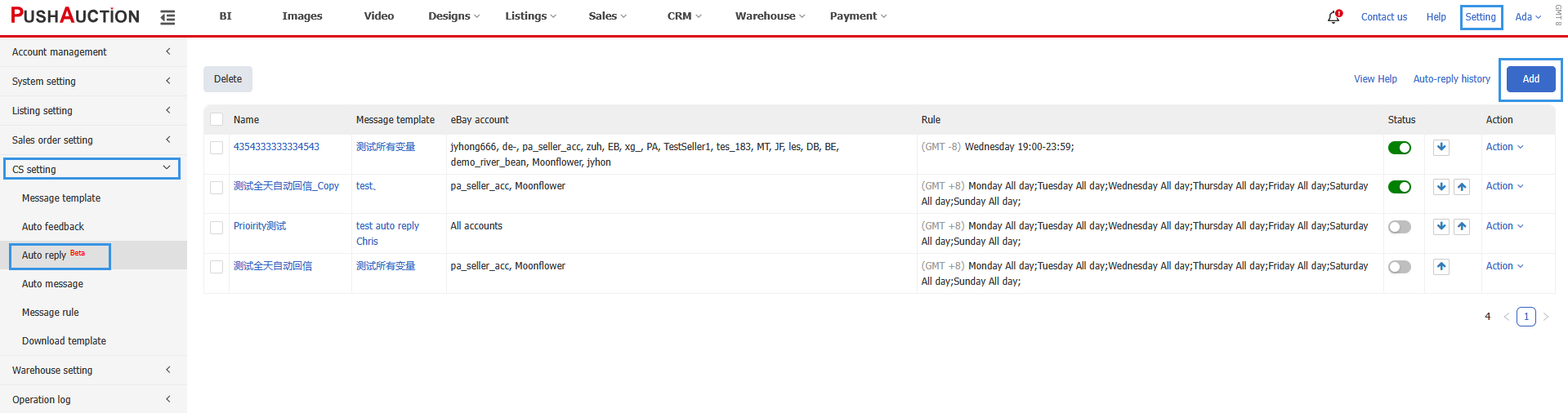
Step 2: Configure the auto-reply rule:
1. Enter a rule name.
2. Select a message template (for customized templates, see Message templates).
3. Set up the applicable rules (time range can span across days).
4. Select the eBay accounts. For each rule, you can select multiple eBay accounts.
5. Click [Save].
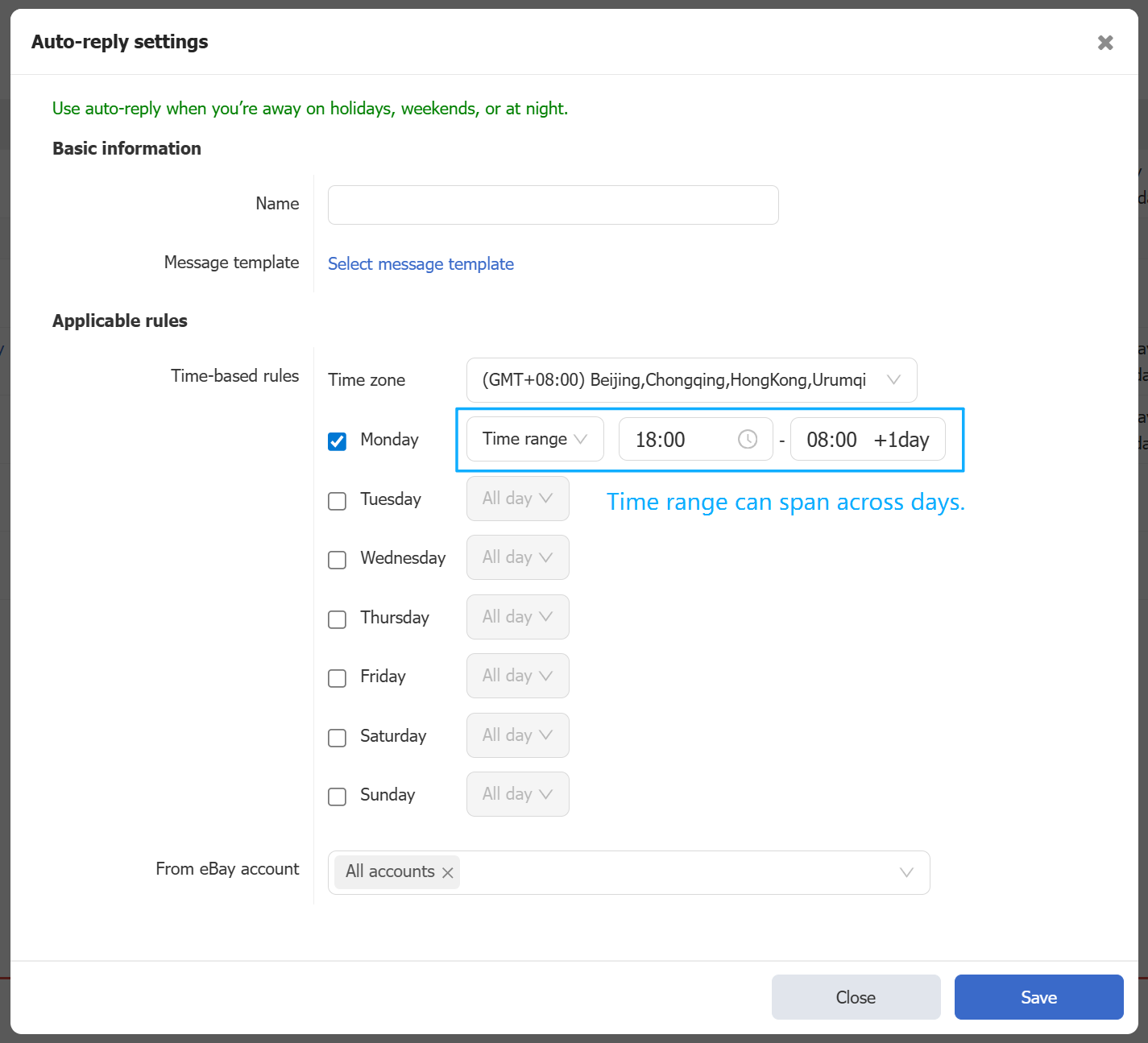
Step 3: Enable the rule you've just created to make it active.
Step 4: Adjust rule priority
• The higher a rule appears in the list, the higher its priority.
• Click the Up-Down arrows to re-order their priority.
• If a message matches several rules, only the one with the highest priority will send an auto-reply.

2. View auto-reply records
• Navigate to [CRM] > [eBay messages] > [Inbox].
• Select “Unread Auto replies” to filter messages that an auto reply was sent but has not yet been manually read.
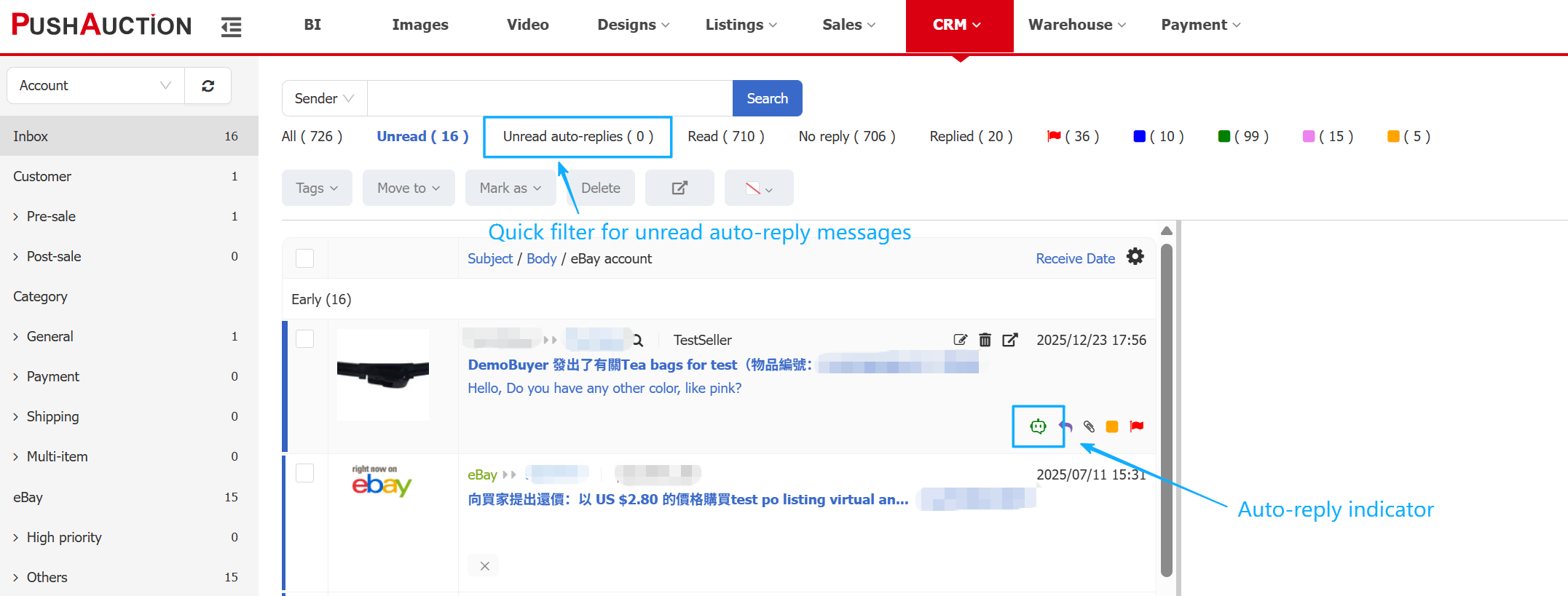
• The green icon indicates that this message has triggered an auto reply rule.
3. Check message sending status
Navigate to [CRM] > [eBay Message logs].
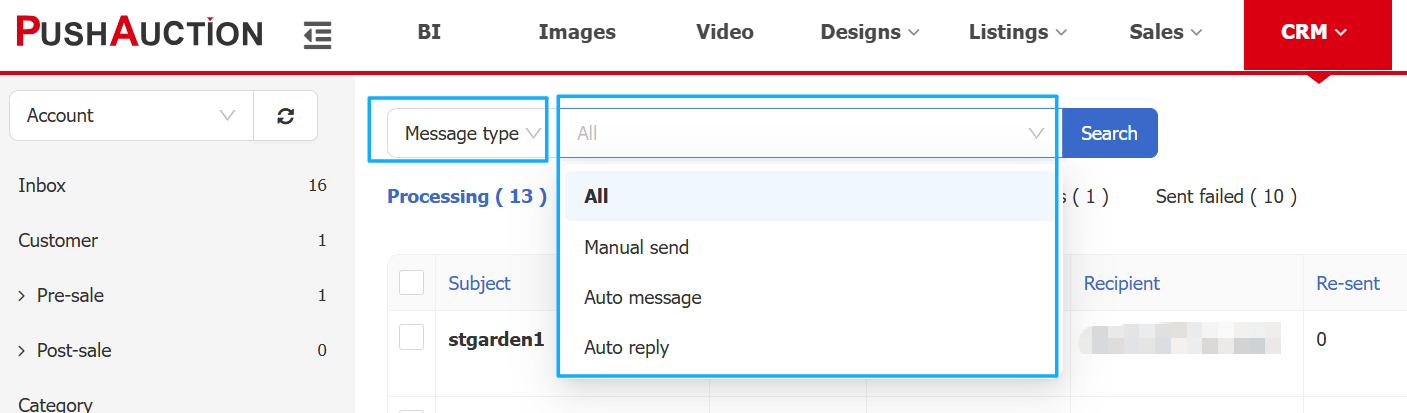
• On the message log page, you can view all messages sending records, including manual sends, auto messages and auto-replies. All message logs are here, whether they were sent successfully or failed.
• At the top, use the tabs to quickly filter records by sending status.
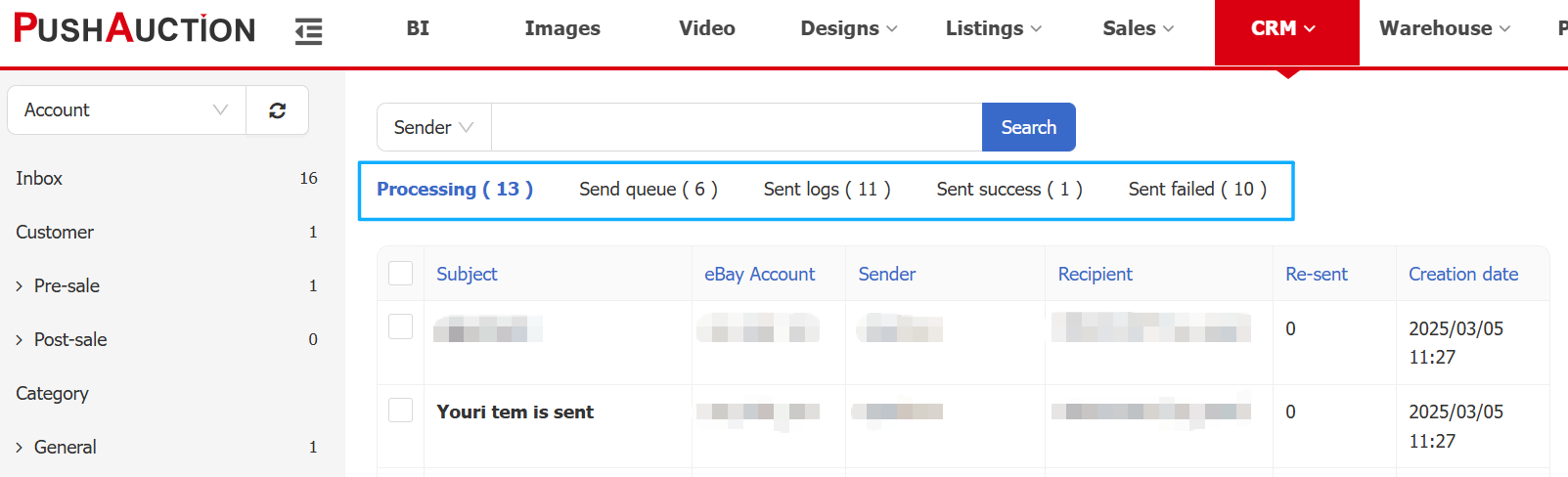
• Filter by sending type to quickly find message sent by auto-reply.
Article Number: 2006
Author: Tue, Feb 3, 2026
Last Updated: Fri, Feb 6, 2026
Online URL: https://kb.pushauction.com/article.php?id=2006