End & Recreate Listings (Boost Exposure with New Listings)
Watch Video — Automated Message Reply
Feature Overview: Easily identify underperforming listings, end them in bulk, and recreate new listings with just one click. This helps you to regain fresh traffic and visibility, leading to better conversion rates. Regularly cleaning up long-term slow-moving listings also prevents wasted listing quota and keeps your inventory performing at its best.
Note: This feature creates brand-new listings instead of using eBay’s Relist function. Relisted items do not receive new item traffic boosts—only newly created listings benefit from increased exposure.
1. Identify Underperforming Listings
Go to [Listings] > [Live] to access the live listings management page.
Use the filter panel to identify listings that are not performing well. You can define "underperforming" based on your own criteria, with a maximum search range of 365 days:
- Select [Sales by X days after listing] to find listings that have been live for more than X days but have total sales below Y;
- Or select [Sales in Last X Days] to identify listings with total sales below Y within the past X days;
- Or select [No Sales in the Last X Days] to identify listings have no sales within the past X days.
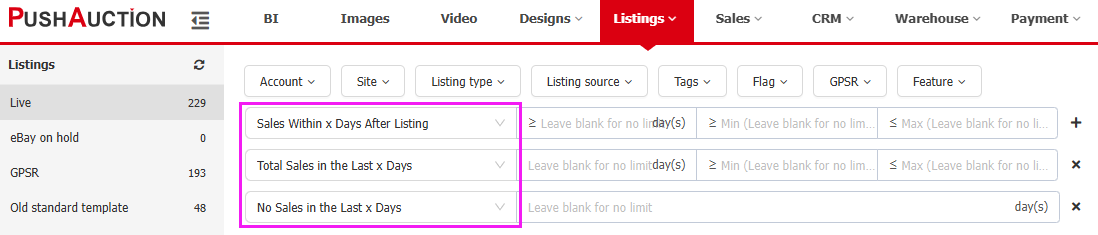
Since every seller has different standards, you can adjust both the time range and sales thresholds to match your strategy and pinpoint the listings that need optimization or replacment.
2. End Listings and Create New Ones
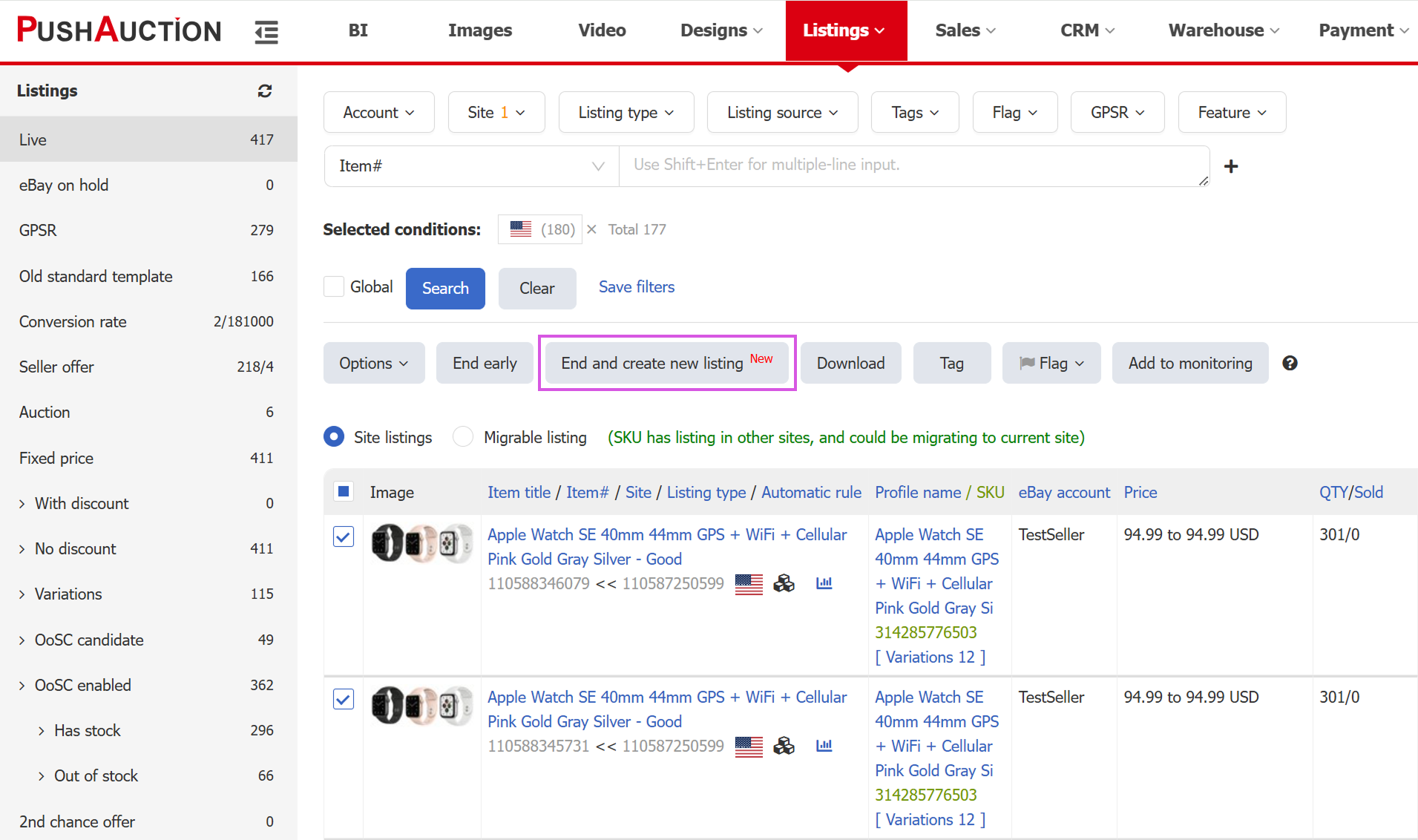
1) Click [End and Create New Listing];
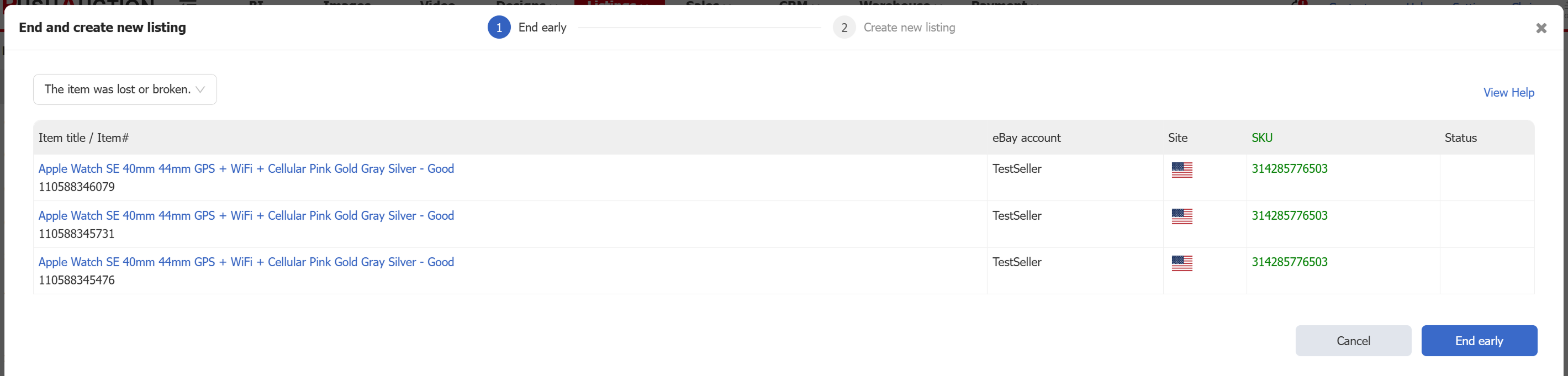
2) Select the reason for ending the listings;
3) Click [End Early] and wait for all listing statuses to update;
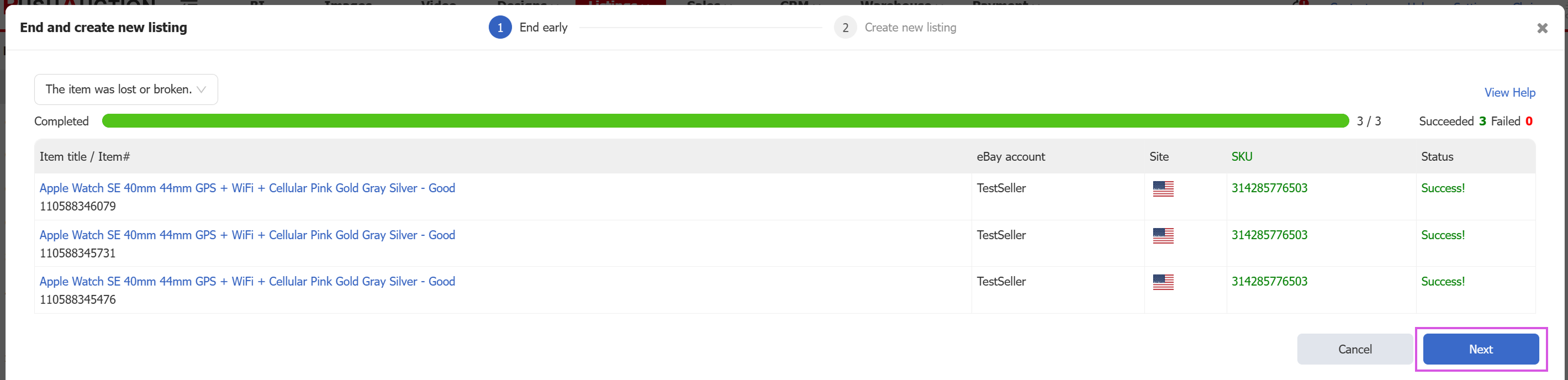
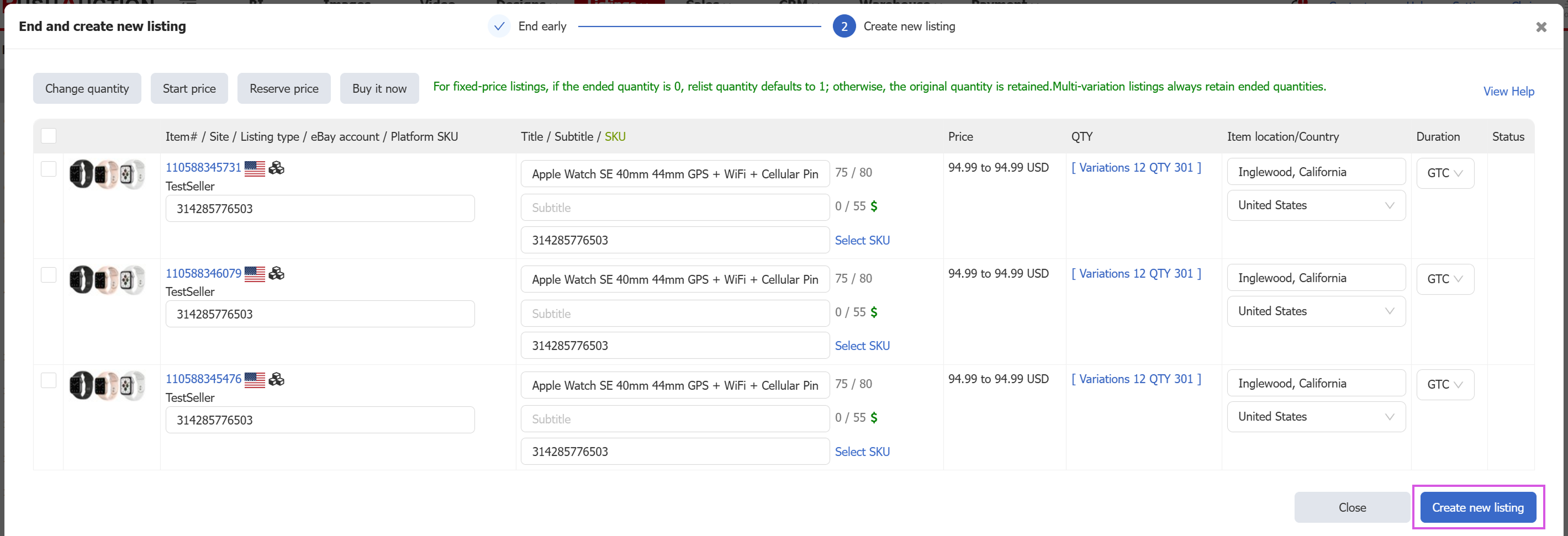
4) Click [Next] and modify fields such as title, price, quantity and item location as needed;
5) Click [Create New Listings]. The system will batch-create new listings based on your current settings to help you gain fresh exposure and improve conversions.
Article Number: 2019
Author: Thu, Apr 16, 2026
Last Updated: Thu, Sep 10, 2026
Online URL: https://kb.pushauction.com/article.php?id=2019