BI Analysis
What is BI Analysis
BI Analysis is a complete data visualization module that covers full-process data aggregation and analytics, from pre-sales to post-sales. Through intuitive data comparisons and insights, it helps sellers easily understand performance at each stage and improve decision-making efficiency.
The functions of BI Analysis include: Traffic Analytics, eBay Seller Performance, Visit Analysis, Listing Analysis, Online Listing Analysis, Account Conversion Analysis, Listing Marketing Analysis, Online Listing Distribution Analysis , eBay Category Analytics, SKU Analysis, Promotion Report Analysis, Promoted Listing Report Analysis, Sales Data Analytics, Buyer Distribution Analysis, Feedback Analytics, Parcel Delivery Analytics, Delivery Time Analysis, eBay Fees and Payments, and many more professional data modules, fully supporting multi-dimensional business analysis and optimization.
BI Overview
The overview page displays simple pre-sales and post-sales information so sellers can quickly grasp the latest business status.
- Account Data Summary
The summary data (from left to right) includes:
① Number of GTC listings that ended and automatically entered the next listing cycle
② Number of pending offers
③ Number of ongoing disputes
④ Number of unread messages
⑤ Number of managed eBay accounts
⑥ Number of eBay accounts where listing count has reached the eBay limit
⑦ Number of eBay accounts where listing amount has reached the eBay limit
⑧ Number of eBay accounts with expired/invalid/not-updated authorization requiring re-authorization
⑨ Number of scheduled listings that failed in the past 24 hours

- Traffic & Sales Data
a. Visit Analytics – Displays hourly traffic volume for the past 48 hours, helping sellers identify peak traffic times and optimize listing and marketing schedules.
b. Sales Trend Charts – Shows sales amount and sold quantity for the past 7 days (including refunded orders) for easy tracking of overall sales trends.
c. Sales Data Table – Compares sales data for today, yesterday, the day before yesterday, this month, and last month. “Yesterday” also includes week-over-week comparison to help evaluate operational performance.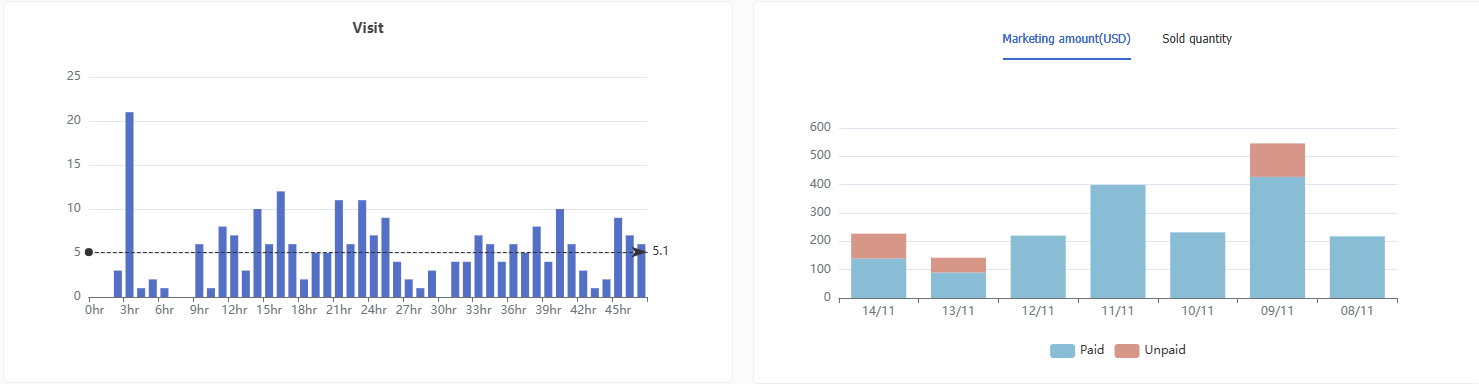

-
eBay Promotional Offers
View available or ongoing promotions and activate them directly in the system, reducing switching between eBay and the platform . For detailed operations, please refer to eBay Promotional Offers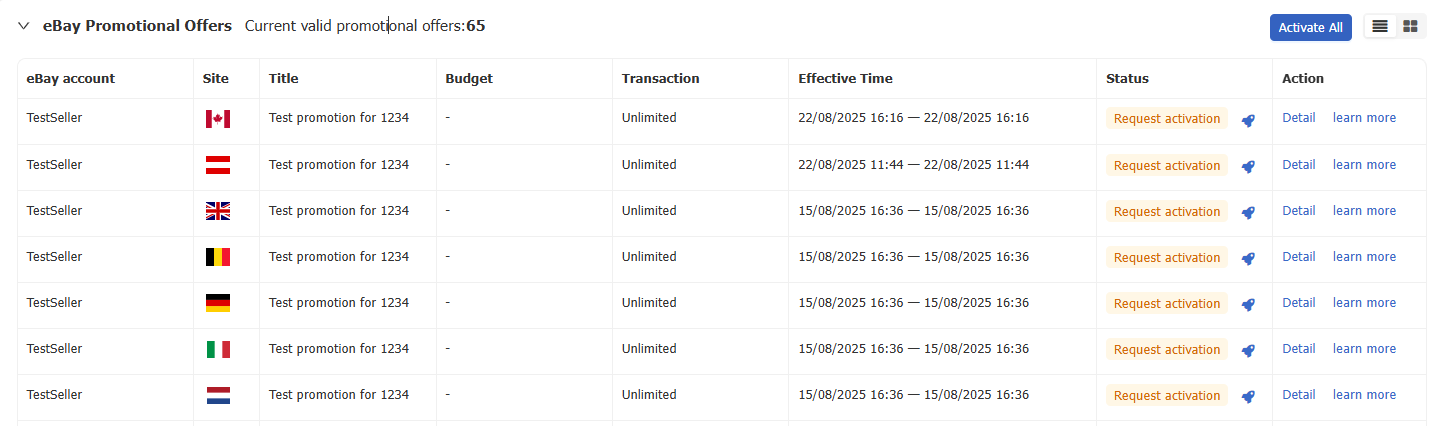
- Feedback Overview
Displays the number of feedback received for today, yesterday, the day before yesterday, this month, and last month—helping sellers track buyer sentiment and evaluate service and product performance.

- Listing Overview
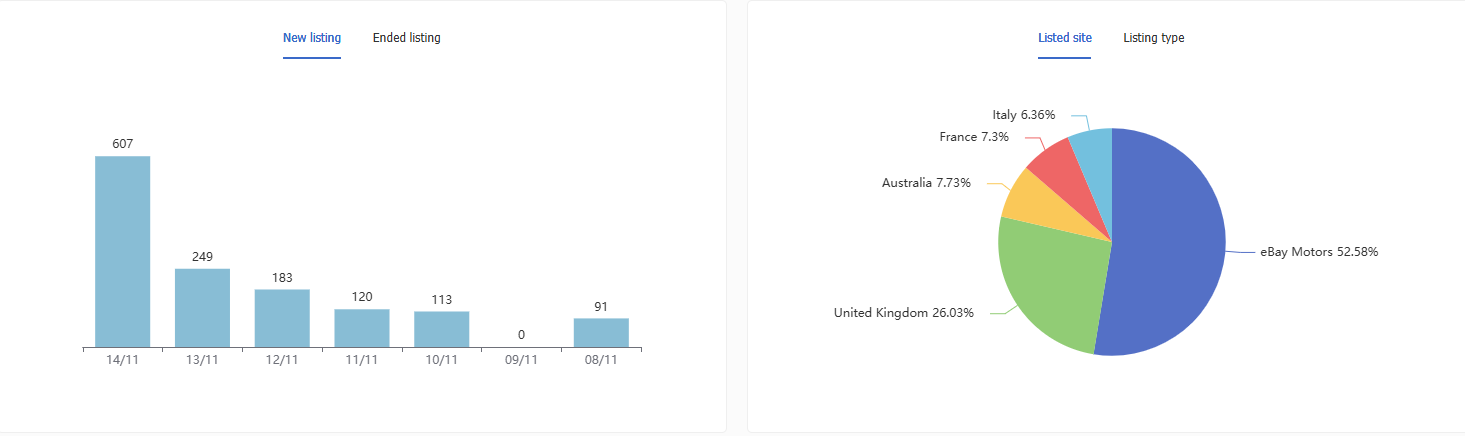
a. Left Chart – View the number of new and ended listings for each day in the past 7 days;
b. Right Pie Chart – View the distribution of online listings by site/listing type;
c. Table – View the number of new/ended listings and the distribution of online listings by site/eBay account.

eBay Seller Performance
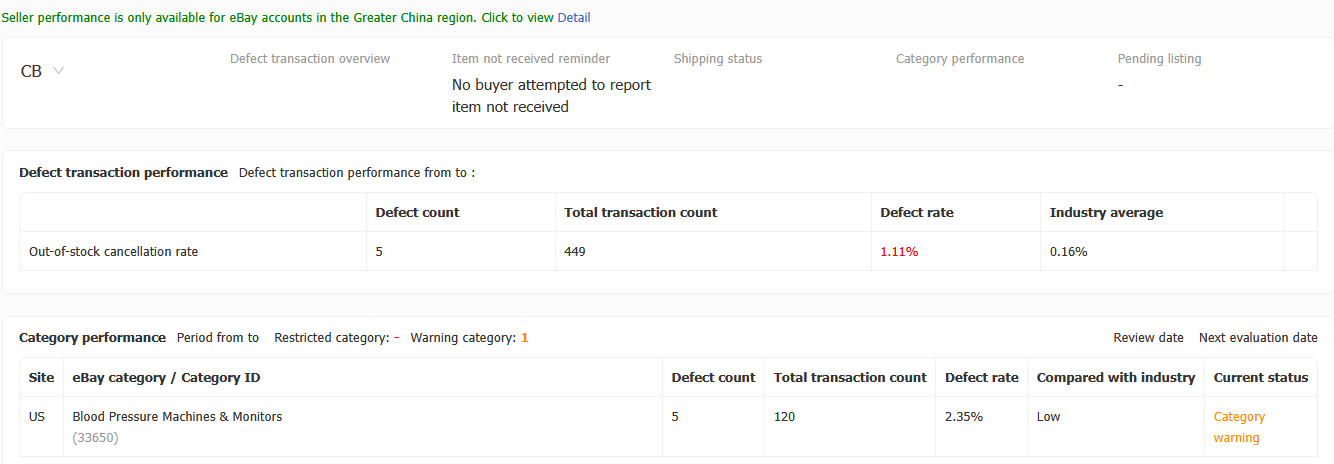
The system supports viewing seller performance overview, defect transaction performance, category performance, pending listings, and other related data.
Note:According to eBay policy, only Greater China region accounts support seller performance.
Visit
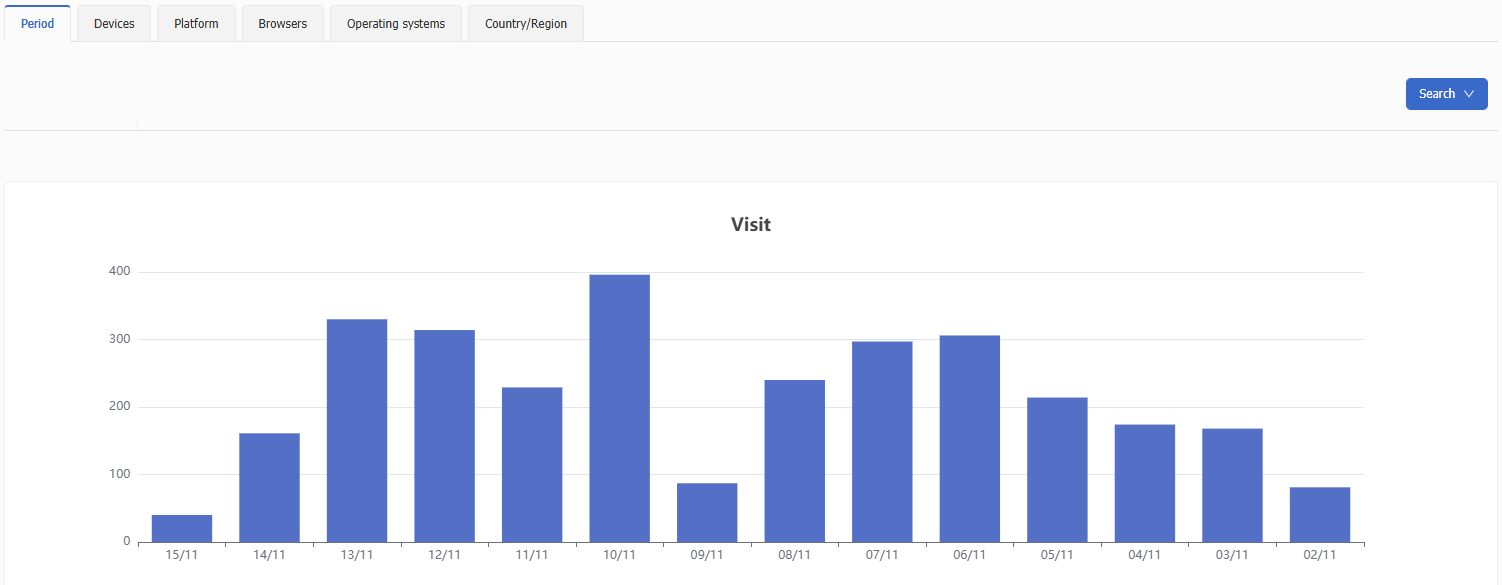
Supports viewing buyer traffic across multiple dimensions such as time period, device type, platform, browser, operating system, and country/region.
With the filter in the top-right corner, you can customize your analysis by selecting eBay accounts, sites, listing types, and date ranges to quickly locate your target data.
With the filter in the top-right corner, you can customize your analysis by selecting eBay accounts, sites, listing types, and date ranges to quickly locate your target data.
Listings
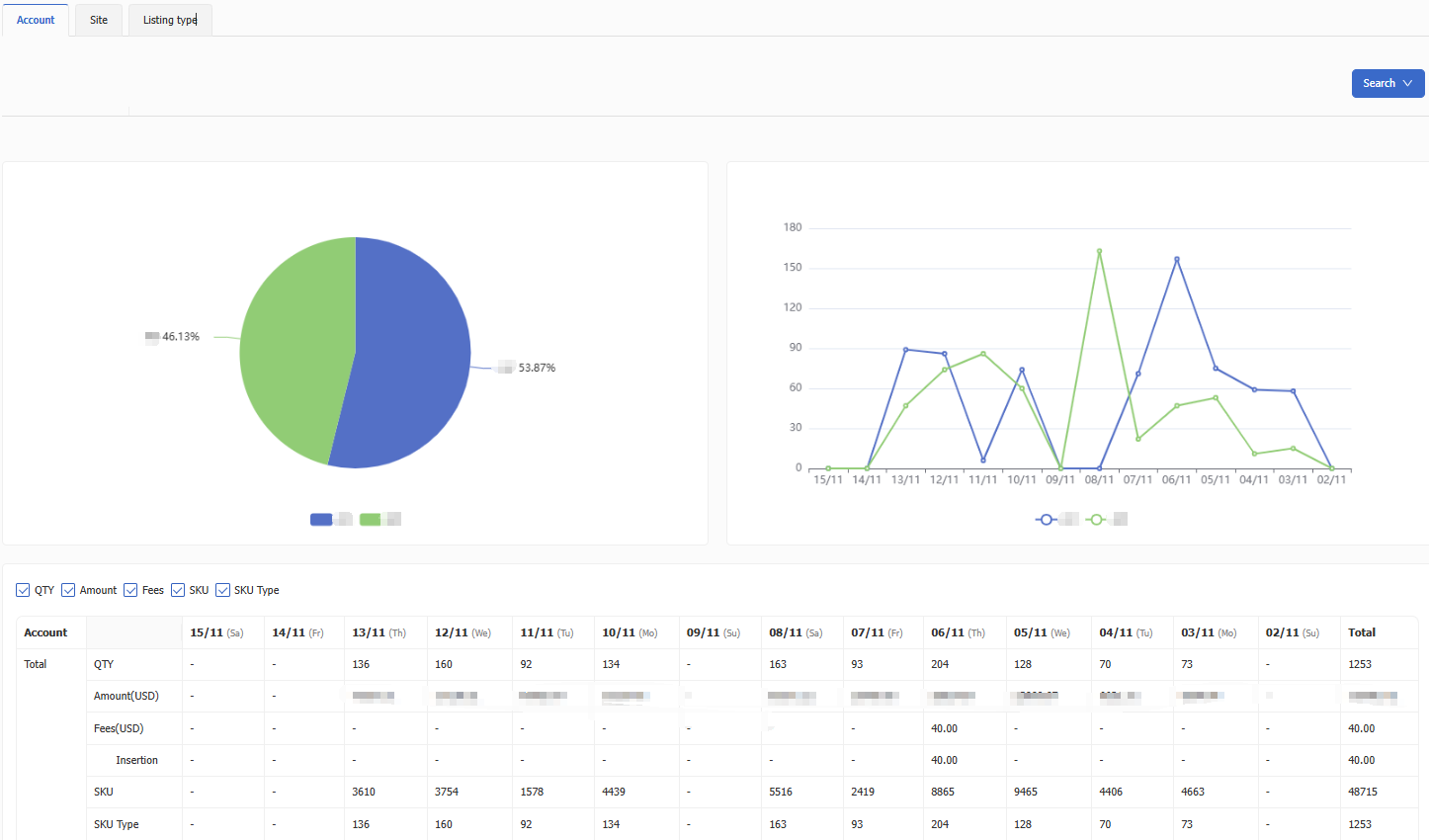
Supports viewing online listing distribution by account, site, and listing type.
Through the top-right filter, you can customize your view by selecting site, listing type, and date range to quickly locate target data.
Through the top-right filter, you can customize your view by selecting site, listing type, and date range to quickly locate target data.
Online
- GTC Renewal Analysis
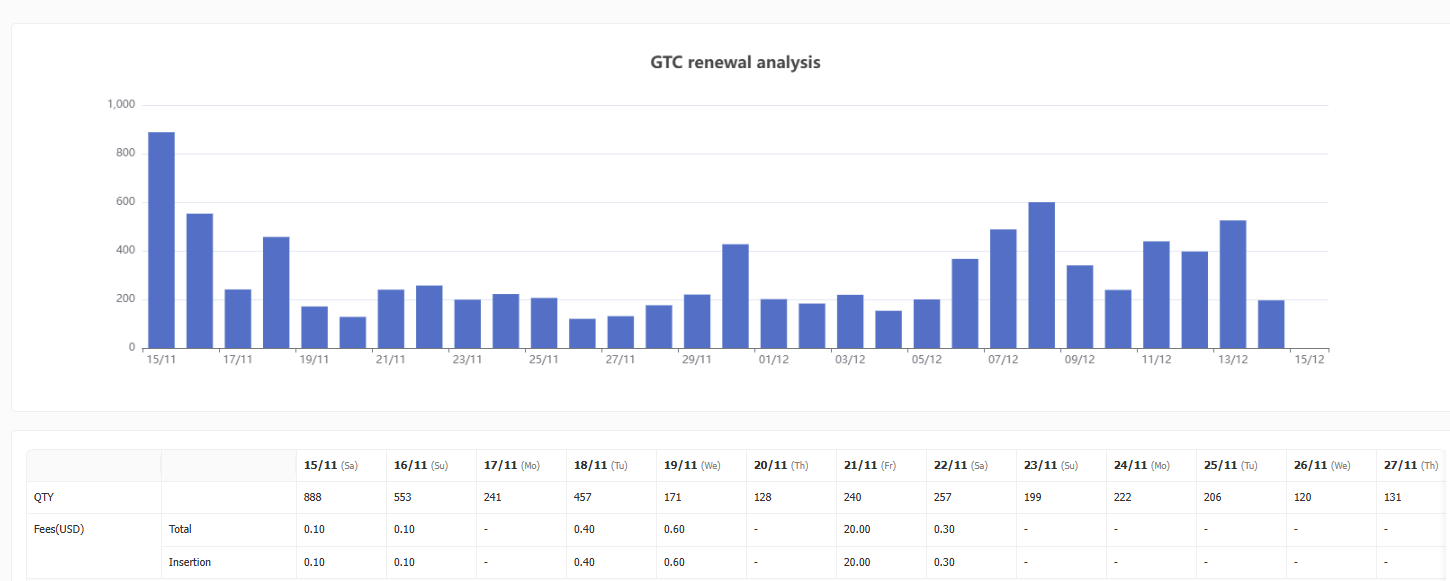
Using intelligent algorithms, the system estimates the number of GTC (Good ’Til Cancelled) listings that will be renewed each day in the next 30 days along with projected fees. This helps sellers anticipate listing costs and manage expenses more effectively.
- Account Conversion Analysis
The conversion analysis page automatically synchronizes traffic reports from eBay every day.
Using the top-right search feature, you can filter by date range to view impressions, views, CTR, and sales for each eBay account across different sites—helping you evaluate account-level traffic and conversion performance. For more details, please refer to Account/Listing Conversion Rate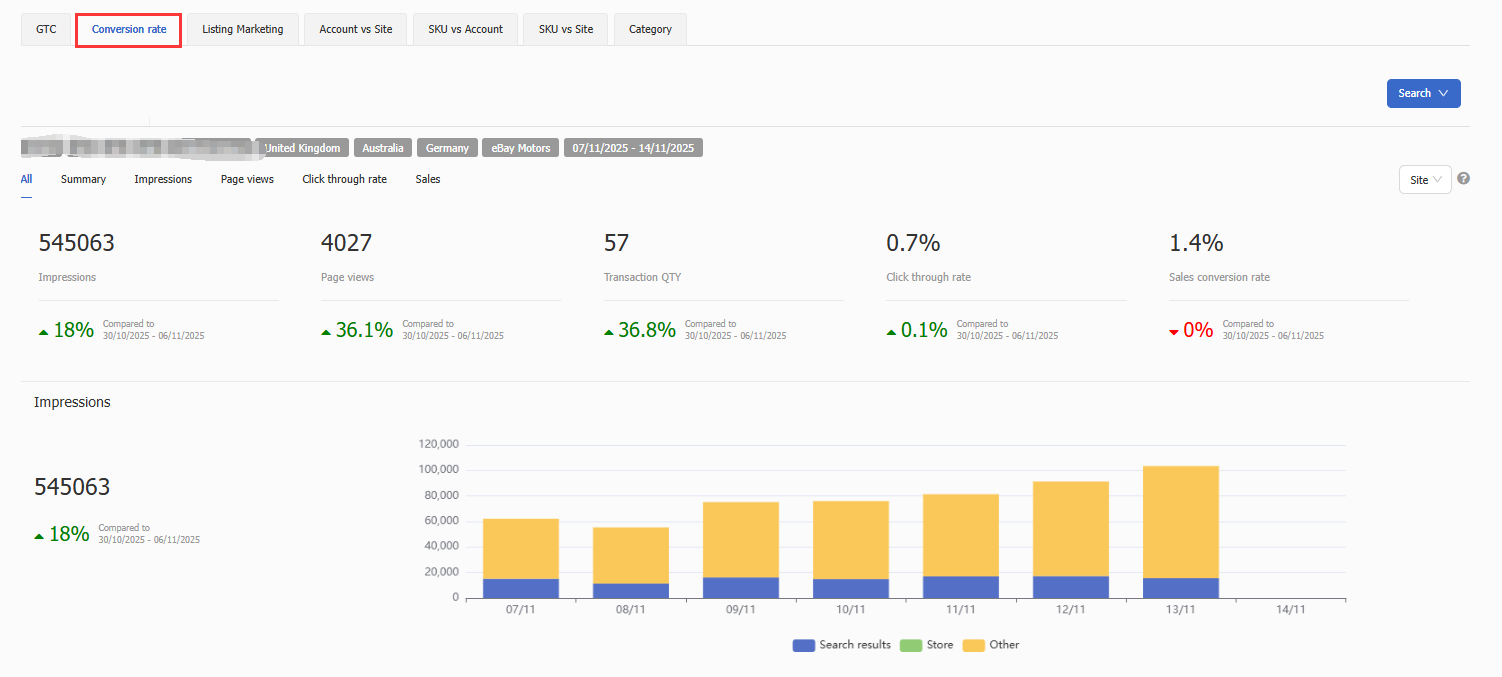
- Listing Marketing Analysis
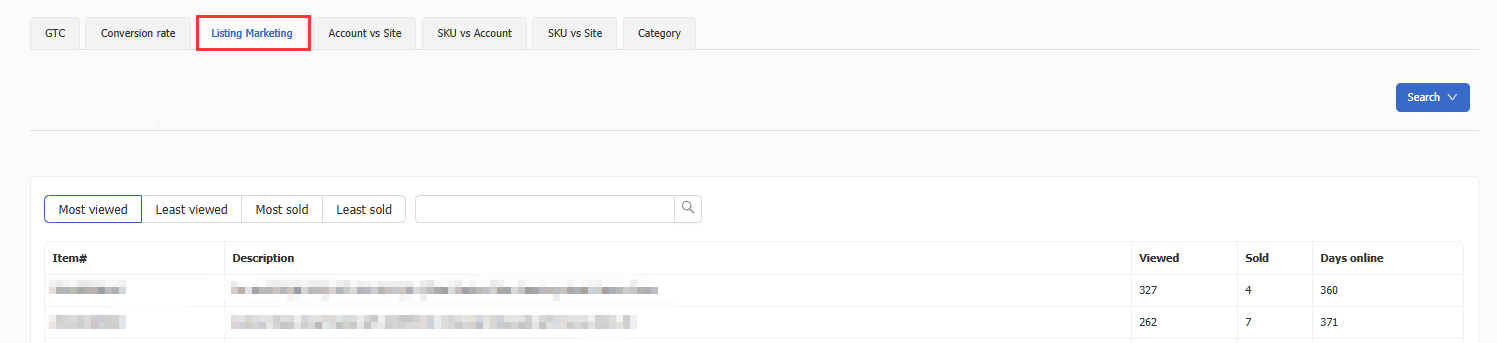
This page displays the top 100 listings with the highest/lowest traffic and highest/lowest sales for the selected timeframe.
You can adjust the analysis period using the top-right filter to quickly identify strong performers or listings needing optimization.
- Online Listing Distribution Analysis
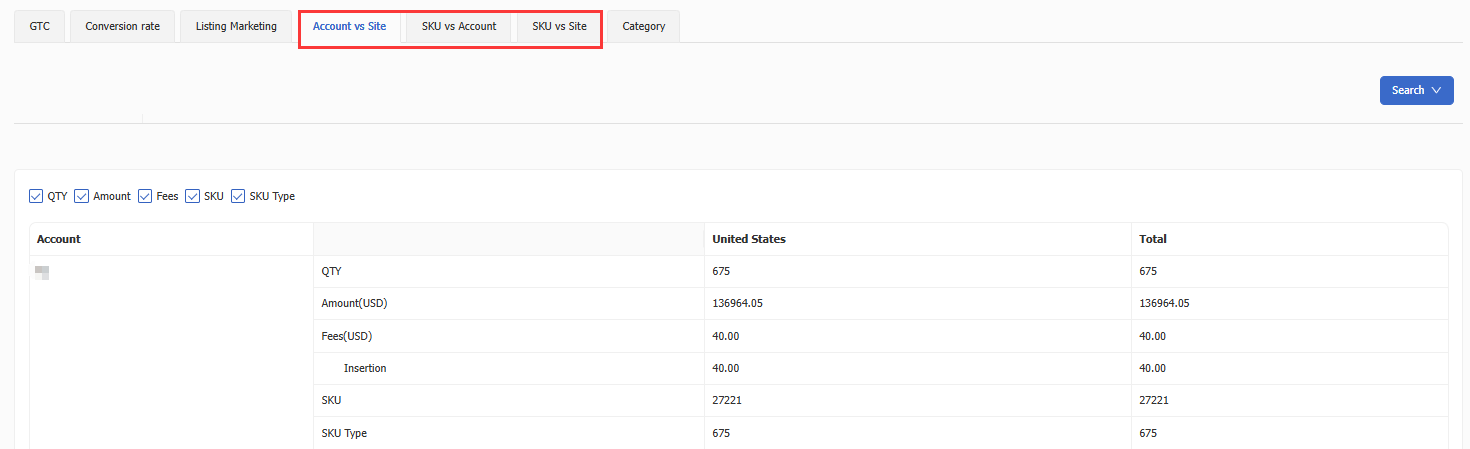
Account vs Site – Shows listing quantity and listing amount per account across different eBay sites.
SKU vs Account – Shows listing quantity and listing amount per SKU across different eBay accounts.
SKU vs Site – Shows listing quantity and listing amount per SKU across different eBay sites.
- eBay Category Analysis
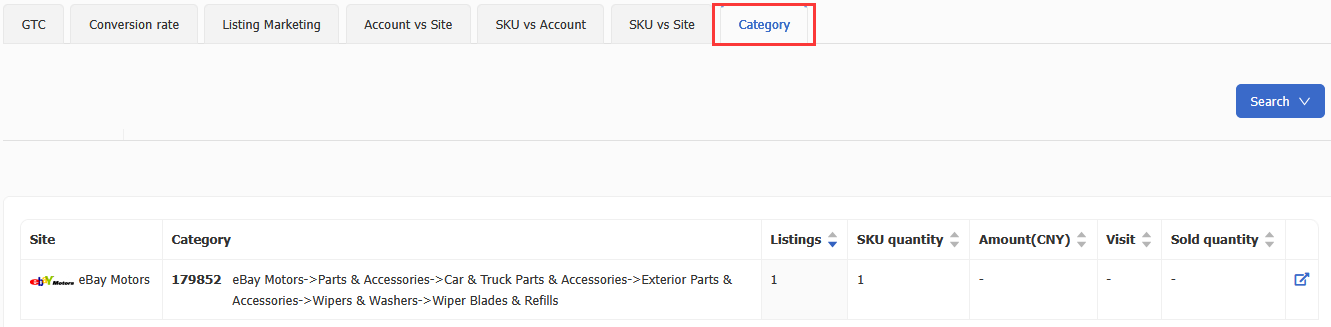
Displays listing quantity, SKU quantity, price ranges, traffic volume, and sold quantity under each eBay category—helping sellers fully understand category-level distribution and performance.
SKU
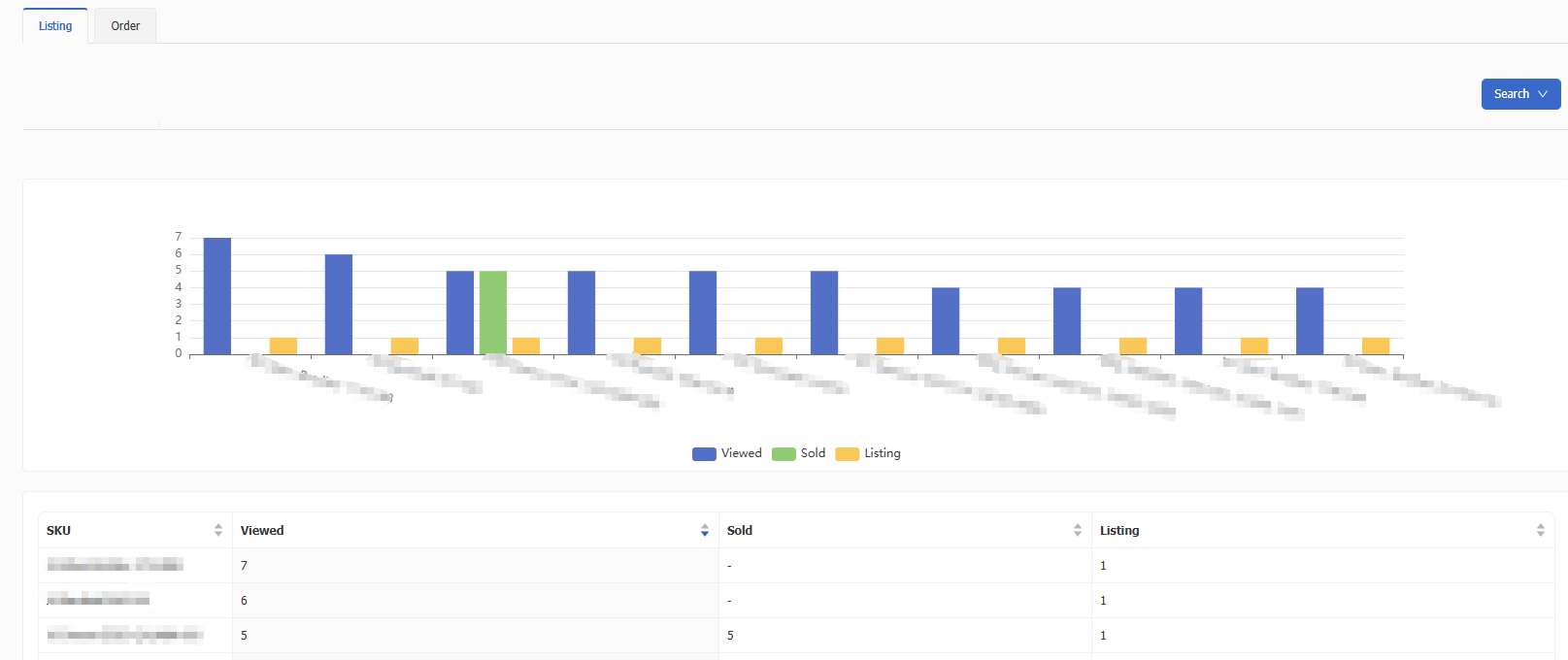
- Listing Dimension - Displays the top 100 SKUs with the highest/lowest traffic or sold quantity, helping sellers identify best-selling products and underperforming listings.
- Order Dimension - Displays the top 100 SKUs ranked by order quantity, order amount, refunded order quantity, refund amount, refund rate, number of positive reviews, positive review rate, number of neutral reviews, number of negative reviews, etc. Supports multi-dimensional analysis of product performance and customer feedback.
Promotion Report Analysis
The Promotion Report page displays daily synchronized discount-related sales data from eBay. You can view overall performance by account or switch to individual discount tabs to analyze performance for each discount campaign—helping sellers evaluate promotional effectiveness and optimize discount strategies.

Promotion Activity Report
Promotion reports are mainly divided into three categories: Promoted Listings - General (PLG) Reports, Promoted Listings - Priority (PLP) Reports, and Promoted Offsite (PO) Reports.
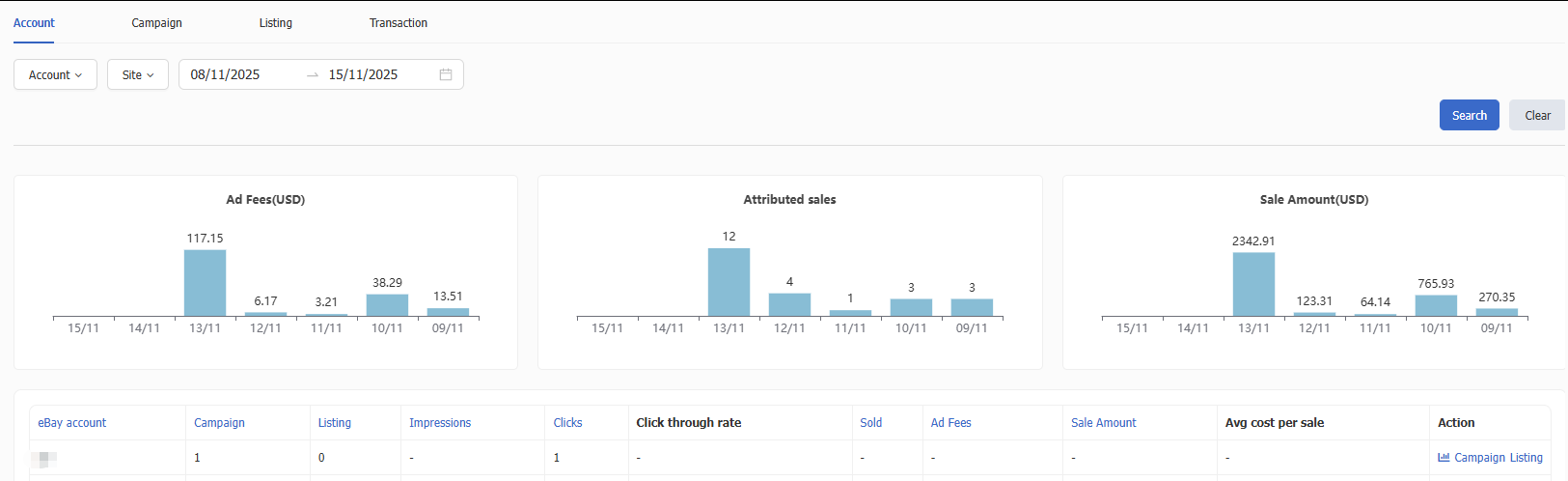
- Promoted Listings - General (PLG) Report
Supports viewing ad performance at account, campaign, and listing levels. Sellers can also view detailed data for items sold through ads, enabling optimization of advertising strategy.
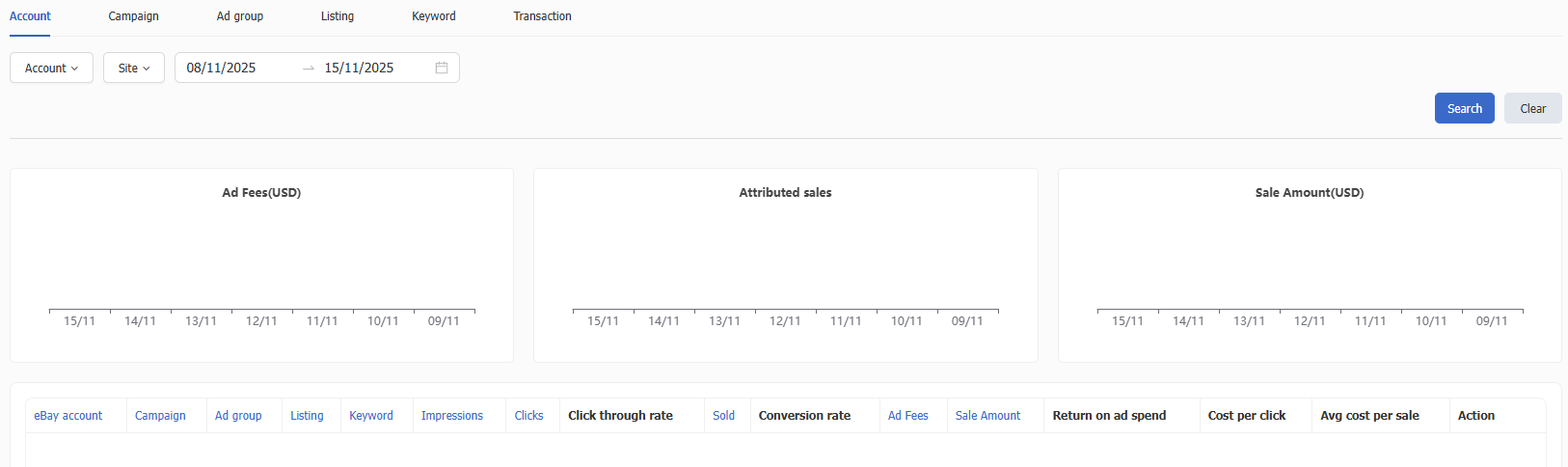
- Promoted Listings - Priority (PLP) Report
Supports performance analysis across account, campaign, ad group, listing, and keyword levels. Also provides data for ad-sold orders to further improve advertising strategy.
- Promoted Offsite (PO) Report
Supports viewing ad performance by account, campaign, and transaction level. Also allows viewing orders sold through ads for deeper promotional optimization.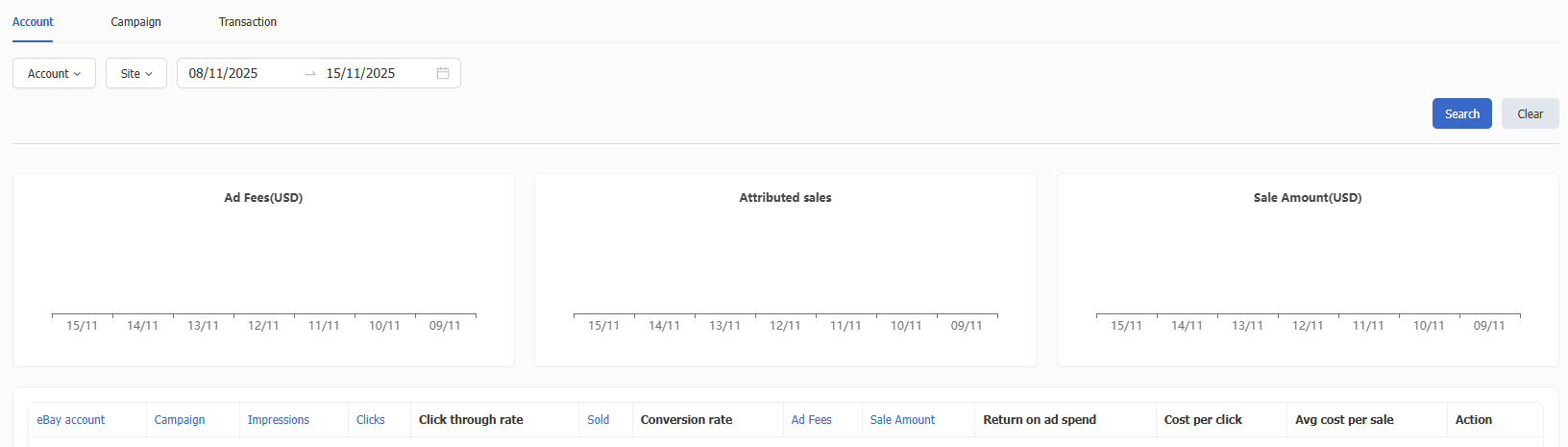
Sales
- Order Distribution Analysis
Account - Displays each eBay account’s daily order quantity, total order amount, and number of orders marked as shipped—helping sellers evaluate sales and shipping performance at the account level.
Site - Displays daily order quantity, total amount, and number of orders marked as shipped for each eBay site—helping sellers analyze order distribution and performance across different sites.
Account vs Site - Displays order quantity, sales amount, and number of shipped orders for each account across different sites—helping compare sales and fulfillment efficiency.
SKU vs Account - Displays order quantity, sales amount, and number of shipped orders for each SKU under different eBay accounts—helping evaluate product performance across accounts.
SKU vs Site - Displays order quantity, sales amount, and number of shipped orders for each SKU across different sites—helping analyze how site differences affect product sales.
Note: Sales amount does not include tax, shipping, or other fees. Order quantity includes orders involving refunds.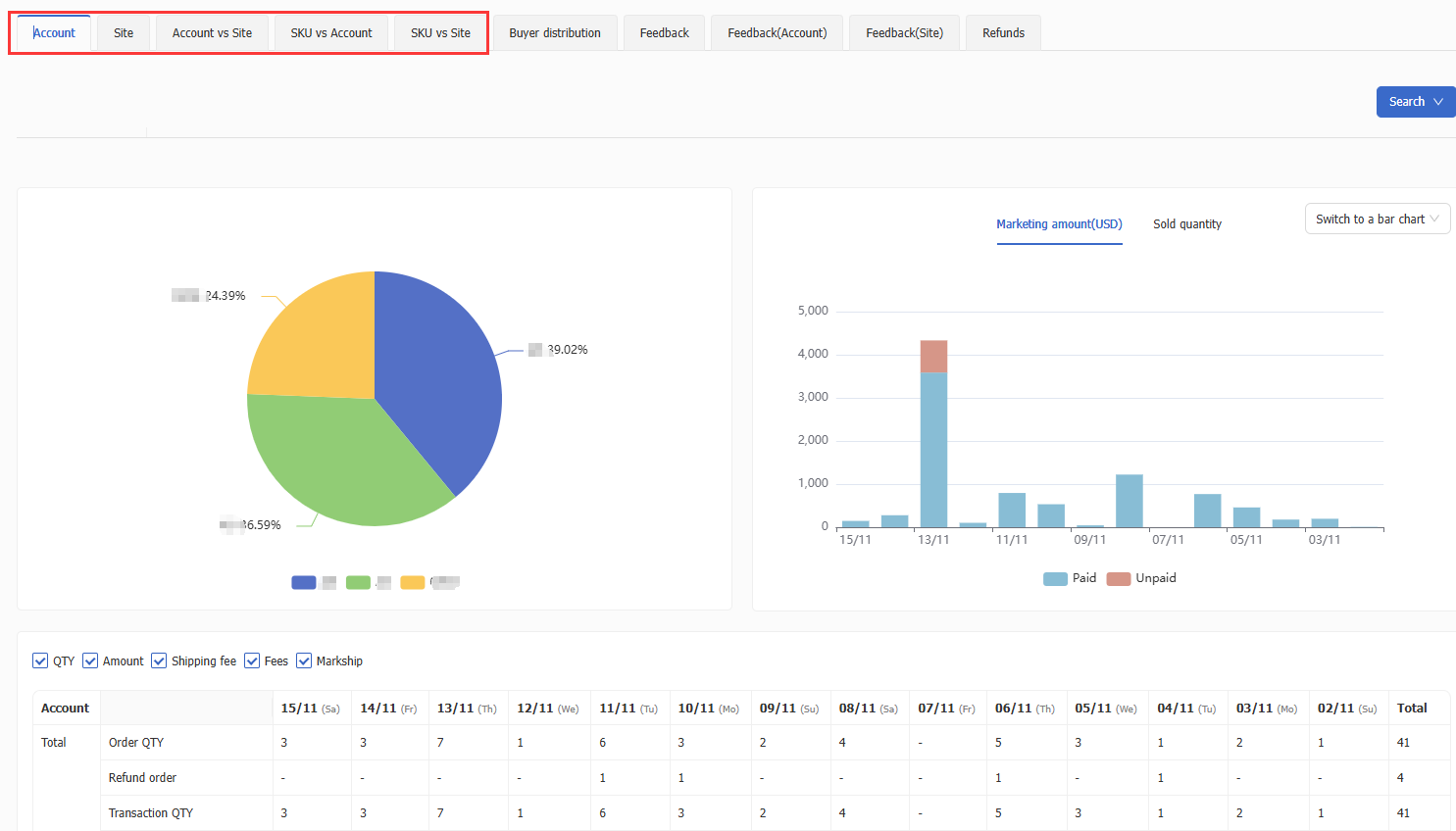
- Buyer Distribution
View the shipping destination distribution of buyers for each account/site.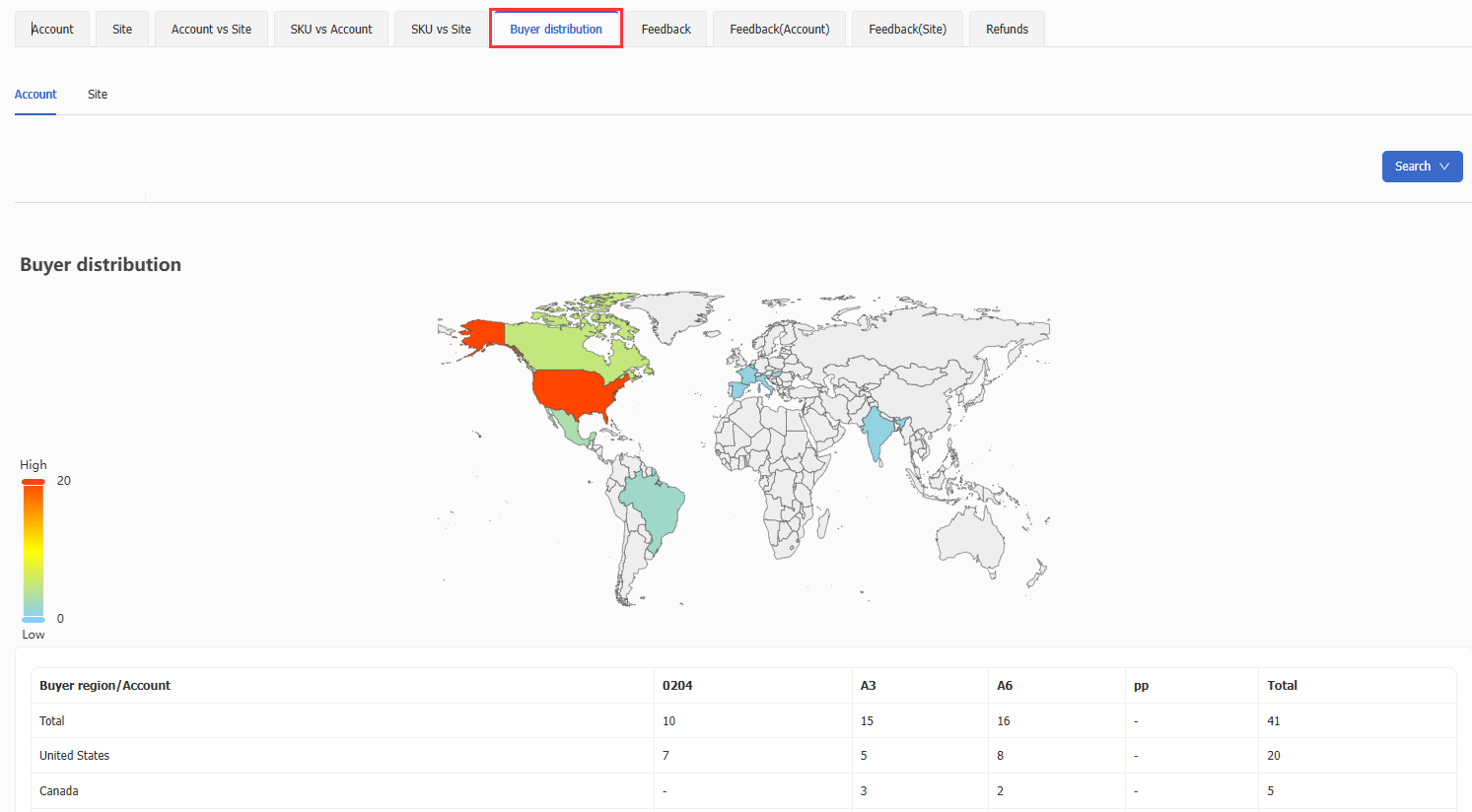
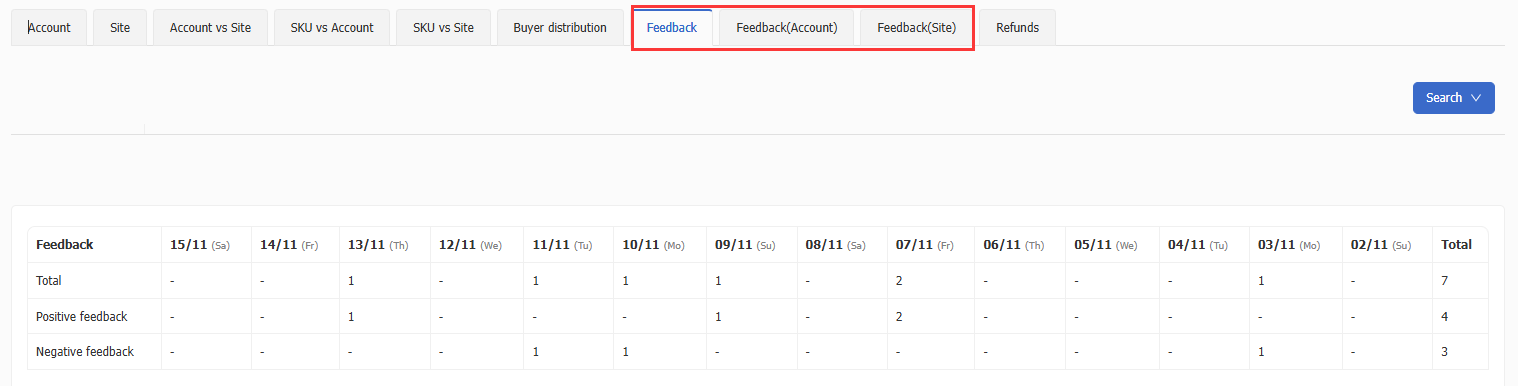
- Feedback Analysis
Displays buyer feedback for each eBay account or site, including the distribution of positive, neutral, and negative ratings—helping sellers better understand buyer sentiment and adjust service/operations accordingly.
- Refund Analysis
Displays refund data for each eBay account or site—helping sellers fully understand sales performance, improve customer satisfaction, and optimize product quality and service.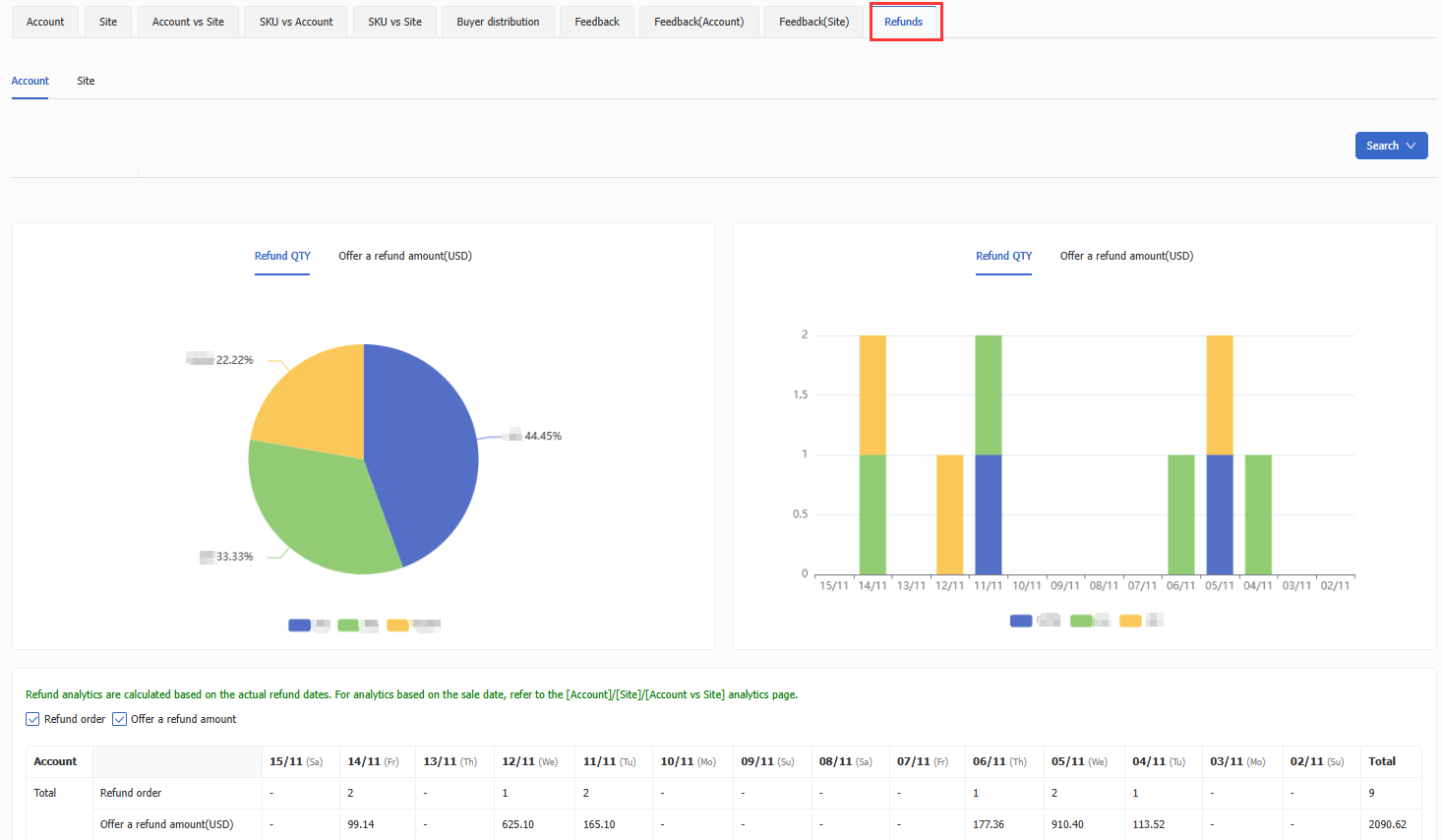
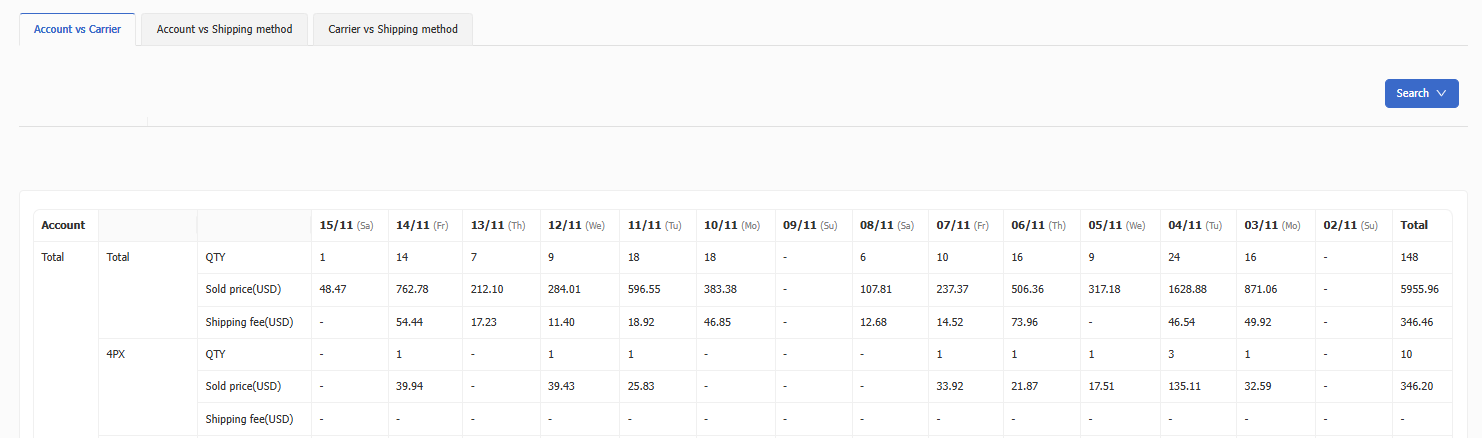
Parcel Delivery
- Account vs Carrier - Displays order quantity, sales amount, and shipping cost for each carrier under each eBay account.
- Account vs Shipping Method - Displays order quantity, sales amount, and shipping cost for each shipping method under each eBay account.
- Carrier vs Shipping Method - Displays order quantity, sales amount, and shipping cost for each shipping method under each carrier.
Order Markship
- Account vs Shipping Code - Displays order quantity and sales amount for each shipping method under each eBay account.
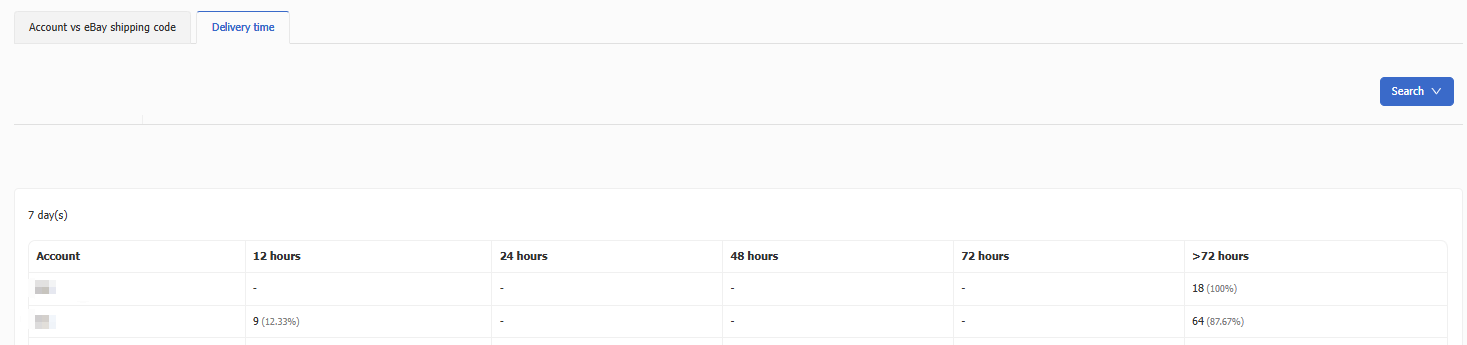
- Shipping Timeliness - Displays shipping timeliness for the past 7, 14, and 30 days, including distribution of shipping times—helping sellers analyze fulfillment efficiency and optimize processes.
eBay Fee
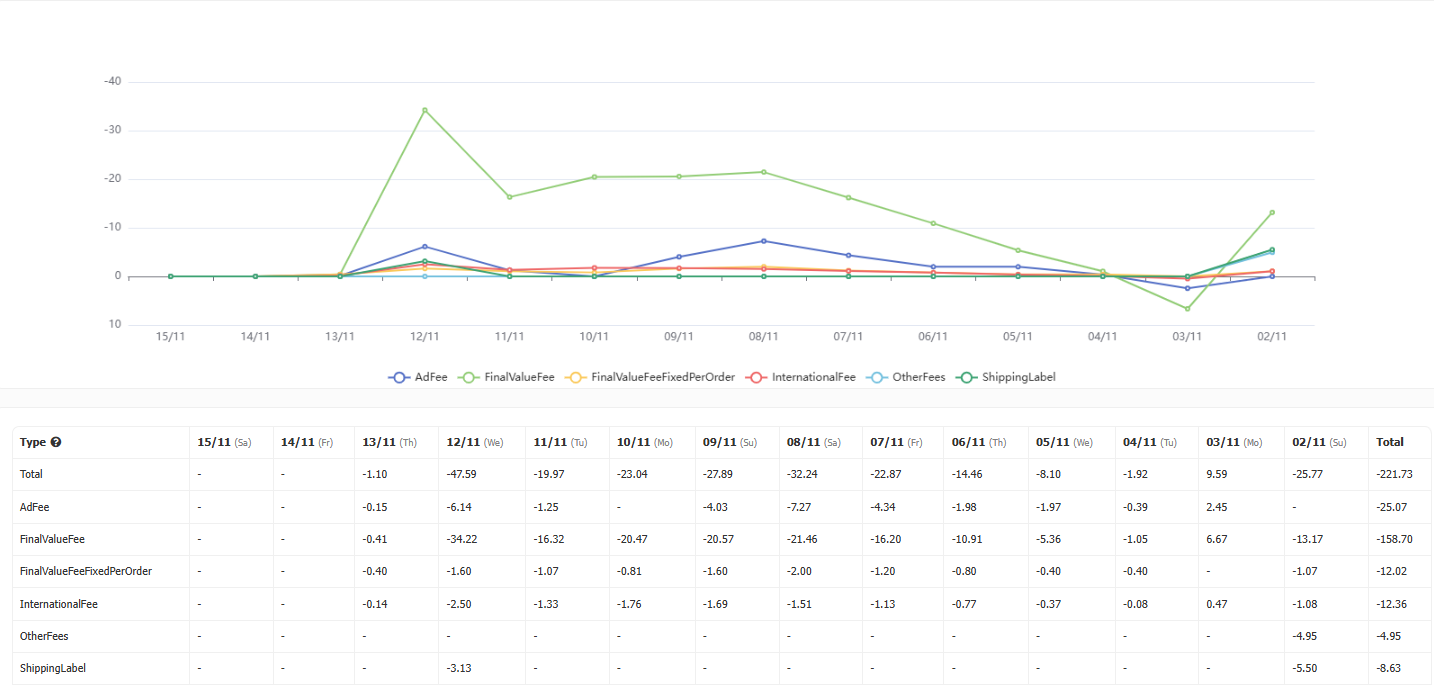
A summary of all types of eBay fees. For explanations of each fee type, please refer to Fee Type Explanation
Payments
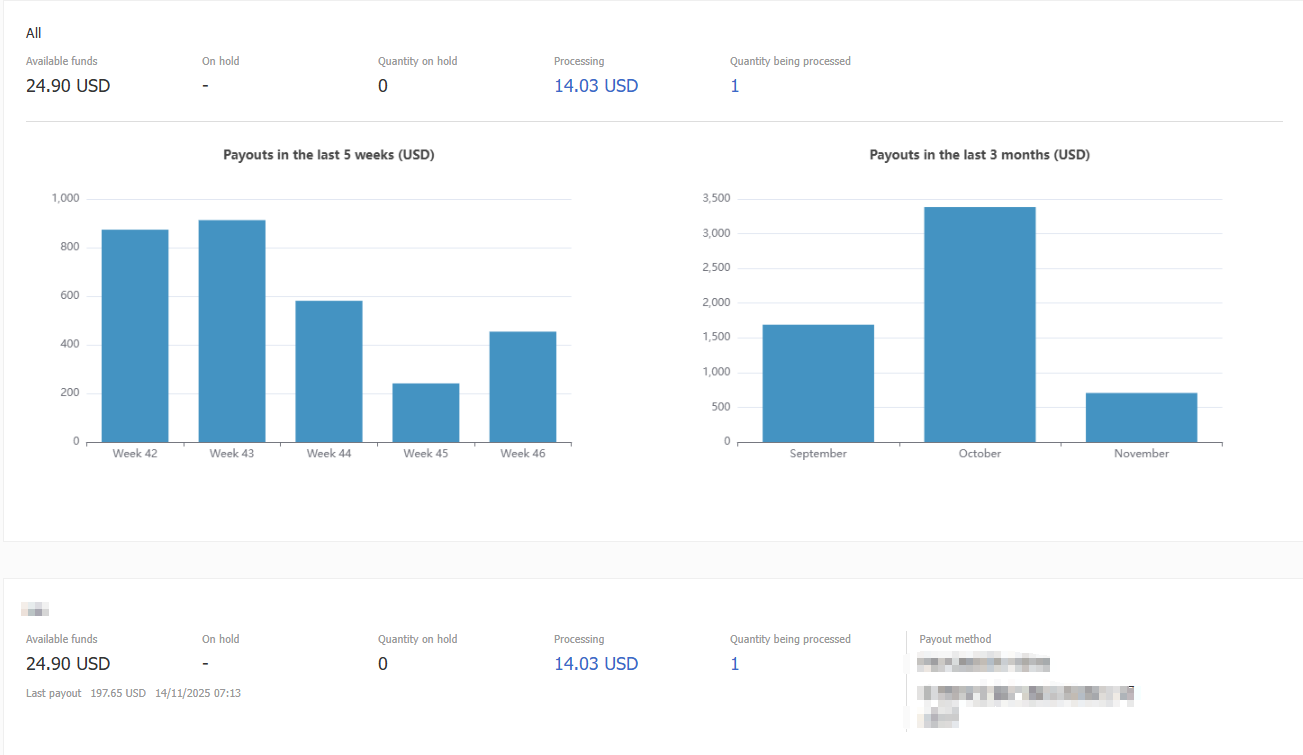
Syncs eBay payment status and displays available funds, on hold funds, quantity on hold transactions, payments in process, and number of pending payments.
This article is also available in the following languages:
 Chinese Simplified
 Chinese Traditional