After the system update, to avoid page issues caused by browser cache, we recommend pressing Ctrl+F5 to force refresh the browser.
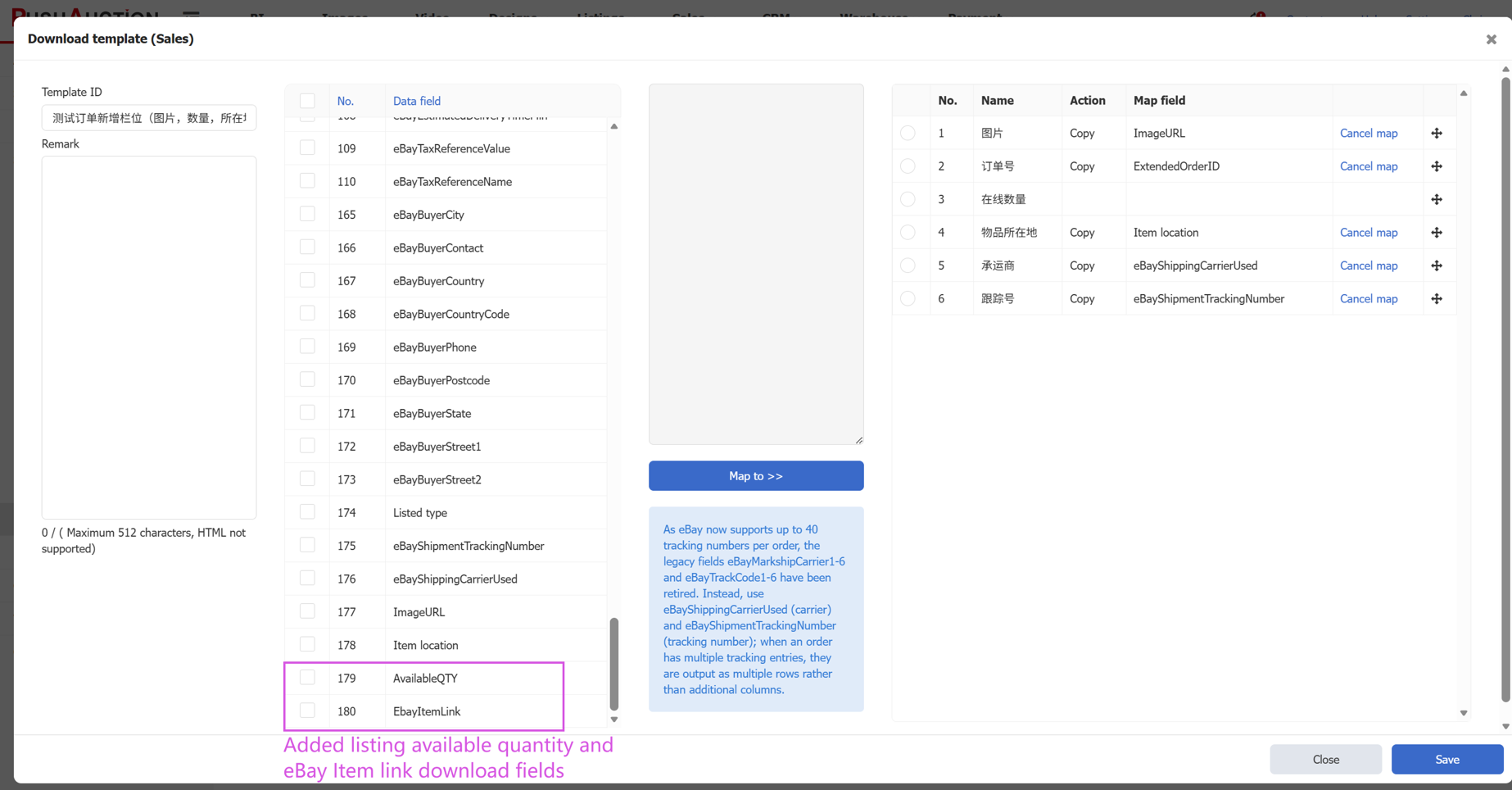
- Listing Analysis Page: Added Sales Analysis Data and Traffic Analysis
Path: Listings > Live > Analysis
On the Analysis page, you can view sales data and traffic analysis within a selected time range;
Note: The original Conversion Rate analysis has been renamed to Traffic analysis.
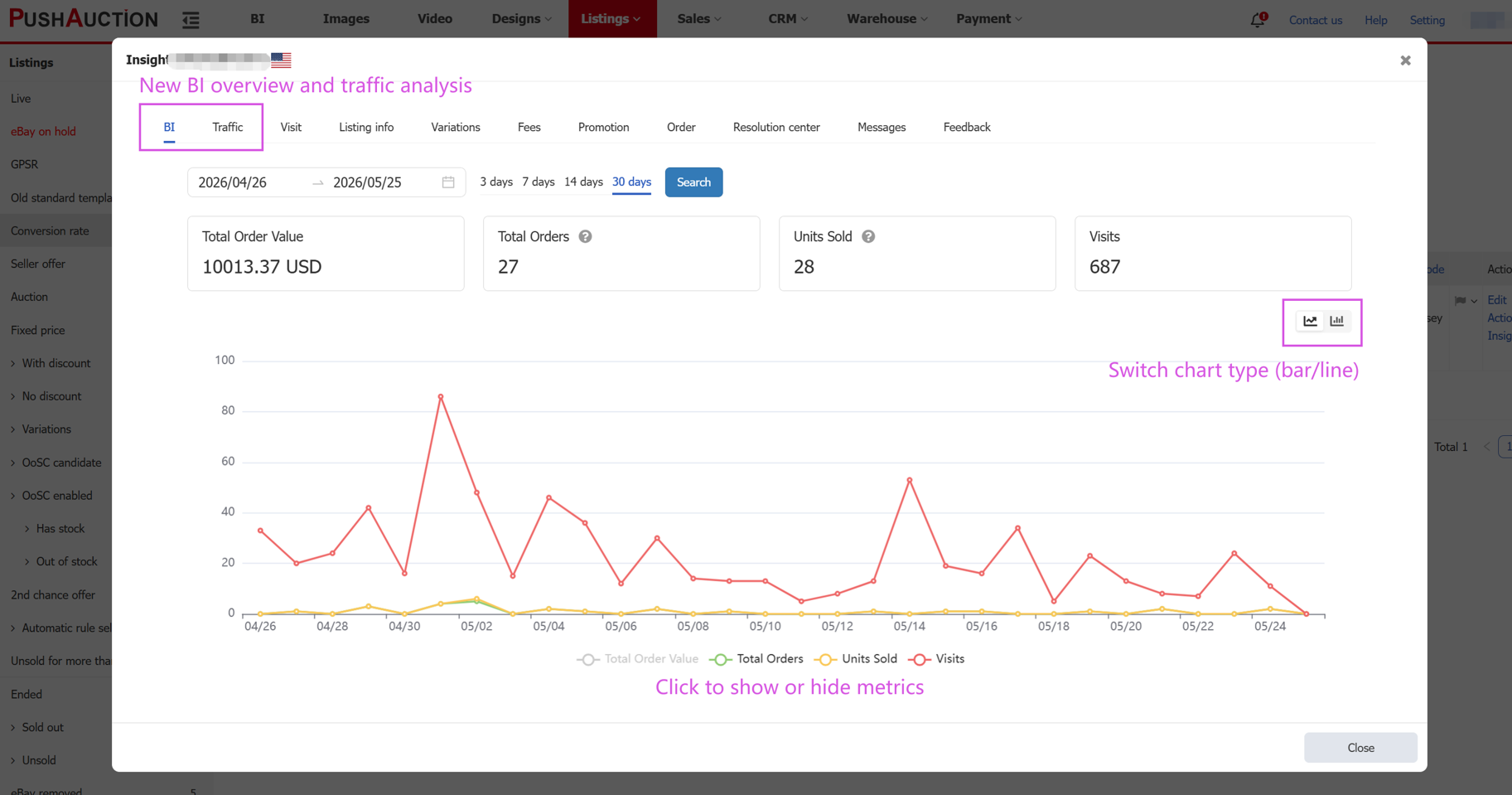
- Listing Management Page: Added Sales Filter Conditions
Path: Listings > Live
New filter conditions have been added to the Listing Management page: total sales within X days after listing, total sales in the last X days (formerly “Sold”), and no sales in the last X days (formerly “Unsold”). Sellers can search for low-performing listings and end them while creating new listings with one click to gain additional eBay traffic support;
For End Listing and Create a New Listing with one click, please view the help article
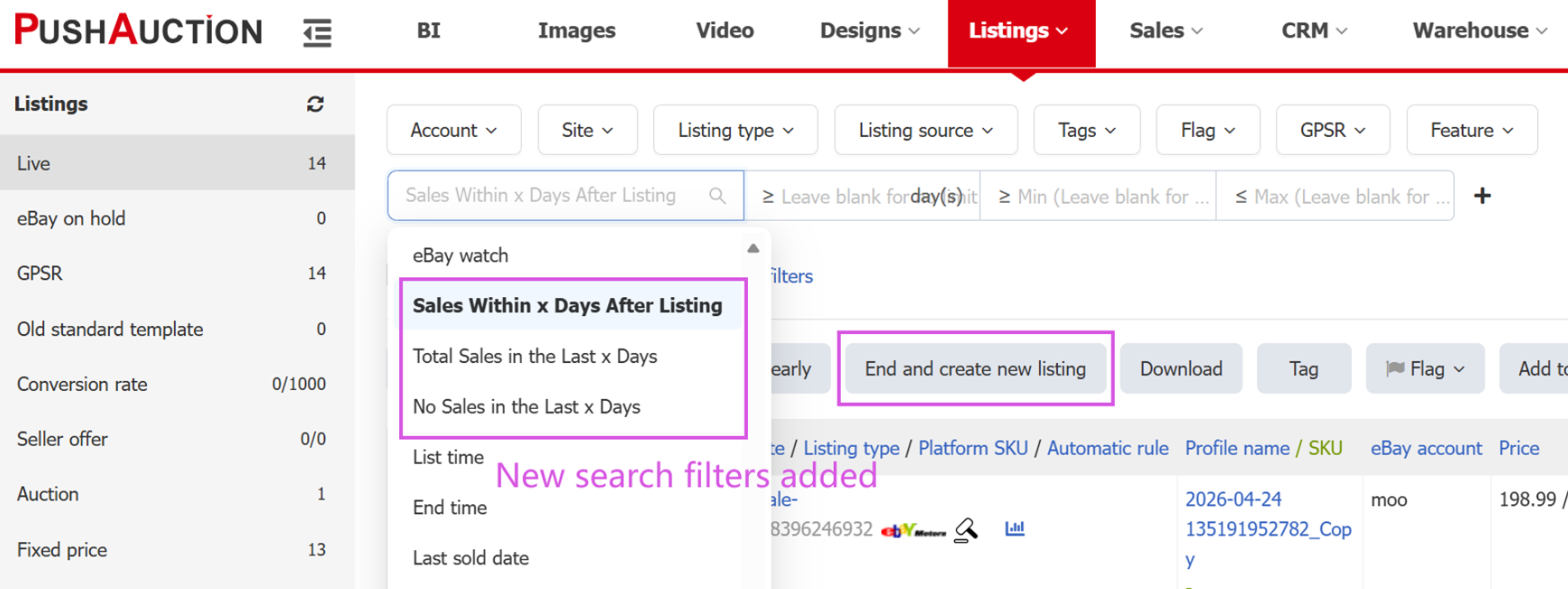
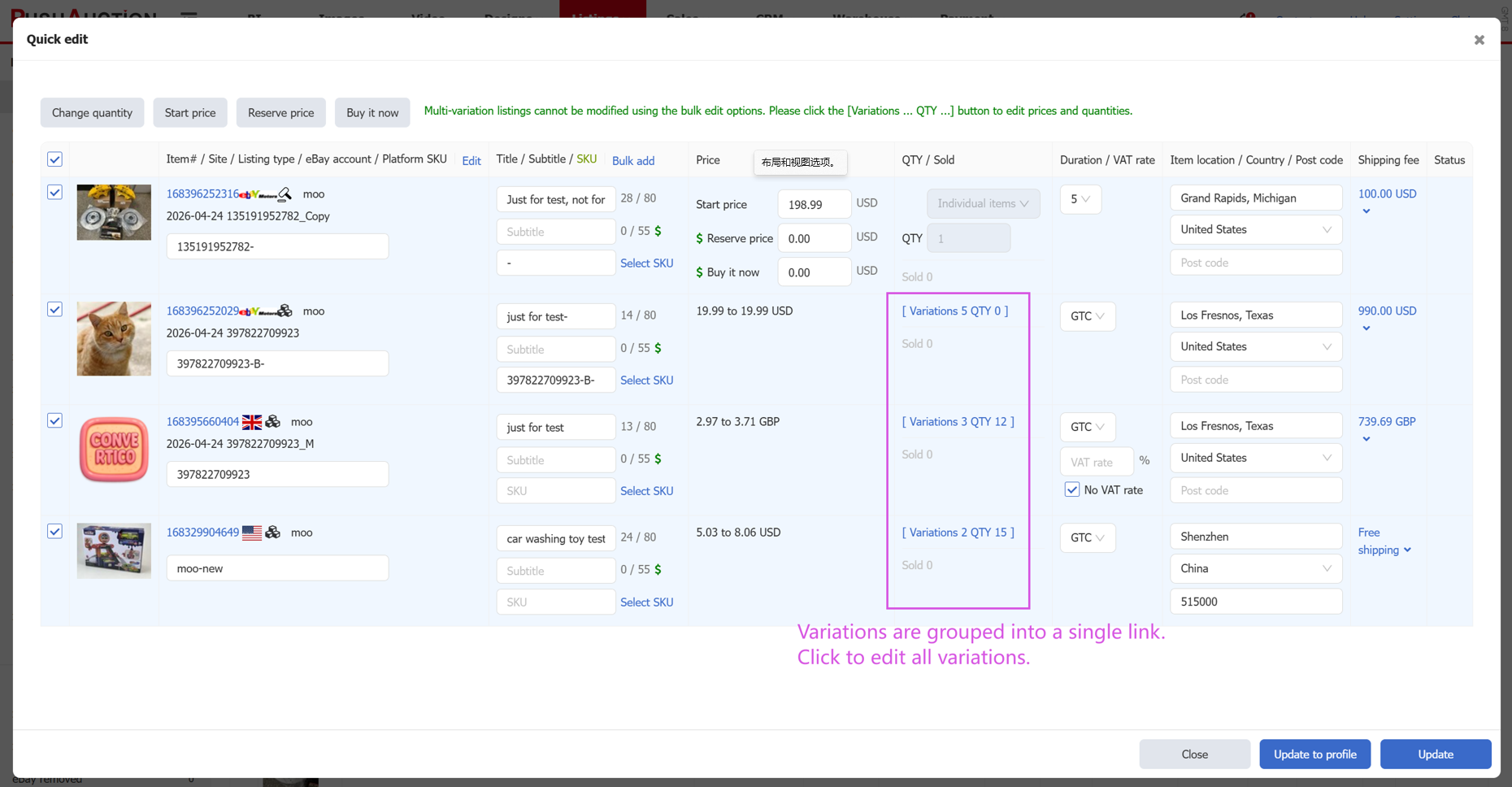
- Listing Quick Edit Now Supports Editing Variation Listings
Path: Listings > Live > Quick edit
The Listing Quick Edit page now supports quick editing for variation listings, greatly improving efficiency;
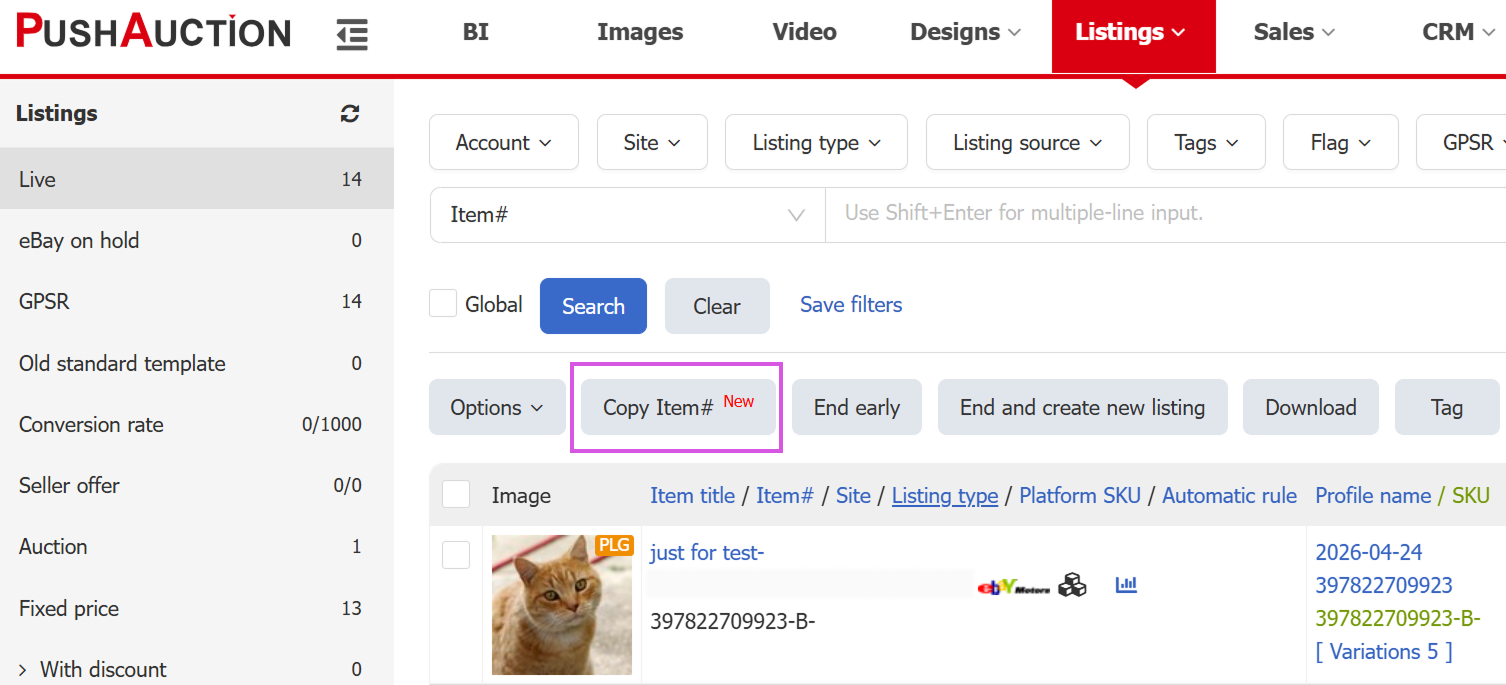
- Listing List Supports Batch Copying Item IDs
Path: Listings > Live > Copy Item#
In the Listing Management list, select multiple listings and click [Copy Item# ] to batch copy the item IDs and paste them into an Excel sheet;
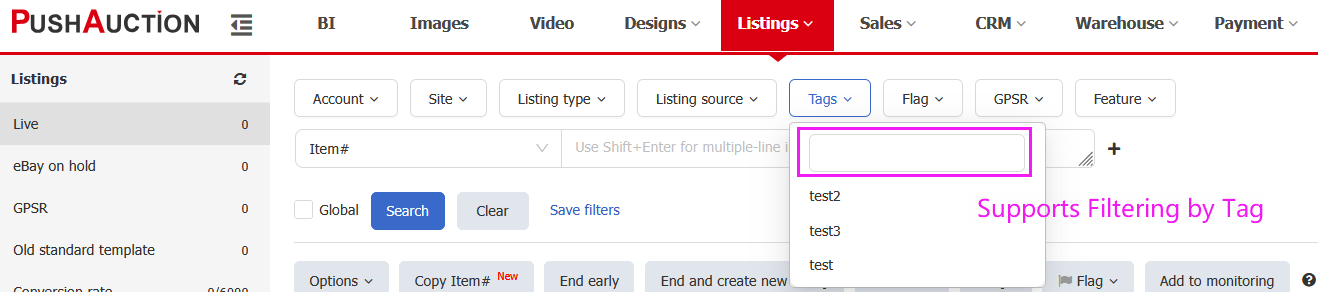
- Listing List Supports Filtering by Tags
Path: Listings > Live > Tag
The Listing Management list now supports creating multiple tags and quickly filtering by them. Custom tags can be used for categorized management, quick filtering, and batch processing.
To learn more about tag operations, please view the help article ;
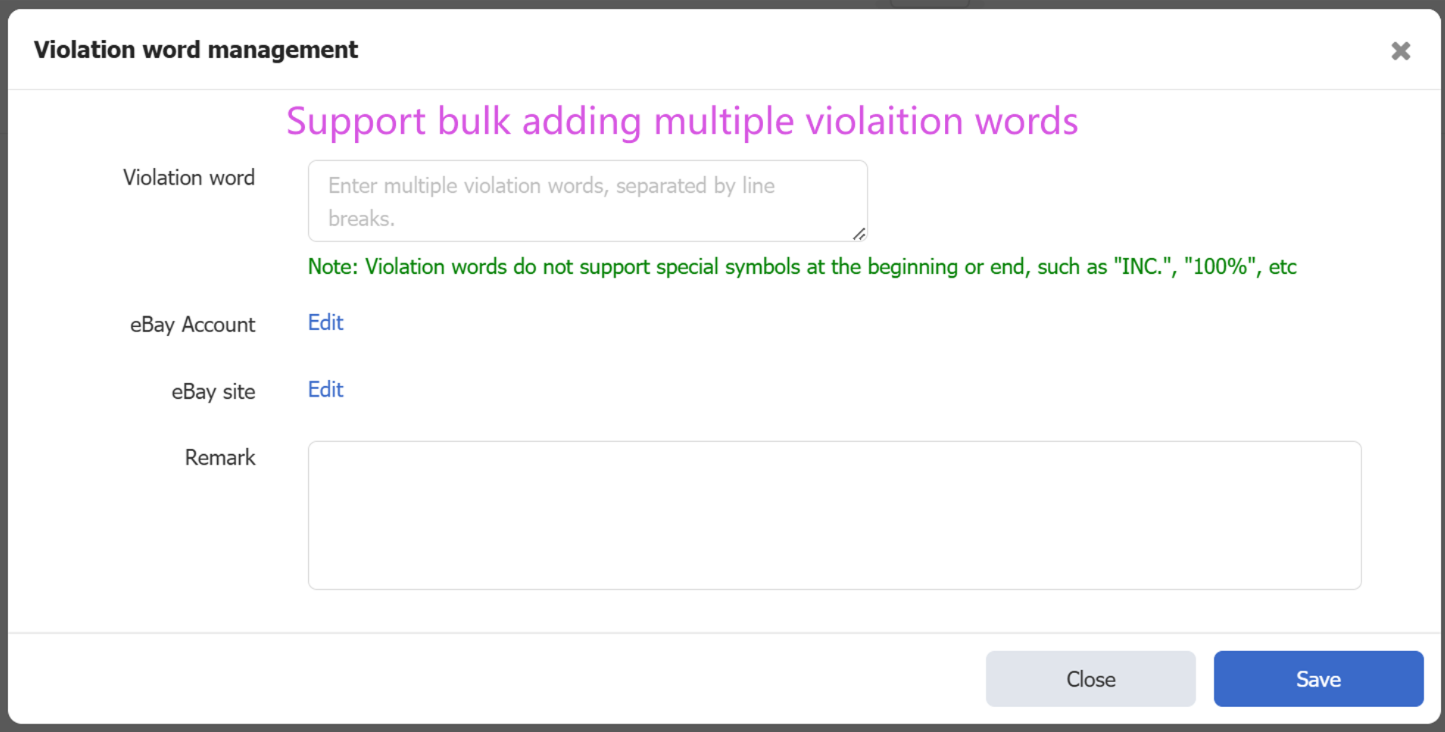
- Batch Add Violation Words
Path: Setting > Listing setting > Violation word management
Violation word management can be used to check whether templates and listings contain prohibited words, helping prevent listings from being removed by eBay due to prohibited content. Violation words now support batch adding, greatly improving efficiency;
To learn more about the Violation word management feature, please view the help article ;
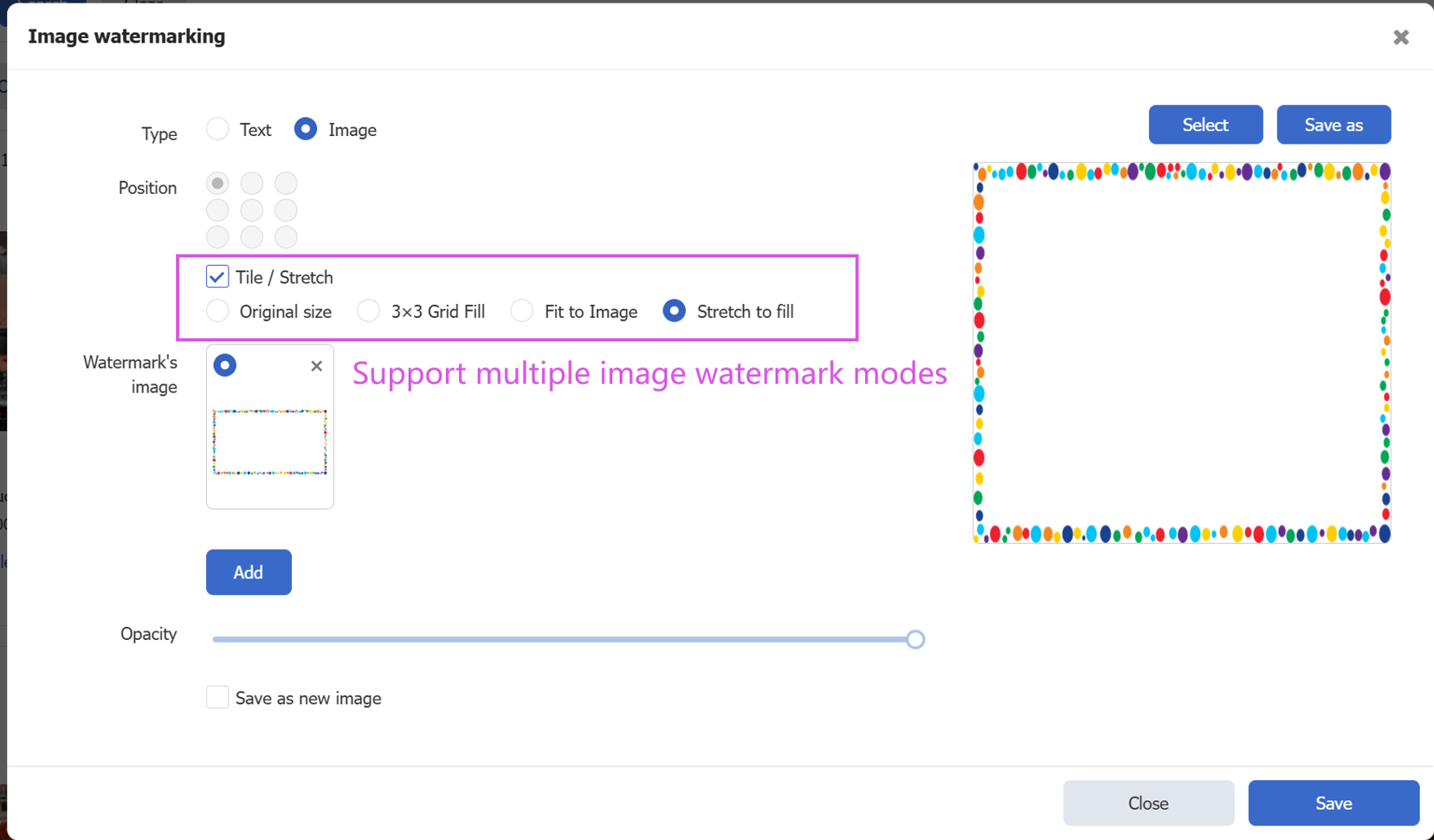
- Image Watermarks Support Holiday Border Marketing Watermarks
Path: Images > Watermark
Multiple image watermark placement methods are supported. Select “Stretch to Fill Original Image” to automatically fill the entire image with the watermark, which is suitable for holiday marketing watermarks;
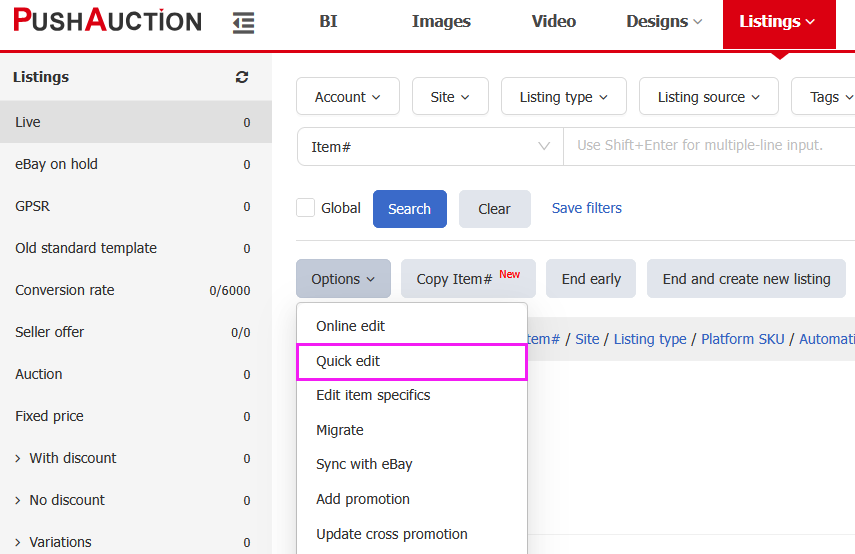
- Order Download Added “Online Listing Quantity” and “Item Link” Fields
Path: Setting > Sales order setting > Download Template
The download template allows users to customize the required data fields and field order to generate a personalized template for exporting order lists. This update adds Available Quantity and Item Link download fields.
To learn more about sales order download template, view the help article: Custom Download Template (Orders)