After the system update, to avoid page issues caused by cached data, we recommend pressing Ctrl+F5 to force-refresh your browser.
- Comprehensive Optimization of BI - Sales
Path: BI > Sales
Multiple BI - Sales pages have been comprehensively optimized and now support switching between pie charts and bar charts. In bar charts, you can select analysis metrics from a dropdown to compare performance across accounts. Click an account to enter focus mode, where the chart on the right and the table below display data for that account only, making drill-down analysis easier.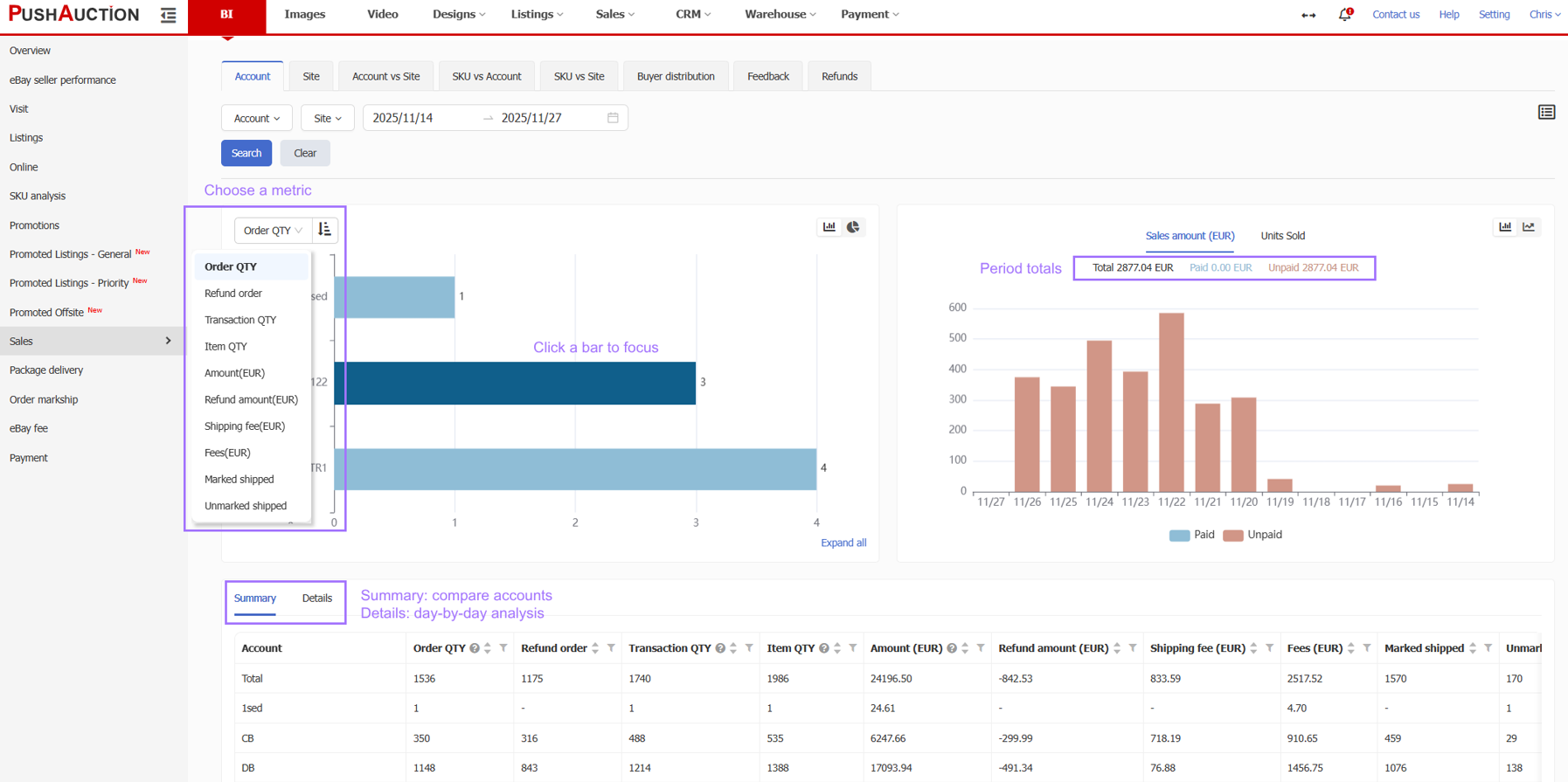
- Support for Applying Listing Modules in Bulk via Excel Upload
Listing modules can now be applied in bulk via Excel upload. First, download the Excel file containing the module fields (such as the compatibility table), enter the module name to be applied to each listing, and then upload the file to apply modules in bulk;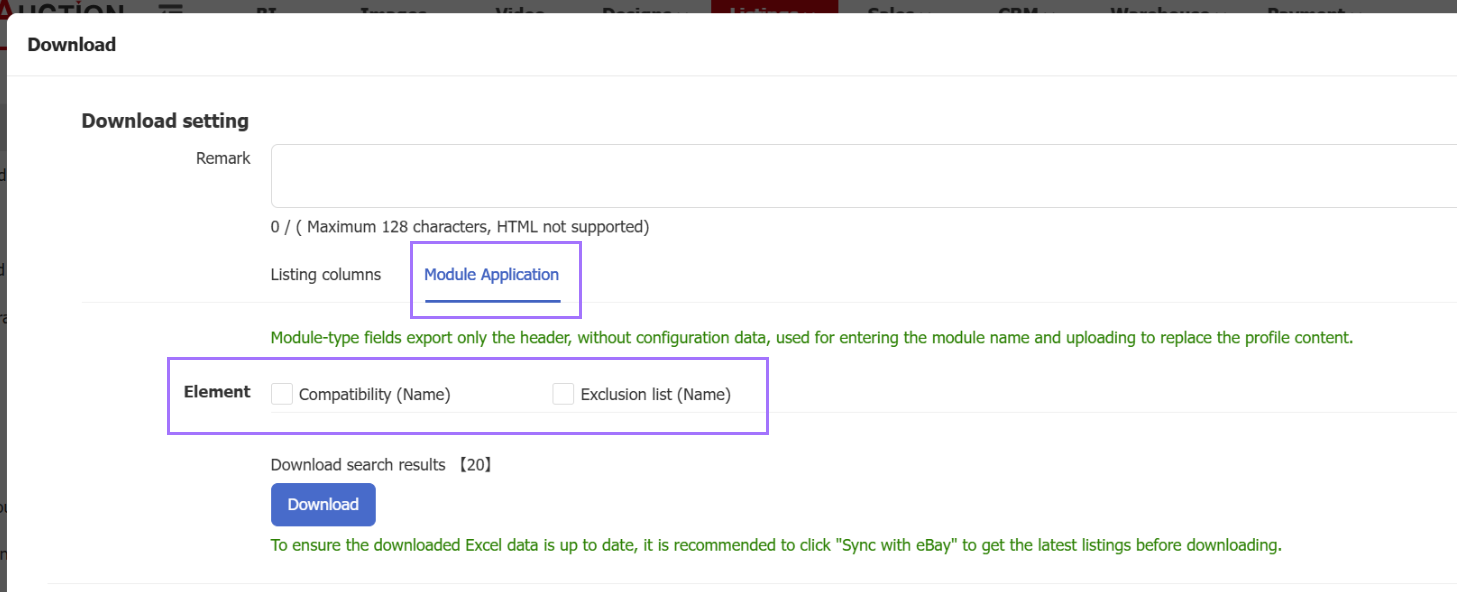
- Listing Page Supports Bulk Management of Promoted Listings Campaigns
Path: Listings > Live > PLG/PLP
PLP and PLG campaigns can now be managed in bulk directly from the Listing Management page. Without opening the campaign page, you can quickly add listings, remove listings, or switch listings between campaigns, improving operational efficiency. Learn more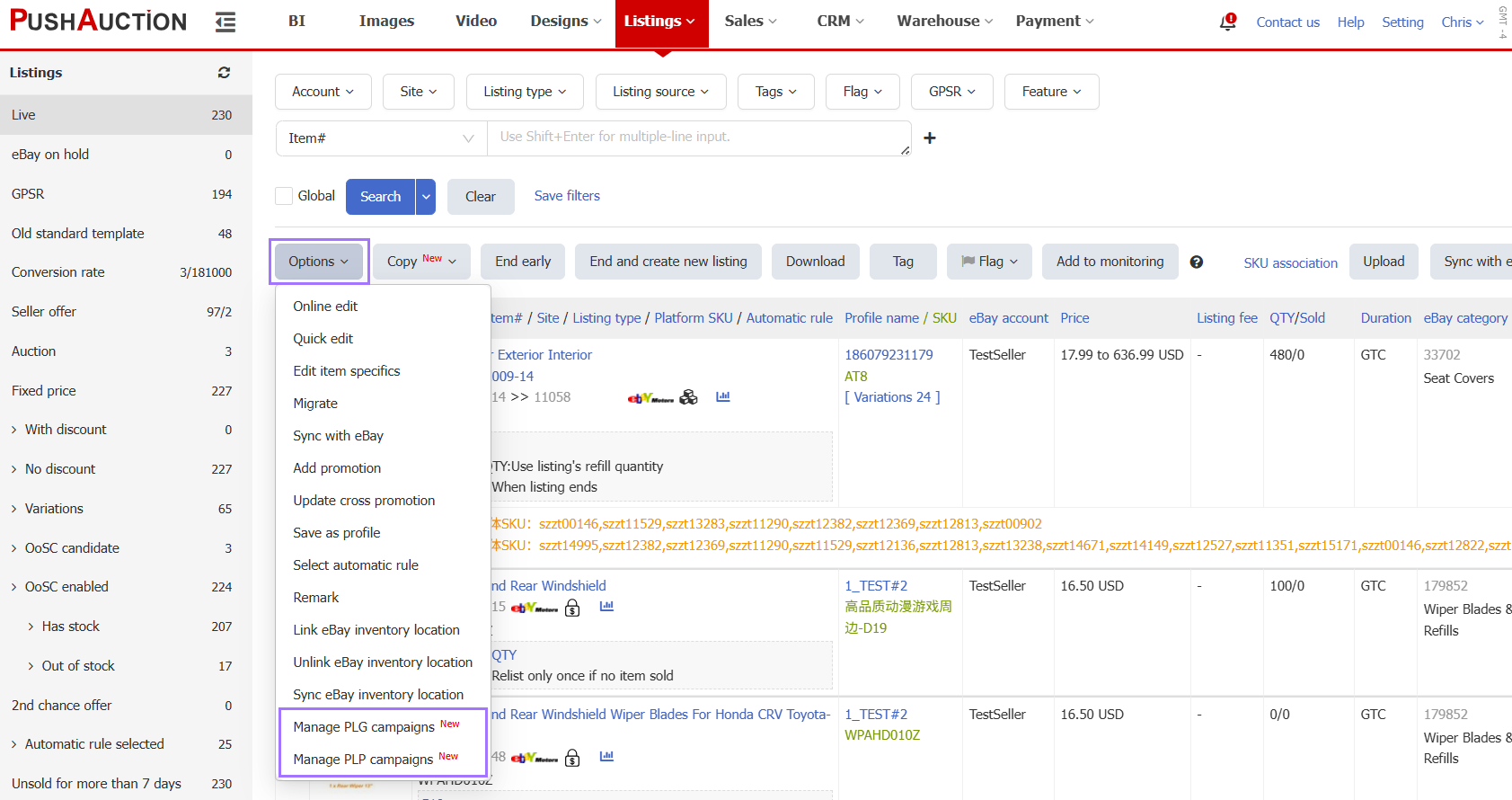
- Support for Searching Listings by Sales Within X Days After Listing, Total Sales in the Last X Days, and No Sales in the Last X Days
Path: Listings > Live
Listings can now be searched by "Sales Within X Days After Listing", "Total Sales in the Last X Days", and "No Sales in the Last X Days", with a maximum time range of 365 days. This makes it easy to identify listings with consistent sales, recent best sellers, or long-term slow-moving listings. For long-term slow-moving listings, you can end the listing and create a new listing with one click. Learn more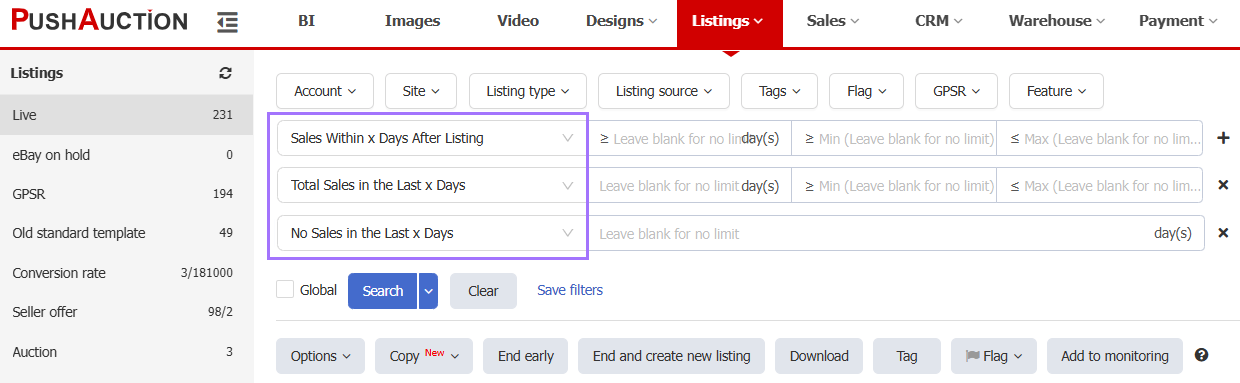
- Profiles/Listings Support Searching for "Untagged"
Tags are user-defined and can be used to categorize and manage large numbers of listings for quick filtering. The new "Untagged" search lets you find listings that have not yet been tagged with one click. Learn more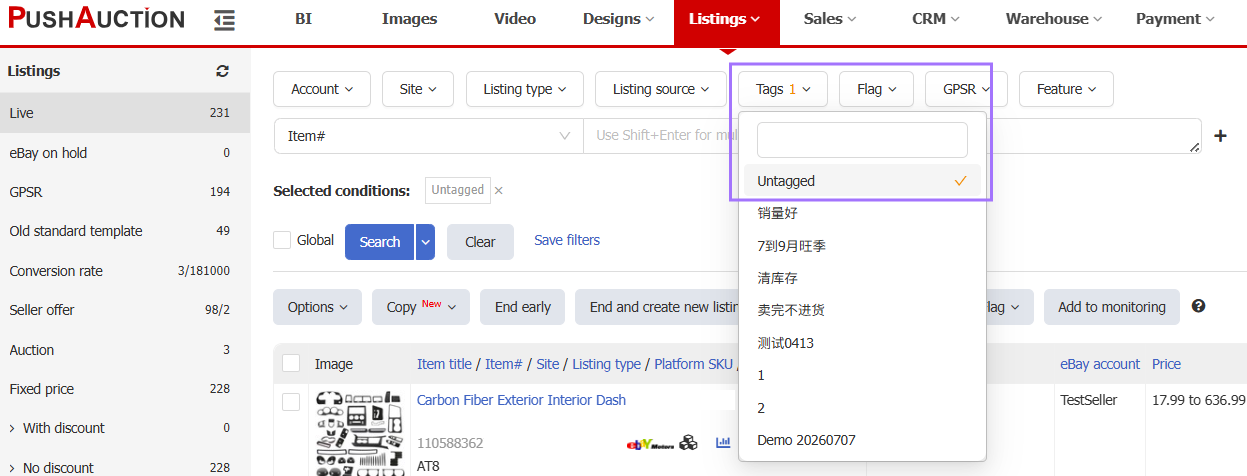
- Bulk Edit PLG Ad Rates via Excel Upload
Path: Listings > eBay Marketing > PLG
Multiple PLG campaigns can now be downloaded to Excel in bulk. After editing listing ad rates, upload the file back to the system. Since PLG charges per sale and campaigns often contain many listings, ad rates no longer need to be adjusted one by one on the page, significantly improving efficiency! Learn more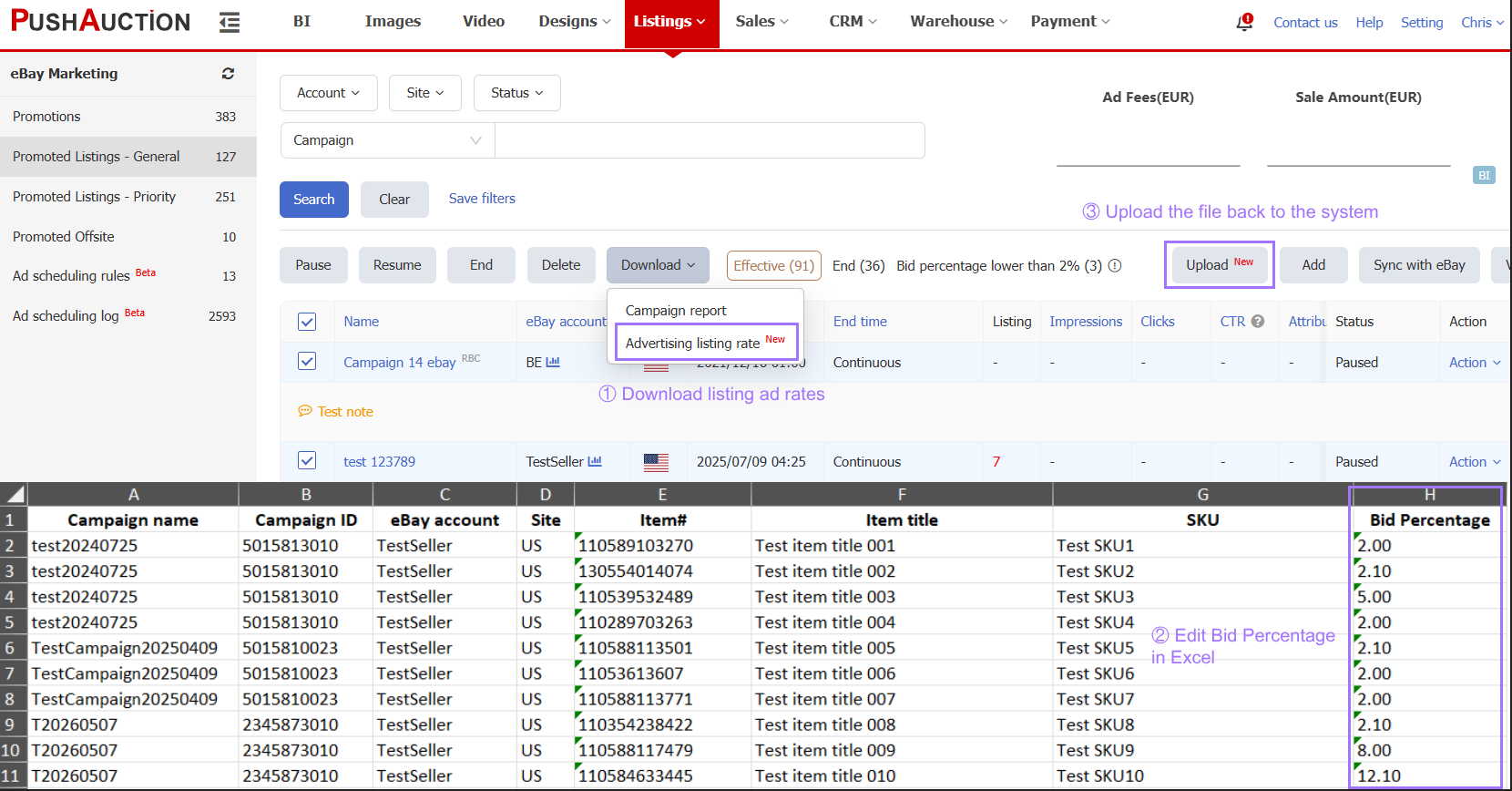
- Video Ads Optimization
Path: Listings > eBay Marketing > PLP
Listings with videos now display a video icon, making it easy to identify which listings already have videos and whether they can be used directly for Video Ads. In addition, a new Video column has been added to the PLP management list to show the number of Video Ads in each campaign. Learn more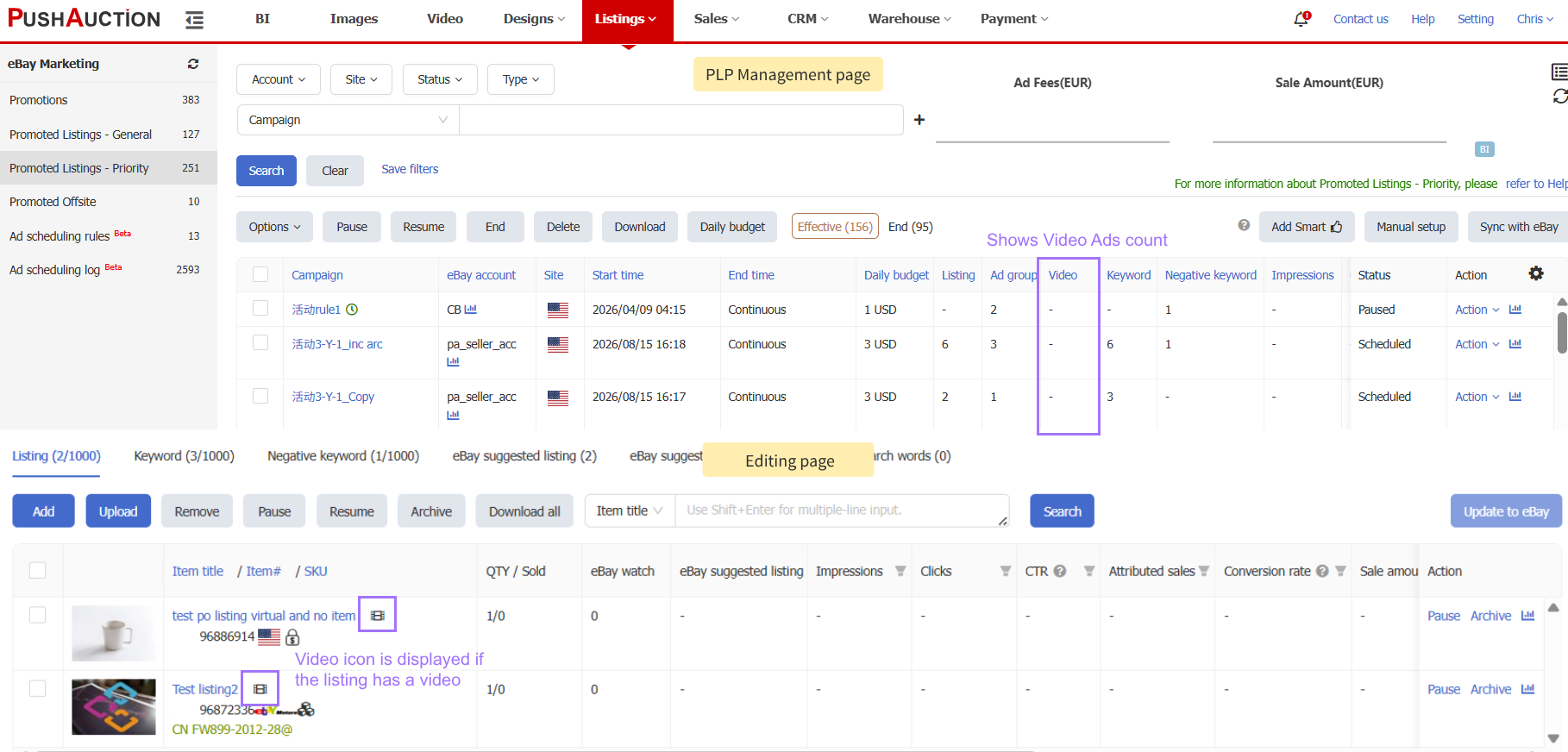
- Returns Page Supports Searching by Return Tracking Number
Path: CRM > Resolution center > Returns
The Returns page now supports searching by return tracking number, allowing you to quickly locate the corresponding return case using the buyer’s return shipment tracking number ;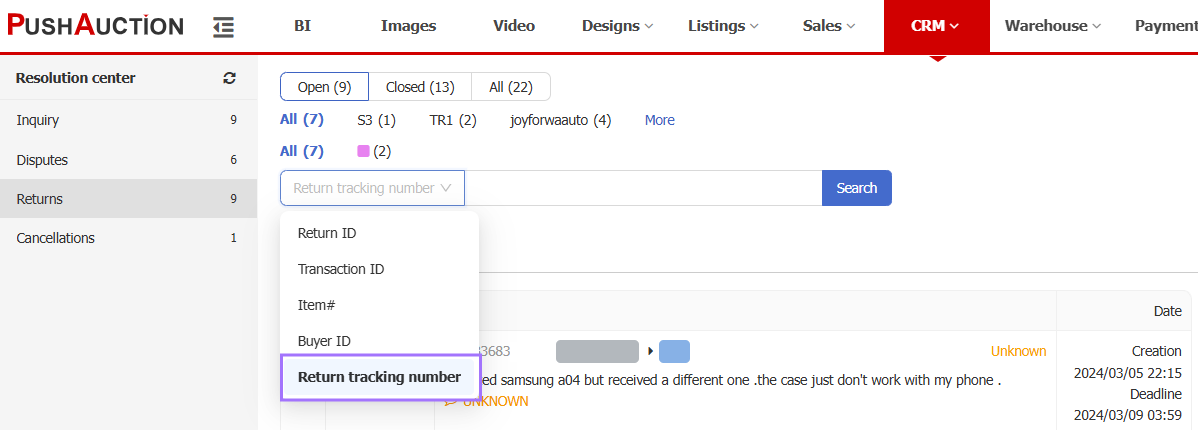
- Fee Details Added to the Order Details Page
Path: Orders > Details
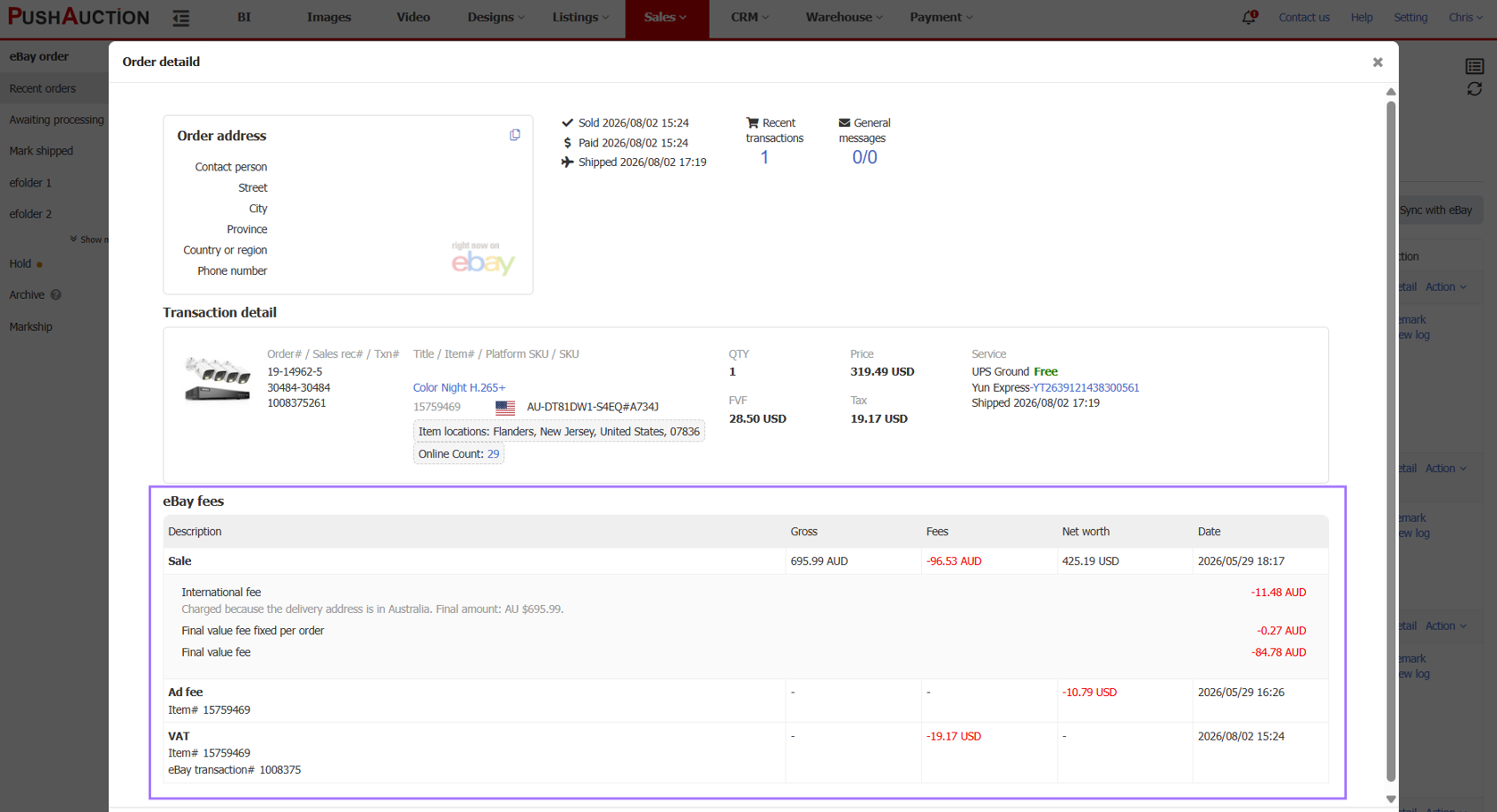
The Order Details page now includes eBay fees, showing Final value fees, Ad fees, VAT, and other charges, making it easier to review the breakdown of platform deductions for each order.