Promoted Listings - General (PLG): Bulk editing of advertising listing rates using Excel
Feature Overview: PLG campaign supports batch modification of listing advertising rates via Excel. Simply download the campaign data, batch modify the bid percentages in Excel, and then upload them back to the system for updates. This supports sellers in making batch or periodic price adjustments, helping improve advertising management efficiency.
1. Download the advertising listing rate
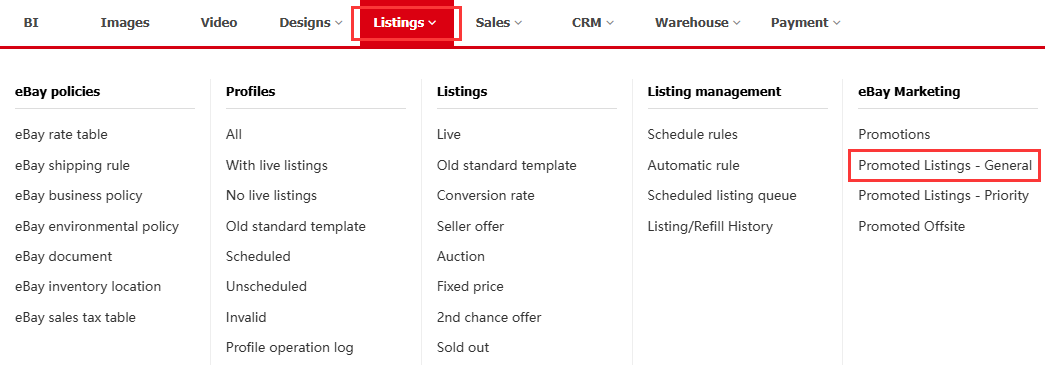
Step 1: Navigate to [Listings] > eBay Marketing > [Promoted Listings - General];
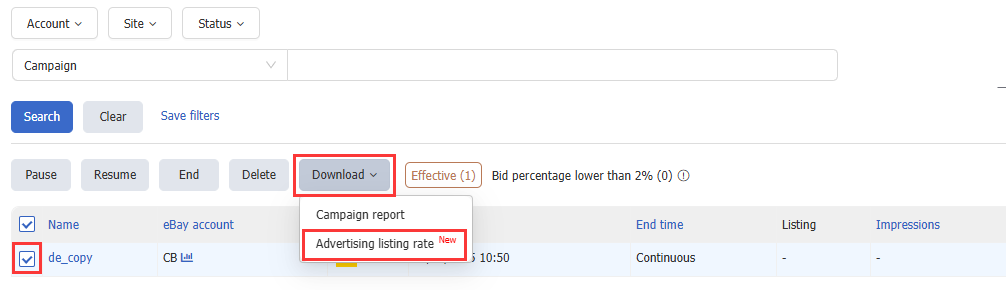
Step 2: Select the Campaign > Click [Download] > [Advertising listing rate].
2. Modify the advertising listing rate
In the exported file, modify the “Bid Percentage” and save the file.

3. Upload the advertising listing rate
Step 1: Navigate to [Listings] > eBay Marketing > [Promoted Listings - General];
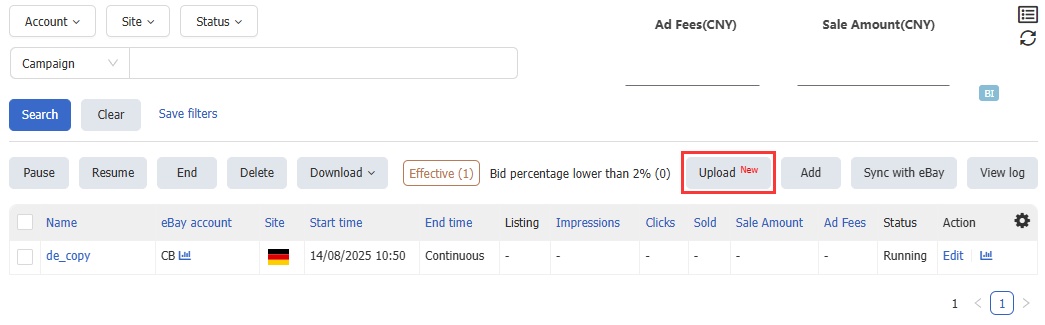
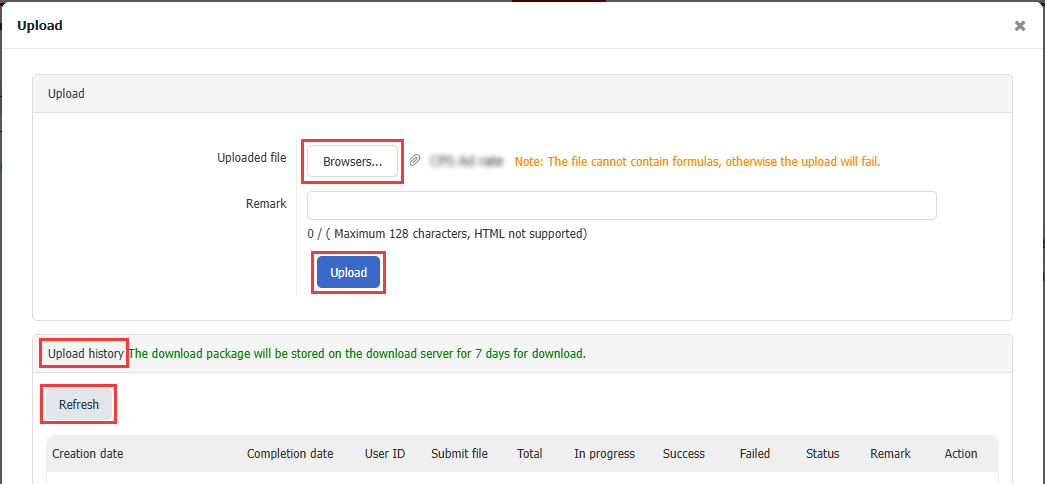
Step 2: Click [Upload] > Select the file > [Upload];
Step 3: Check the upload result in the "Upload History" , and you can click [Refresh] to update the upload status.
This article is also available in the following languages:
 Chinese Simplified
 Chinese Traditional