Step 6: Edit and manage your listings
You can manage your listings for multiple eBay accounts and sites in PushAuction.
There are comprehensive listing management tools, such as single/bulk edit listings online or using Excel, auto refill QTY, auto relist, etc.
Here are a few links with step-by-step guides that will help you dive into more details.
⇒ Quickly edit basic information of Listing(s)
⇒ Edit a single listing
⇒ Online bulk editing of listings
⇒ Edit listing(s) with Excel
⇒ Migrate listing(s)
⇒ Out of stock control
⇒ Auto refill QTY
⇒ Auto relist
⇒ End listing(s) Early
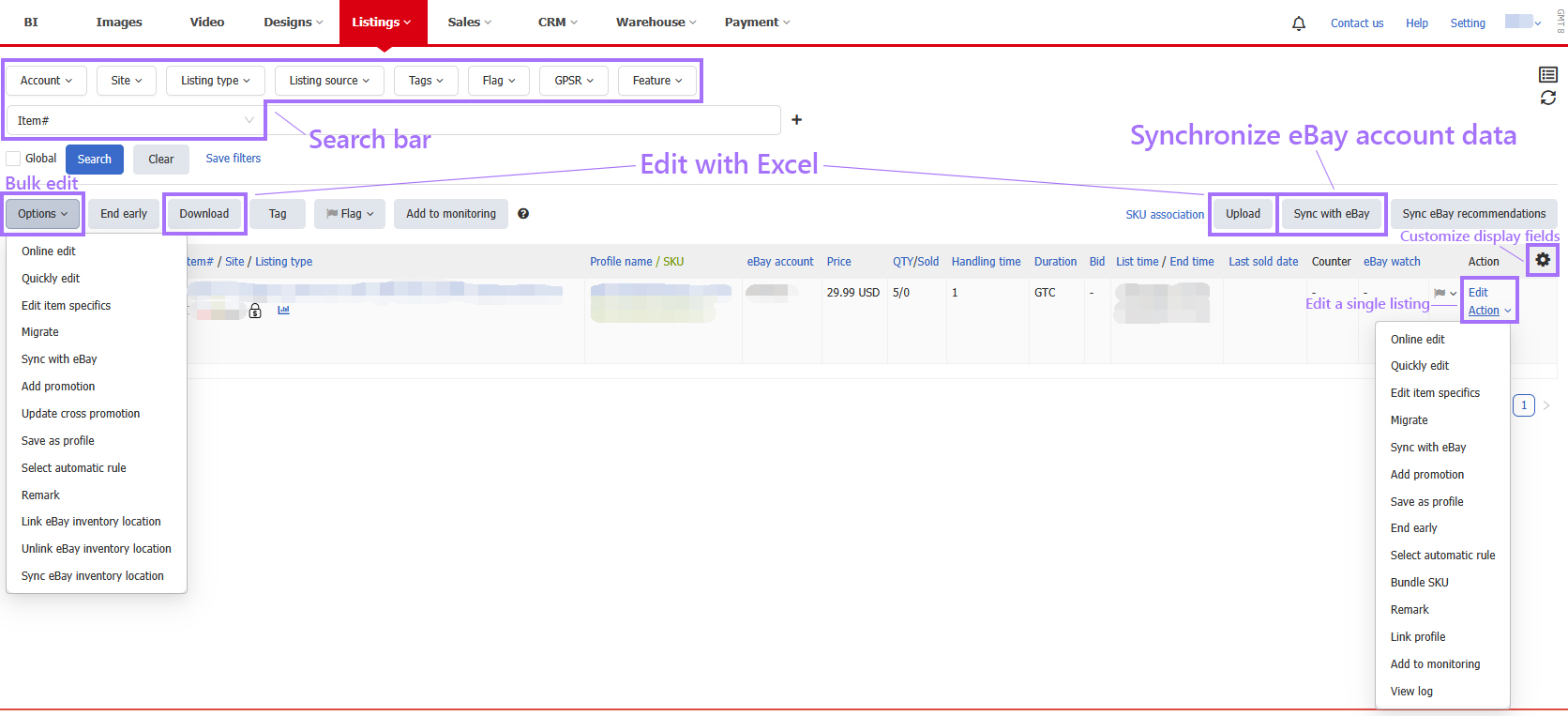
Click to view more detailed instructions on using the "Listings"
This article is also available in the following languages:
 Chinese Simplified
 Chinese Traditional